GB-19
VIEWING JPG FILES
ThisunitcanplayJPGlesrecordedonaCD-RorCD-ROMdisc(CD-RWisnotrecommendable).
Viewing JPG Files
1.Openthediscdoor.
2.HoldaJPGlediscbyitsedgeandgentlypushitontothespindlewiththelabel
sidefacingupuntilyouheara“click”.
3. Closethediscdoor.Alistoffolders/leswillappearonthescreen.
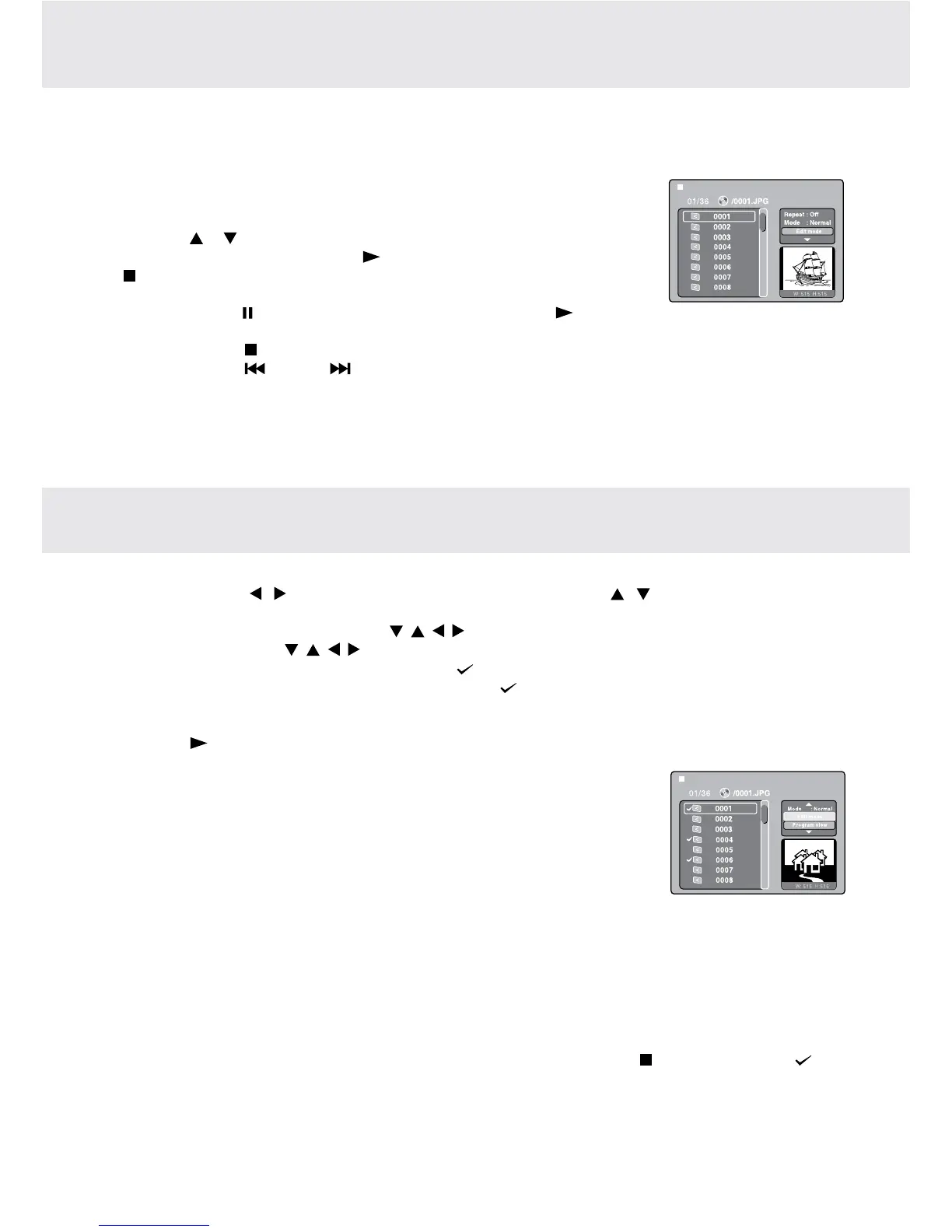
4. Pressthe or button to select your desired file. The selected picture will appear
atthe lowerright corner.Press the PLAYbutton tostartplayback. Pressthe
STOP button to display a folder list.
Note:
• Youcanpressthe PAUSEbuttontointerruptplayback.Pressthe PLAY button
to resume playback.
• Youcanpressthe STOP button to quit playback.
• Youcanpressthe PREV or NEXT button to change the picture.
• YoucanpresstheANGLEbuttontorotatedirectionofthepictureby90°.
• Somediscsmaynotpermitthisoperation.
WhenplayingCD/JPGdiscs,youcanmodifythePlayModesthroughtheToolkitwhichappearsonthepictureon
thescreen.Pressthe / button to navigate between the windows and the / buttontoselectles/tracksor
play mode items. Then press the ENTER button.
1. InStopmode,presstheCursorbuttons( , , , )toselect"Editmode"thenpresstheENTER button.
2. UsetheCursorbuttons( , , , )toselecttracks/lesshownonthelefthandsideofthewindow.Pressthe
ENTERbuttontoconrmtheselectedtracks/les." "willappearinfrontoftheselectedtracks/les.
3. Select"Addtoprogram",thenpresstheENTER button. " "willdisappearfromthescreen.Itmeansthatthe
tracks/lesyouhaveselectedareaddedintothe"Programview".
4. Select"Programview"toviewprogrammedles.Toaddmorelesby"Browserview"followabovesteps.
5. Pressthe PLAY button to start the program playback.
TheToolkithasthefollowingplaymodeitems:
• Repeat(Off/Single/All):
Off:Resumesnormalplayback.
Single:Repeatsthecurrenttrack/le.
All: Repeatsalllesonthecurrentfolderoralltracksonthedisc.
• Mode(Normal/Shufe/Musicintro):
Normal:Resumesnormalplayback.
Shuffle:Playbackstrack/leinrandomorder.
Music intro (for Audio CD only):Onlyplaysbacktherst10secondsofallthetracksonthecurrentfolder/disc.
• Editmode:Programoperationworksonlywhen"Editmode"isselected.
• Programview:To view tracks/lesinthe "Programview" list. Itis disabledwhenthe "Programview" list is
empty.
• Addtoprogram:Addles/trackstothe"Programview"list.Itisdisabledifthe"Editmode"isnotselected.
• Browserview:Toviewles/tracksintheoriginalviewlist.
• Clearprogram:Deletetheles/tracksinthe"Programview"list.
Selectale/trackormoreyouwanttodeleteincompletestopmode(pressthe STOP button twice). " " will
appearbesidethedeletedle/track.Select"Clearprogram"andthenpresstheENTERbutton.Itisdisabledif
the"Editmode"isnotselected.
Note:
Theprogramwillbedeletedifthediscdoorisopened,orselectedlesaredeletedbyselecting"Clearprogram".
PLAY MODES FOR CD OR JPEG DISC


 To Next Page