GB-23
Cleaning the Disc
Adefectiveorsoileddiscinsertedintotheunitcancausesoundtodropoutduringplayback.
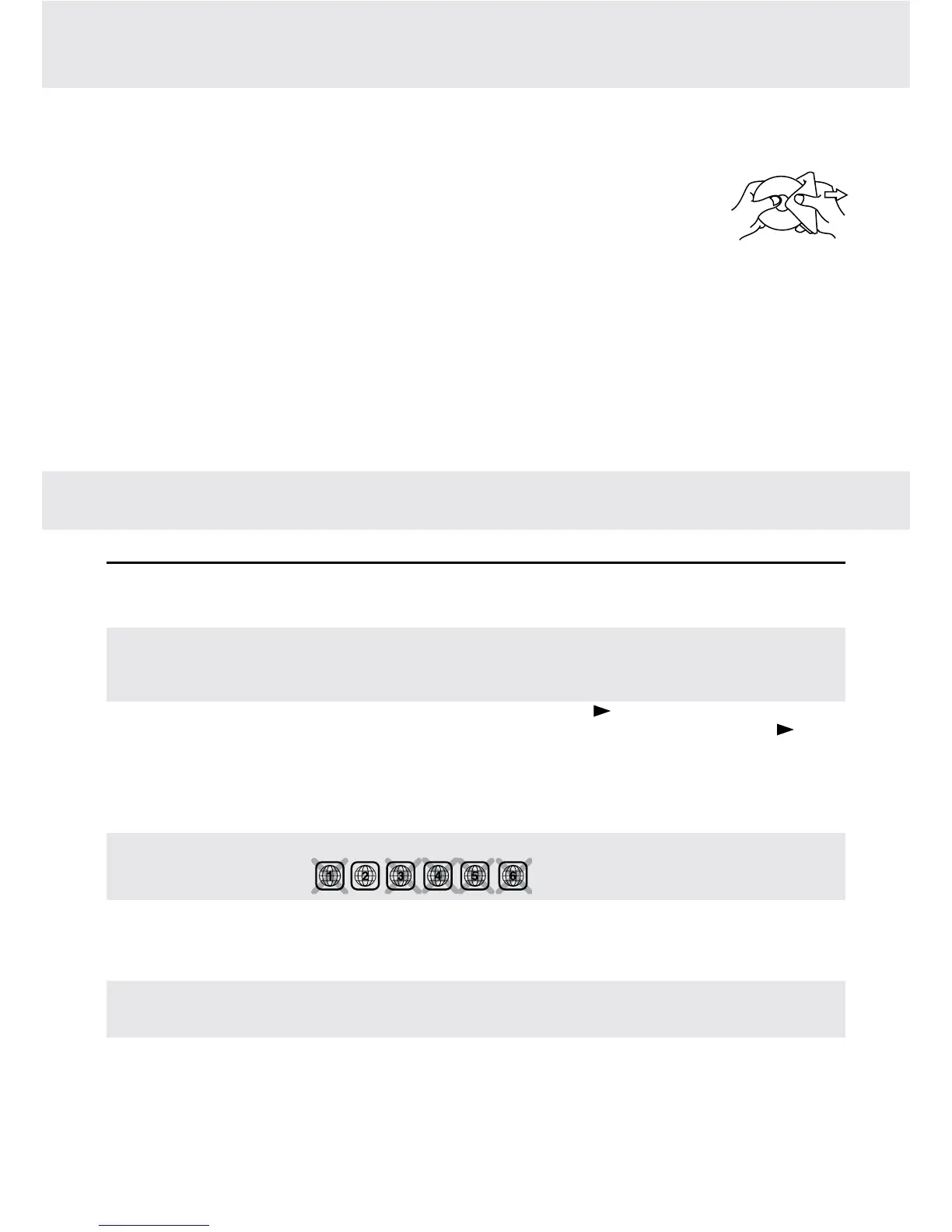
Handlethediscbyholdingitsinnerandouteredges.
• DoNOTtouchthesurfaceoftheunlabeledsideofthedisc.
• DoNOTstickpaperortapeonthesurface.
• DoNOTexposethedisctodirectsunlightorexcessiveheat.
• Cleanthediscbeforeplayback.Wipethediscfromthecenteroutwardwithacleaningcloth.
• NEVERusesolventssuchasbenzineoralcoholtocleanthedisc.
• DoNOTuseirregularshapeddiscs(example:heartshaped,octagonal,etc.).Theymaycausemalfunctions.
Cleaning the Unit
• BesuretoturntheunitoffanddisconnecttheACpoweradaptorbeforemaintainingtheunit.
• Wipetheunitwithadrysoftcloth.Ifthesurfacesareextremelydirty,wipecleanwithacloththathasbeendipped
in a weak soap-and-water solution and wrung out thoroughly. Then wipe with a dry cloth.
• Neverusealcohol,benzine,thinner,cleaninguidorotherchemicals.DoNOTusecompressedairtoremove
dust.
Important Note
• Beforetransportingtheunit,removeanydiscfromthedisccompartment.
MAINTENANCE
SYMPTOM CAUSE (AND REMEDY)
• EnsuretheACpoweradaptororcarpoweradaptorisconnected.
• Makesurethattheunitisturnedon.
• Removeanyobstaclesbetweentheremoteandtheunit.
• Usetheremoteneartheunit.
• Pointtheremoteattheremotesensorontheunit.
• Replacethebatteryintheremotewithnewone.
• MakesurethatyouselectONmode.
• Makesuretheunitisnotpaused.Pressthe PLAY button.
• Makesuretheunitisnotinfast-forwardorfast-reversemode.Pressthe PLAY
button.
• MakesuretheAUDIO/VIDEOinput/outputconnectionsarecorrect.
• TheDTSDVDcannotbedecodedtohavespeakeroutput.
• Theunithasoverheated.Shutitofffor30minutestoallowittocooldown.
• Thevolumecontrolislocatedonthesideoftheunit-pleasetryadjustingthis.
• Theregionnumberofthediscdoesn'tmatchtheregionnumberofthisunit.
• TheDVDisdirty.Gentlycleanthedisc.
• Thediscisscratched.
• PleaseadjusttheLCD'sbrightness,contrastandcolourusingtheVIDEO MODE
button on the remote control.
• The plugs and jacks are dirty. Wipe them with a cloth slightly moistened with
alcohol.
• Cleanthedisc.
• Thereisnodiscinsidetheunit("NoDisc"appearsonthescreen).
• Insertthedisccorrectlywiththegraphicsfacingup.
• Cleanthedisc.
• Anon-validdischasbeeninserted,orthediscregionnumberdoesnotmatchthe
region number of the unit.
• Condensation may have formed inside the unit due to a sudden change in
temperature.Waitaboutanhourforittoclearandtryagain.
Nopower.
The remote control
does not function.
Verylittleornosound
iscomingfromaDVD.
Nopicture.
The picture is not
clear.
Loud hum or noise is
heard.
The disc does not
play.
TROUBLESHOOTING GUIDE


 To Next Page