GB-7
CONTROL REFERENCE GUIDE
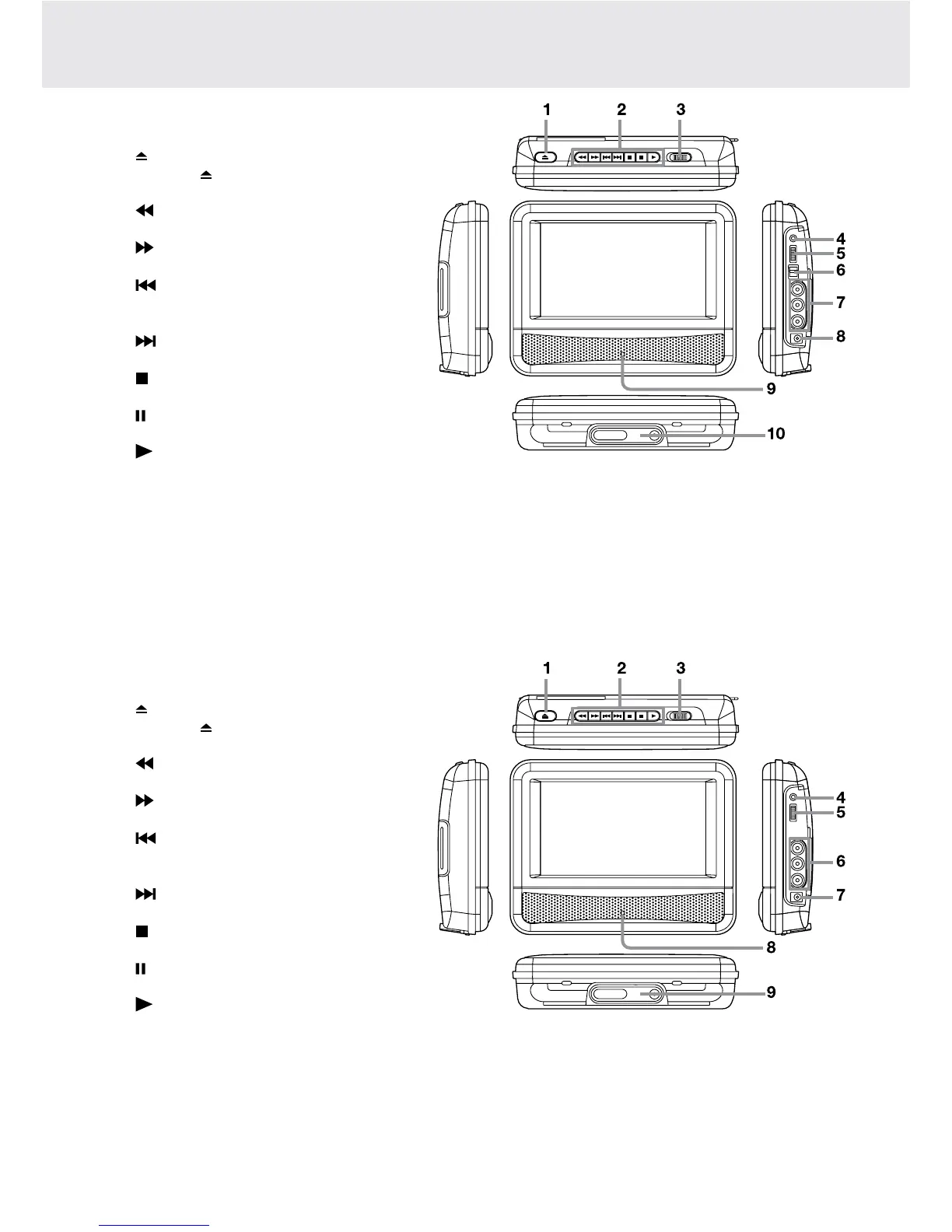
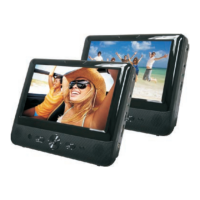
DVD Player A
(withbluestripeonthefront
panel)
1) OPEN Button
Pressthe OPENbuttonandholdthefront
panel to open the disc door.
3) SEARCH Button
Performsfastreverseplayback.
SEARCH Button
Performsfastforwardplayback.
PREV Button
Goes backwards to previous chapters/
tracks/titles.
NEXT Button
Advanceschapters/tracks/titles.
STOP Button
Stopsplayingadisc.
PAUSE Button
Pausesplaybackandframeadvance.
PLAY Button
Startsorresumesplaybackofadisc.
3) STANDBY(power off) / ON Switch
4) Headphone Jack
5) VOLUME Control
Adjuststhevolume.
6) DVD / AV IN switch
7) AUDIO / VIDEO OUT Jacks
8) DC IN 9V-12V Jack
9) Remote Sensor
Receivestheremotecontrolsignal.
POWER ON Indicator
When the STANDBY / ON switch is in the ON
position, the light will illuminate.
10) Stand
DVD Player B
(withgreenstripeonthe
front panel)
1) OPEN Button
Pressthe OPENbuttonandholdthefront
panel to open the disc door.
3) SEARCH Button
Performsfastreverseplayback.
SEARCH Button
Performsfastforwardplayback.
PREV Button
Goes backwards to previous chapters/
tracks/titles.
NEXT Button
Advanceschapters/tracks/titles.
STOP Button
Stopsplayingadisc.
PAUSE Button
Pausesplaybackandframeadvance.
PLAY Button
Startsorresumesplaybackofadisc.
3) STANDBY(power off) / ON Switch
4) Headphone Jack
5) VOLUME Control
Adjuststhevolume.
6) AUDIO / VIDEO OUT Jacks
7) DC IN 9V-12V Jack
8) Remote Sensor
Receivestheremotecontrolsignal.
POWER ON Indicator
When the STANDBY / ON switch is in the ON
position, the light will illuminate.
9) Stand


 To Next Page