Page 5
Functions & controls
Making the connections
If you have damaged or missing parts,
call the Customer Helpline: 0870 600 3030
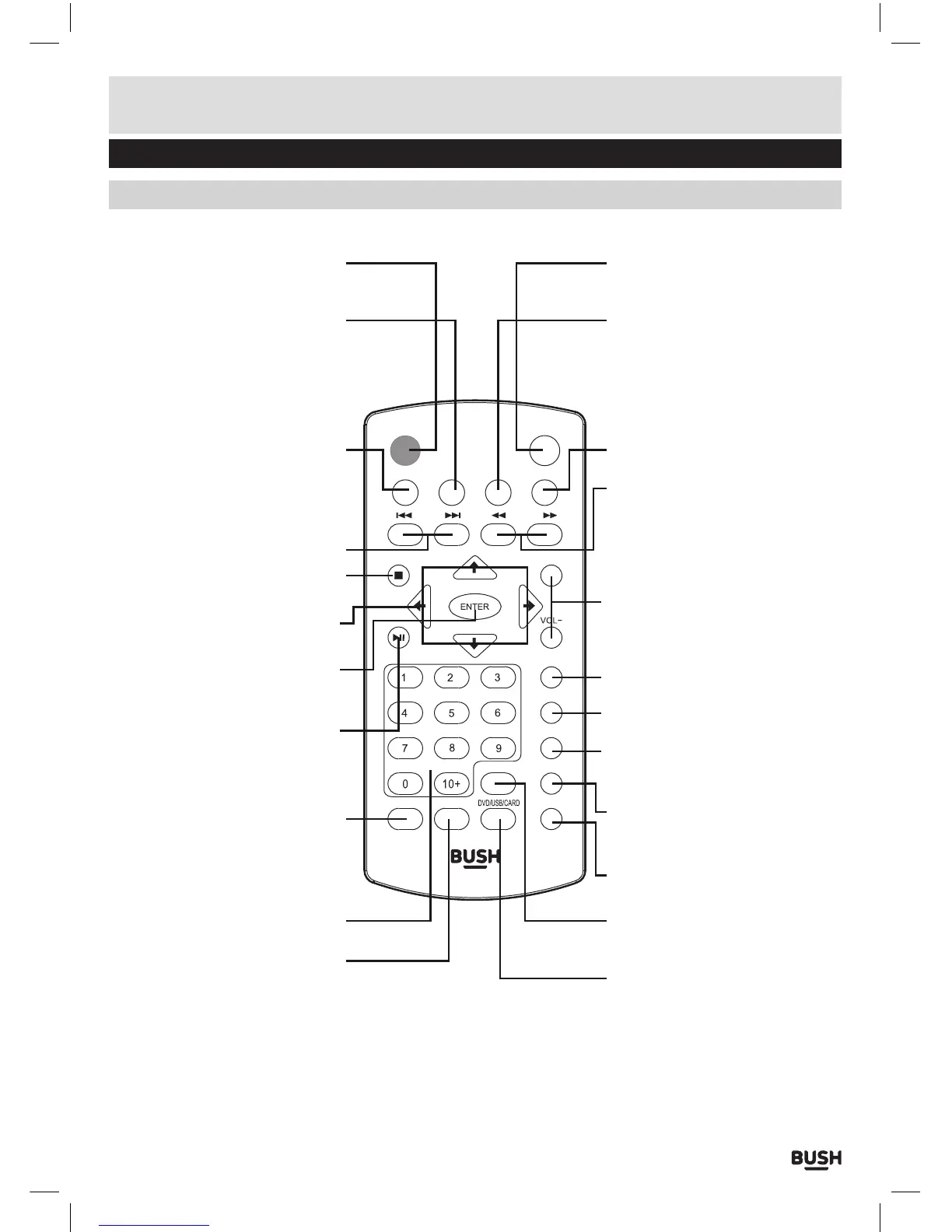
Overview of remote control
MENU SETUP
VOL+
AUDIO
GOTO
MUTE
REPEAT
DISPLAY
ANGLEZOOMPROG
SUBTITLE
TITLE
TFTST-BY
STANDBY: STANDBY mode ON/OFF
ZOOM: Increase the image size up
to 4 times larger
SETUP: Press once to enter the
system menu
NAVIGATION BUTTONS: Navigate
menu’s and options.
MENU: Press to display the DVD
menu (if available)
TITLE: Press to display the DVD
Title menu (if available)
STOP: Press to STOP playback of
any media
PLAY/PAUSE: Press to begin
playback, or pause playback.
ENTER: Press to select or activate
a function
NUMERIC BUTTONS: Used to e
nter
digits or direct skip to chapter
numbers.
SKIP PREV/NEXT: Press to skip
DVD chapters/CD tracks PREV or
NEXT.
PROG: Program an alternate
playback sequence for DVD & CD
QUICK SEARCH RWD/FWD: Press
repeatedly to cycle between the
fast rewind/forward speeds.
GOTO: Specify an exact point on a
DVD or CD to jump to
DISPLAY: Press repeatedly to cycle
through available information for
the current disc
VOLUME +/-: Press + button to
increase & - button to decrease the
volume l
evel
DVD/USB/CARD: Press repeatedly
to cycle through the input modes
ANGLE: Press repeatedly to cycle
through any available DVD angles
MUTE: Press to temporarily silence
audio output. Press again to
resume
AUDIO: Press repeatedly to cycle
through available audio tracks
TFT: Press to disable the built-in
TFT screen. Press again to enable
SUBTITLE: Press repeatedly to
cycle through available subtitles
tracks on a DVD disc.
REPEAT: Press repeatedly to cycle
through th
e repeat options for the
current disc type



 To Next Page