Page 6
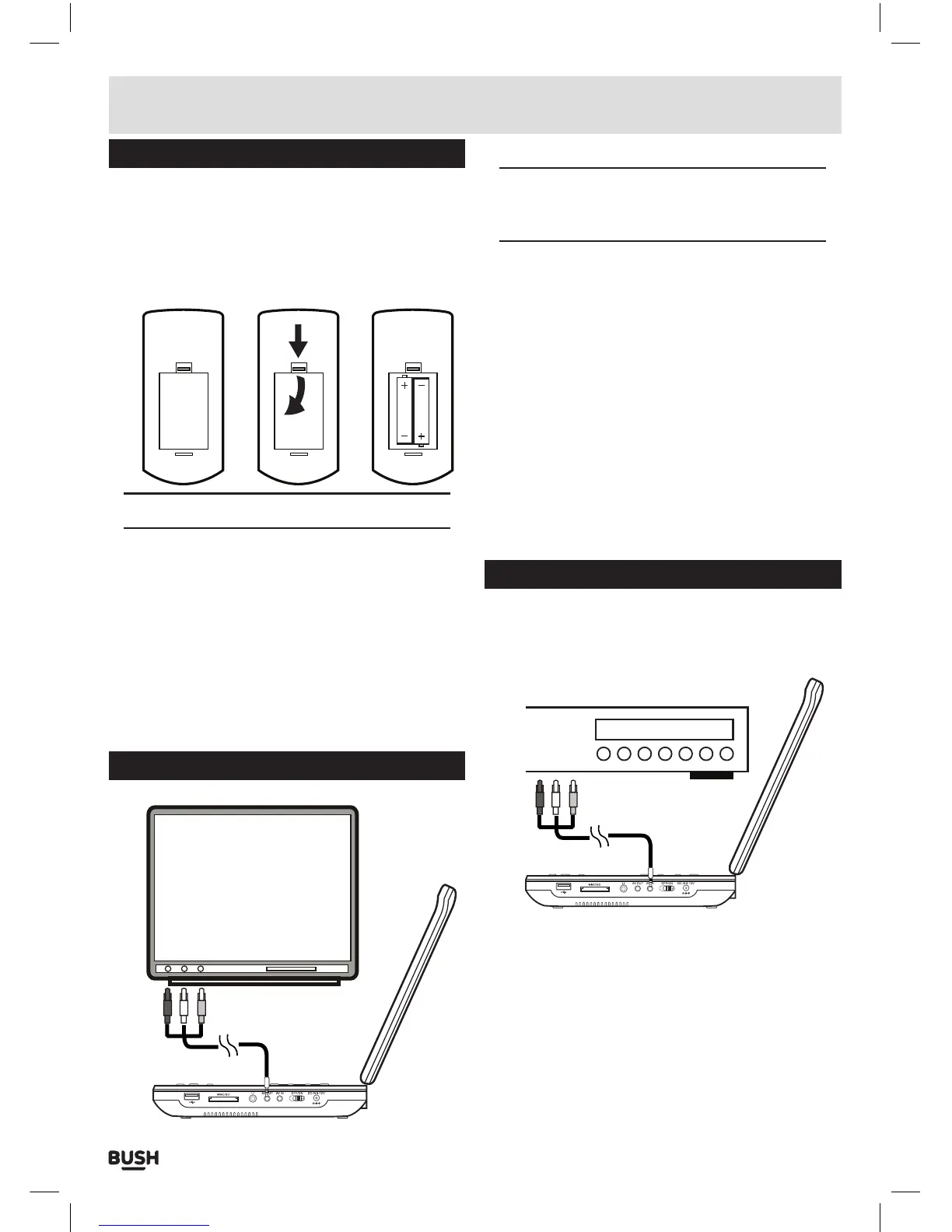
Remote control battery installation
1: Remove the battery cover (as shown).
2: Insert 2 x AAA batteries, taking note that the polarities
match up.
3: Replace the battery cover, in the same manner as you
removed it.
1 2 3
Notes on battery usage
• Do not insert battery into the remote control in the
wrong direction.
• Do not charge, heat, open or short-circuit the
battery. Do not throw battery into a fire.
• If the remote control does not function correctly or
if the operating range becomes reduced, replace all
batteries with new ones.
• Improper replacement of batteries may result
in explosive hazard. It must be replaced only by
batteries with the same or equivalent type.
Connection to a TV
TV
AV Cable
DVD Player
NOTE: before attempting to connect this unit to
a TV, ensure that the CDVD12SW and TV are both
switched off.
1: Insert the 3.5mm end of an AV cable (supplied) into
the AV OUTPUT socket (17) on the side of the unit.
2: Insert the other ends ( coloured red, white & yellow )
into your TV.
3: The red & white sockets carry audio. They can be
connected to either the TV inputs or an external
amplifier. Take note to match the colours when
connecting.
4: The yellow cable is the video cable and must be
connected to the yellow video input on your TV.
5: After tuning your TV to the correct input the content
of the CDVD12SW will appear on the TV screen. To
disable playback on the CDVD12SW display press
the TFT ON/OFF button on the main unit (9) or remote
control.
Connecting an external source
It is possible to connect an external source to the
CDVD12SW to allow playback on the integrated
display.
AV Cable
DVD Player
External DVD Player
1: Insert the 3.5mm end of an AV cable (not supplied )
into the AV INPUT socket (18) on the side of the unit.
2: Insert the other ends ( coloured red, white & yellow )
into your VIDEO SOURCE outputs.
3: After making the connections you must press the
MODE button (4) to switch to the ‘AV IN’ mode.
4: Should you need to switch back to the internal DVD
player, press the MODE button (4) again.
Installation



 To Next Page