Page 9
DRC ( dynamic range control )
This function causes the radio to reduce the dynamic
range of the audio signal. The purpose of this is
to adapt the dynamic range of the audio signal to
listening in a noisy environment.
NOTE: this is not available on many DAB stations.
1: Press the MENU button (24).
2: When the ‘FULL SCAN’ option appears press either
TUNE- or TUNE+ (26,46) button and locate ‘DRC’,
press the ENTER button (45).
3: Use the TUNE- or TUNE+ (26,46) buttons to select
between DRC OFF, DRC LOW and DRC HIGH.
4: Press ENTER button (45) to save the setting.
FM operation
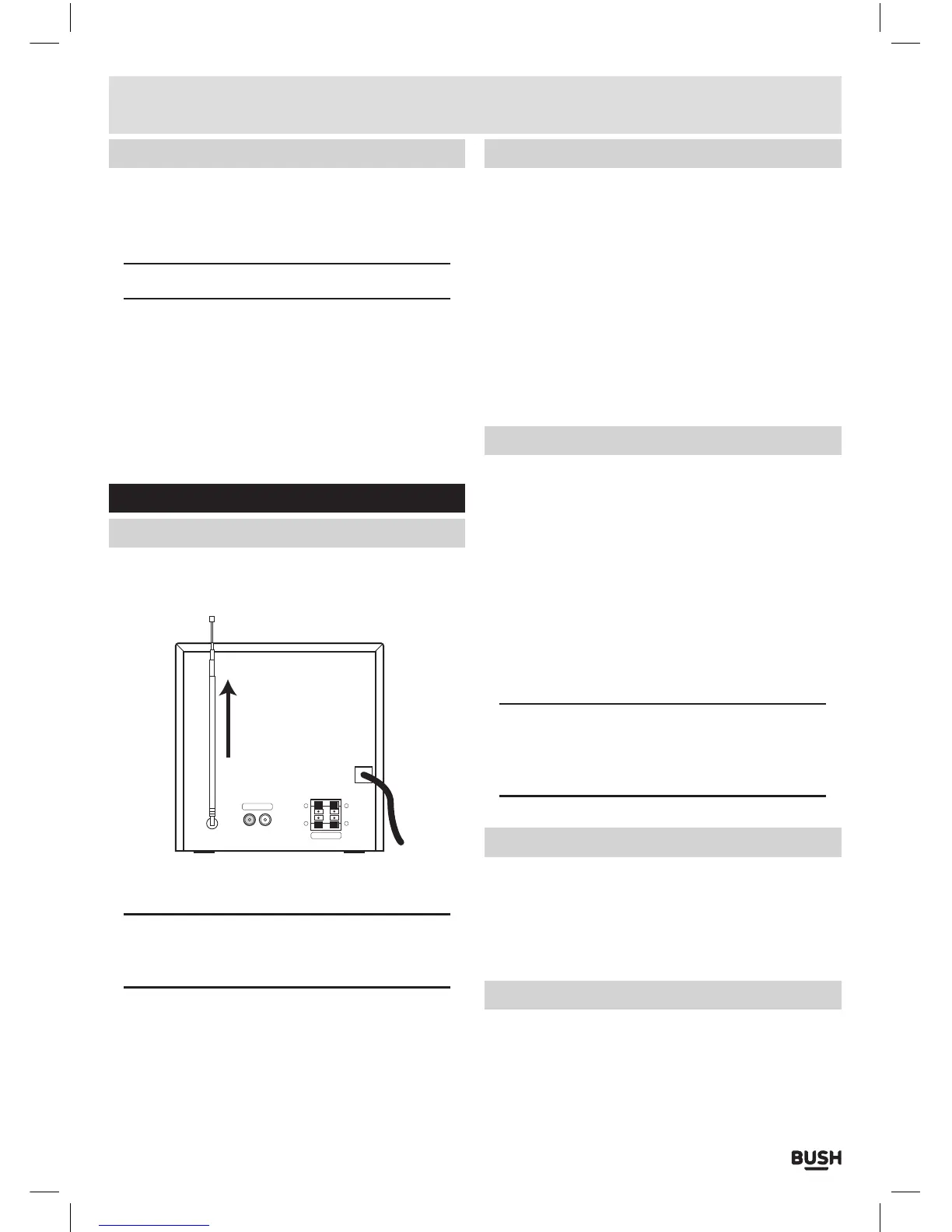
Getting started
Before attempting to tune a radio station the
telescopic antenna needs to be extended fully.
R
SPEAKER
+
-
L
+
-
LINE-IN
1: Select FM mode using the instructions from the
‘Switching modes’ section.
NOTE: There are two radio source options. When
you see RADIO on the display the first press is
DAB mode the second press is FM mode.
2: Alternatively you can press the DAB/FM button
(47) on the remote to jump to FM mode (from any
mode other than radio), or press repeatedly to cycle
between DAB & FM.
Tuning radio stations
1: To scan for radio stations press and hold either of
the TUNE- or TUNE+ buttons (main unit 8,15) or
(remote 26,46) for two seconds to scan down or up
the frequency band. When a station is found the scan
will stop and the station will begin to play.
2: To fine tune the frequency press either of the TUNE-
or TUNE+ buttons (main unit 8,15) or (remote 26,46)
(do not press & hold), to jump 0.05 MHz.
3: Alternatively you can press the MENU button (24) and
when ‘SCAN UP’ appears press the ENTER button
(45) to begin scanning up the frequency range. When
a station is located playback will begin automatically.
Storing station presets
It is possible to store up to 10 of your favourite stations
to the preset keys.
1: Tune to the station you wish to store as a preset and
follow the below instructions.
2: Press and hold the SAVE button (40). The display
will show ‘EMPTY 1’, where ‘1’ is the selected preset
location.
3: Use the CH- / CH+ buttons (44,25) to select the
preset number from 1-10 you wish to use. Then press
the ENTER button (45) to store.
4: When stored the display will show ‘STORED’.
NOTE: Once a station is saved to preset location
1 you will no longer see ‘EMPTY 1’ when pressing
and holding the SAVE button, instead the saved
station name or frequency will appear.
Recalling station presets
1: To recall a stored preset station press the relevant
numeric button (22) on the remote control.
2: For example to recall the station stored on preset 3
press the numeric button ‘3’. And to recall a station
stored on location 10, press the ‘0’ button.
Scan modes
1: Press the MENU button (24).
2: When the ‘SCAN UP’ option appears press either
TUNE- or TUNE+ (26,46) button and locate ‘SCAN
SET’, press the ENTER button (45).
User instructions



 To Next Page