Page 11
Connecting an external audio source (cont)
Playing audio from the audio source
1: Select LINE IN mode using the instructions from the
‘Switching modes’ section.
2: Press PLAY on the external audio source EG:- MP3
player.
NOTE: the volume output is effected by the
volume level on the source EG: MP3 player so
make sure that is set to about 70-80% ( not too
loud to avoid distortion ).
3: Adjust the VOL +/- buttons (38,39) or VOLUME
CONTROL (11) to increase or decrease the volume to
the required listening level.
USB operation
Switching modes
1: Press the SOURCE button on the remote control (48)
or main unit (5) repeatedly until you reach the USB
mode.
2: You can also press the CD/USB button (12) on the
main unit to cycle only between those two mode.
Playing audio from a usb source
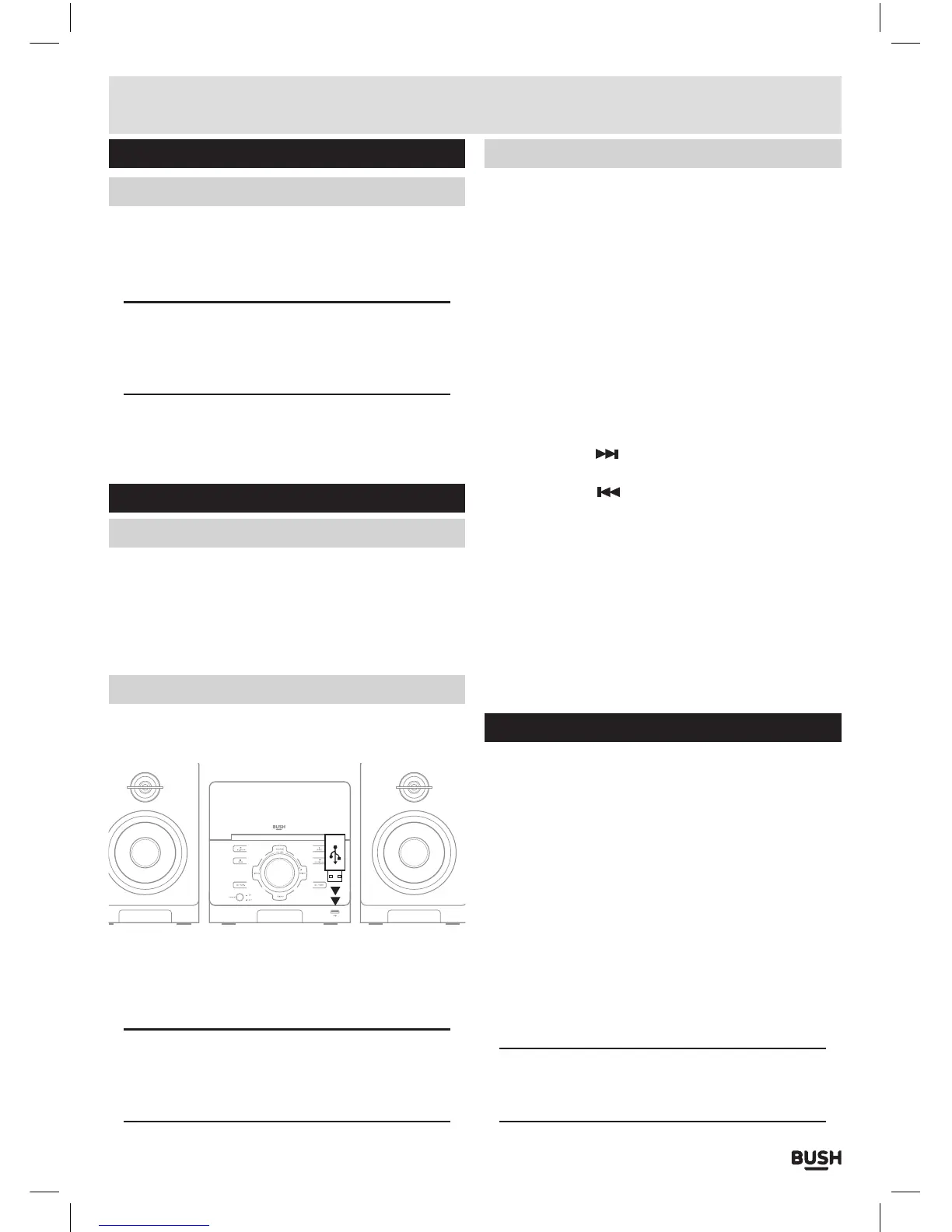
1: Insert a compatible USB flash drive into the USB port
(14) on the front of the unit.
008:28:23
USB FLASH DRIVE
2: The unit will scan the USB flash drive and display the
total number of tracks found on the drive. Playback of
track 01 will begin automatically.
NOTE: Tracks inside folders are listed as part
of the total number of tracks. So if you have 20
tracks in folder 1 the first track of folder 2 will be
Track 21.
Controlling audio playback from usb
PLAY/PAUSE
1: From the STOP position, press the PLAY/PAUSE
button on the main unit (7) or remote control (27) to
begin playback.
2: Press again to PAUSE playback. From the PAUSE
position pressing the PLAY/PAUSE button resumes
playback.
STOP
1: Press the STOP button on the main unit (1) or remote
control (28) during playback to stop the disc at it’s
current position.
SKIPPING TRACKS
1: Press the SKIP
button (13,43) to skip to the next
track on a disc.
2: Press the SKIP
button (10,42) to skip to the
previous track on a disc.
RANDOM
1: During playback pressing the RANDOM button (35)
on the remote will toggle the SHUFFLE function.
REPEAT
1: During playback pressing the REPEAT button (34) on
the remote will toggle the REPEAT functions of: OFF,
SINGLE or ALL.
Bluetooth operation
When using the Bluetooth connection, you can listen to
audio wirelessly from a Bluetooth stereo audio device
within 10 metres of the CMC361DABBT.
1: Select BT mode using the instructions from the
‘Switching modes’ section.
2: When the Bluetooth mode is selected a BLUE
indicator LED will flash 3 times and then a beep will
be heard. The unit is now in connection mode and will
pair with any previously connected devices, denoted
by the RED & BLUE alternate flashes on the LED.
3: If you have not connected a device you can now
enable ‘discovery’ mode on your device and select
the CMC361DABBT Bluetooth connection. If you are
asked for a pass code enter ‘0000’.
NOTE: If you turn off either device before pairing
is complete the process will need to be repeated
when powered ON again.
User instructions



 To Next Page