INSTRUCTION, USE AND
MAINTENANCE MANUAL
GB
Page 21 of 67
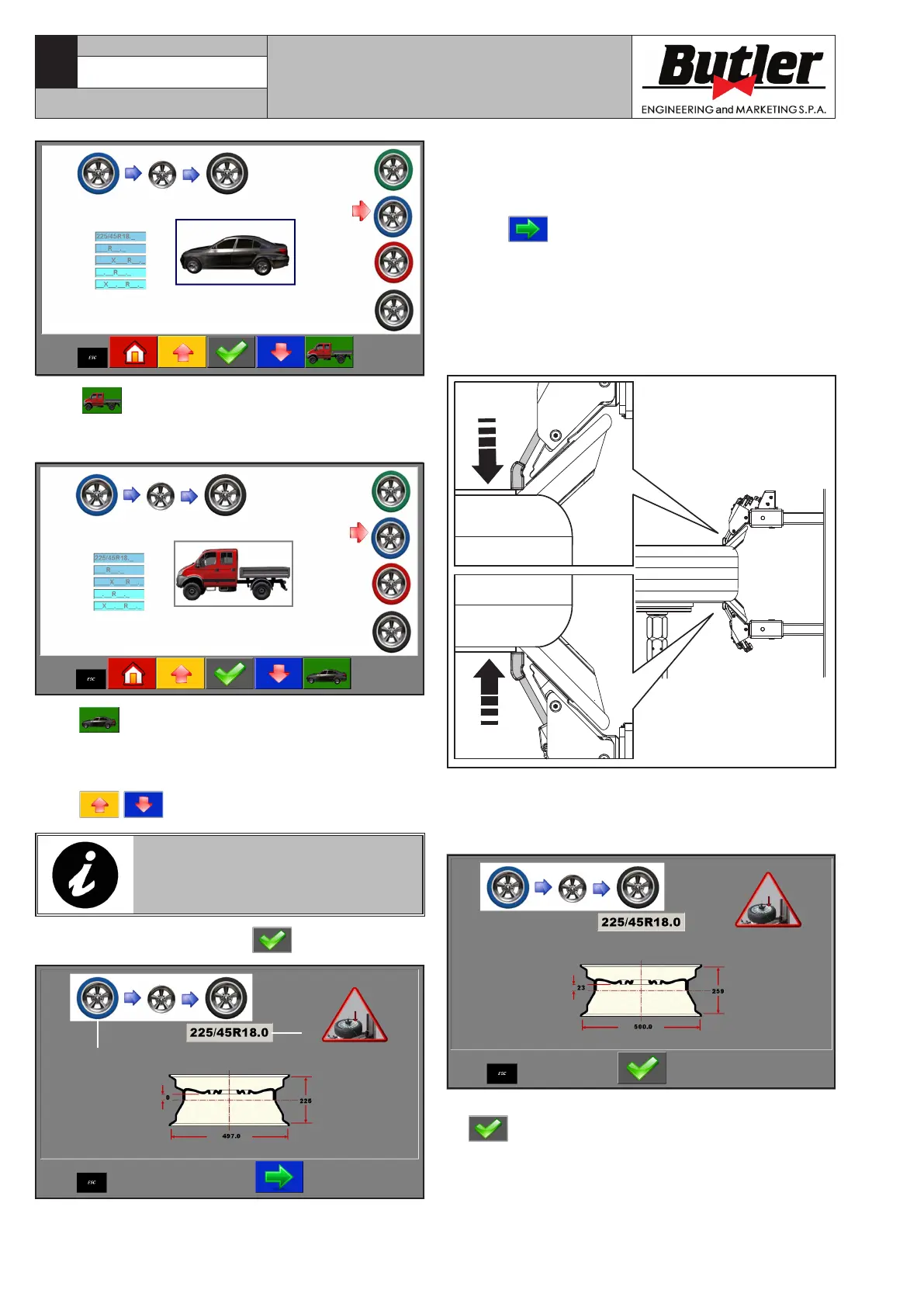
The colour of the tyre (screen page above, position 1) in
the screen page corresponds to the selected program;
the inserted data are highlighted (screen page above,
position 2).
7. Press to carry on. The machine automatically
pre-arranges the bead breaker rolls next to the rim
diameter.
Then, press the assent pedal (Fig. 16 ref. C): the bead
breaker rolls will bring the corresponding feeler pins
into contact with the rim edge: thus, the wheel width
is automatically acquired (see Figure A).
Fig. A
If the bead breaking rolls should not correctly come
into contact with the tyre rim, use the push button
(Fig. 14 ref. D) in order to diametrically translate
them in the correct position.
8. When wheel width measure acquisition ends, press
push button in order to confirm the measure,
then place the valve (Fig. B ref. 1) next to the roll
(Fig. B ref. 2).
When push button is pressed, the machine is
set to “light transport” mode and the following screen
page is displayed.
Press push button to set the machine to “motor
car” mode again.
The operator can anyway decide to use a different
program from that suggested from the machine: select
using arrows.
THE SOFTWARE DOES NOT AL-
LOW THE USE OF NOT SUITABLE
PROGRAMS FOR THE TYPE OF
SELECTED TYRE.
6. Confirm the selection with
key.
1
2
CAPTURE 4 - CAPTURE 4 FI
7104-M007-4_B



 To Next Page