17
17
AUS
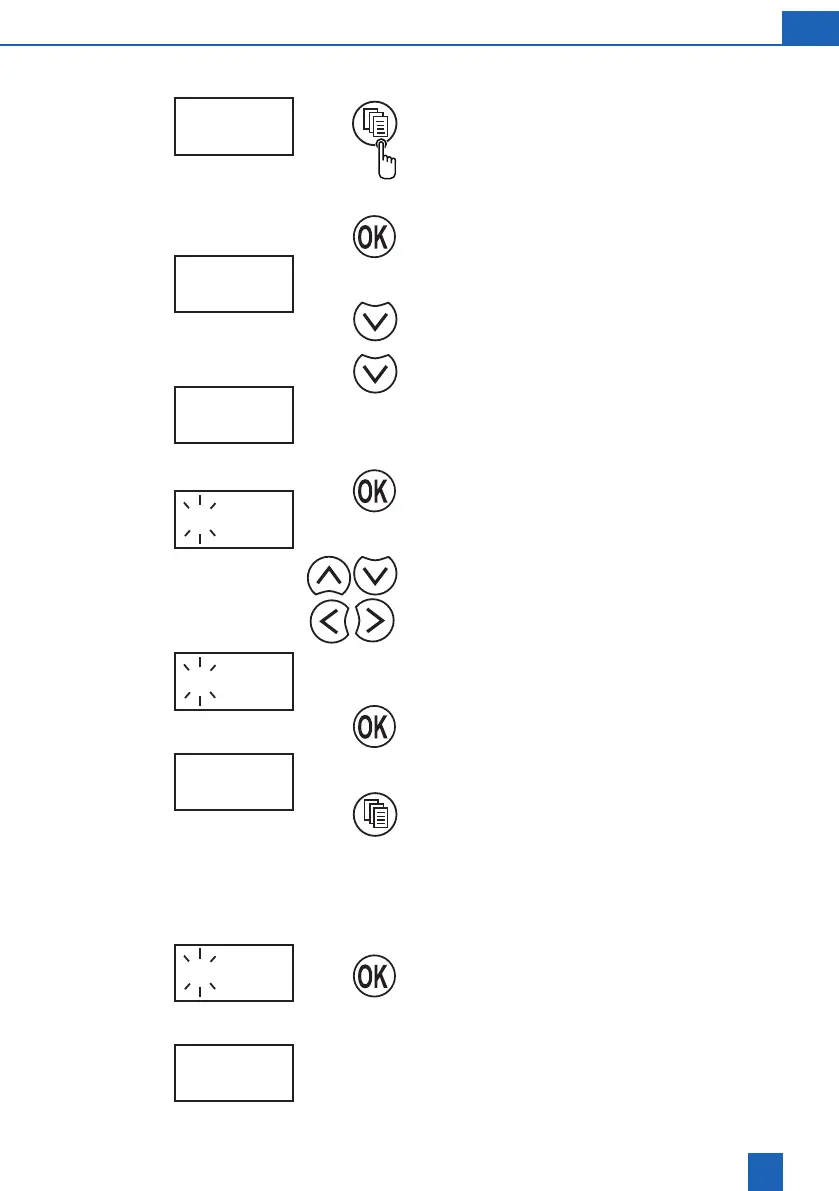
8.5 Changing the time of regeneration
Press Change Mode button
Display indicates SEt
Press OK button
Press Cursor button
Setting the regeneration time
The ashing numbers can be changed.
Changes the number
Moves the cursor
New regeneration time
Press Change Mode button to end programming.
8.6 Starting regeneration manually
Press and hold OK button for about 4 sec. until
regeneration begins
The display shows alternating remaining regene-
ration period in minutes (with ashing symbol) and
rEG On.
5 07:43
r 09:15
r 02:00
rEG On
r 09:15
r 02:00
26:45
SEt
e.g.
e.g.
e.g.
e.g.



 To Next Page