BYD M6 AUTO Owner’s Manual
Air Conditioning (A/C) System 2-25
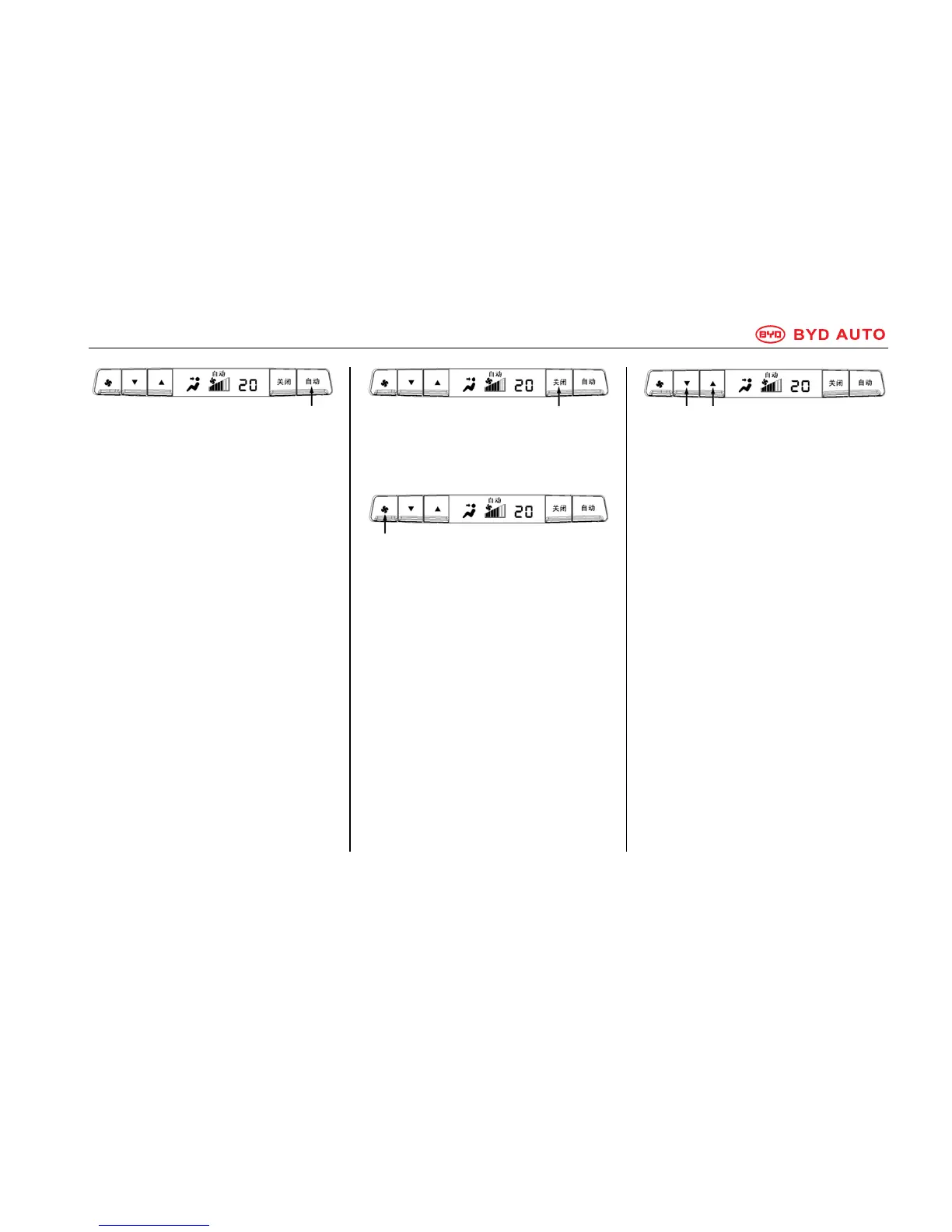
AUTO Button
Press AUTO button to enable
automatic A/C operation. At this time,
AUTO will be displayed on the screen
of the rear A/C control panel. When
the Rear A/C mode is enabled on the
front A/C control panel, the AUTO
button indicator on the front A/C
control panel turns on. The A/C
system will automatically select
appropriate fan speed and air delivery
mode according to the temperature.
You can also set up the temperature
with manual control.
Press fan speed regulating button to
exit the AUTO mode.
OFF Button
Press the OFF button to turn off the
rear A/C system.
Fan Speed Regulating Button
Press the Fan Speed Regulating
button to turn on the A/C. Press the
Fan Speed Regulating button
repeatedly to adjust the air flow from
level 1 to level 7 in a circular pattern.
Temperature Regulating Button
Press ▲ button to increase the
temperature, press ▼ to reduce the
temperature. When the temperature
reaches the lower limit, LO will appear
on the screen; when it reaches the
upper limit, HI will appear on the
screen.
Lower Higher
temperature temperature



 To Next Page