13
2. Flight
2-7. Settings
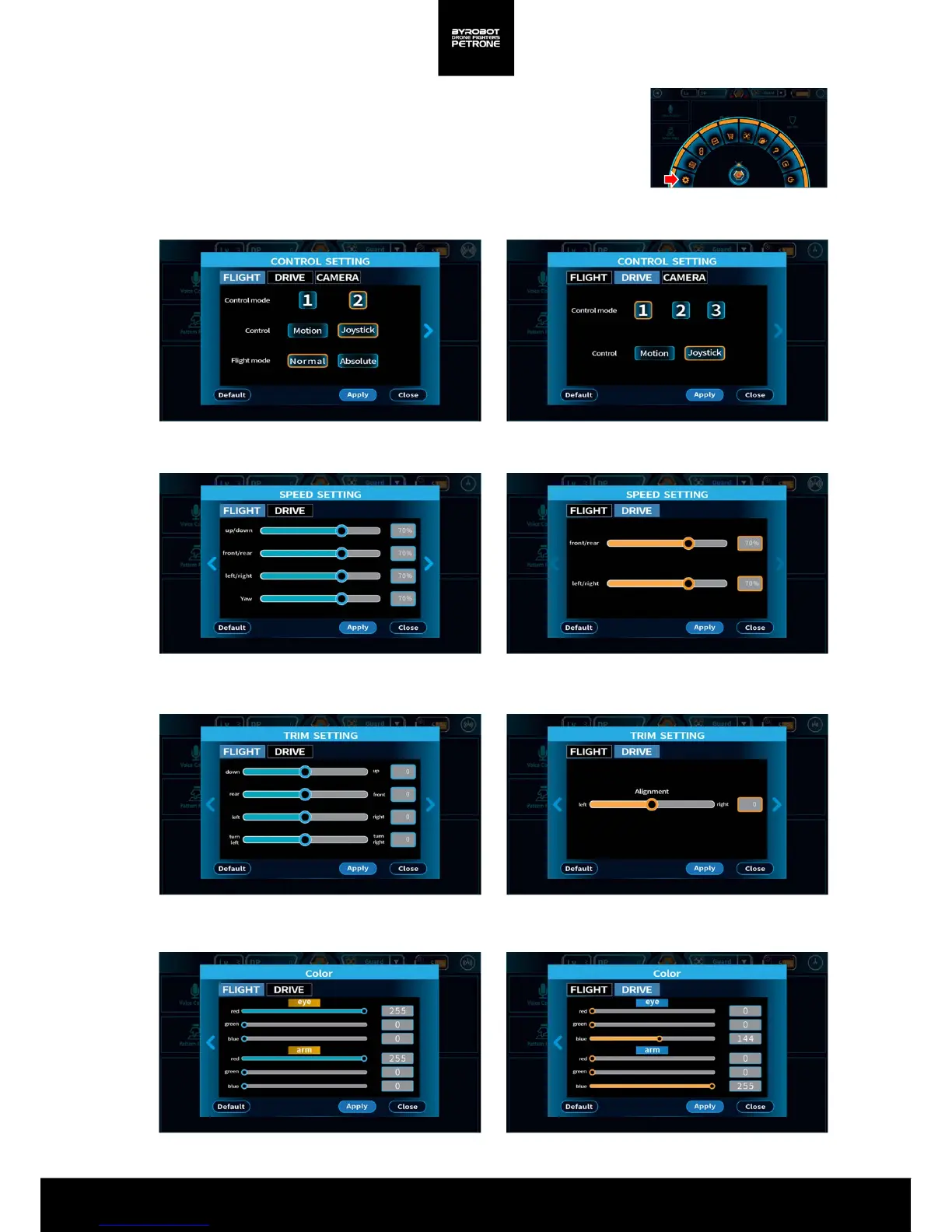
Press the “Settings“ button on the Quick Menu Bar
and change the settings according to your preference.
Control Settings See 2-2-1. Basic Control(Take- off/Landing/Move) / 2-2-2. Control Changes by
settings
Speed Settings You can set the maximum speed. The default is 70%.
Micro-tuning You can balance for each shift value.
<Picture 2-7B. Screen for Control Settings>
Color Settings You can set the color you want by specifying each value of the RGB LED
<Picture2-7E. Screen for Color Settings>
<Picture 2-7D. Screen for Micro-tuning>
<Picture 2-7B. . Screen for Speed Settings>
<Picture 2-7A. Settings button on the Quick Menu Bar>


 To Next Page