7
2. Flight
2-4. Voice Control
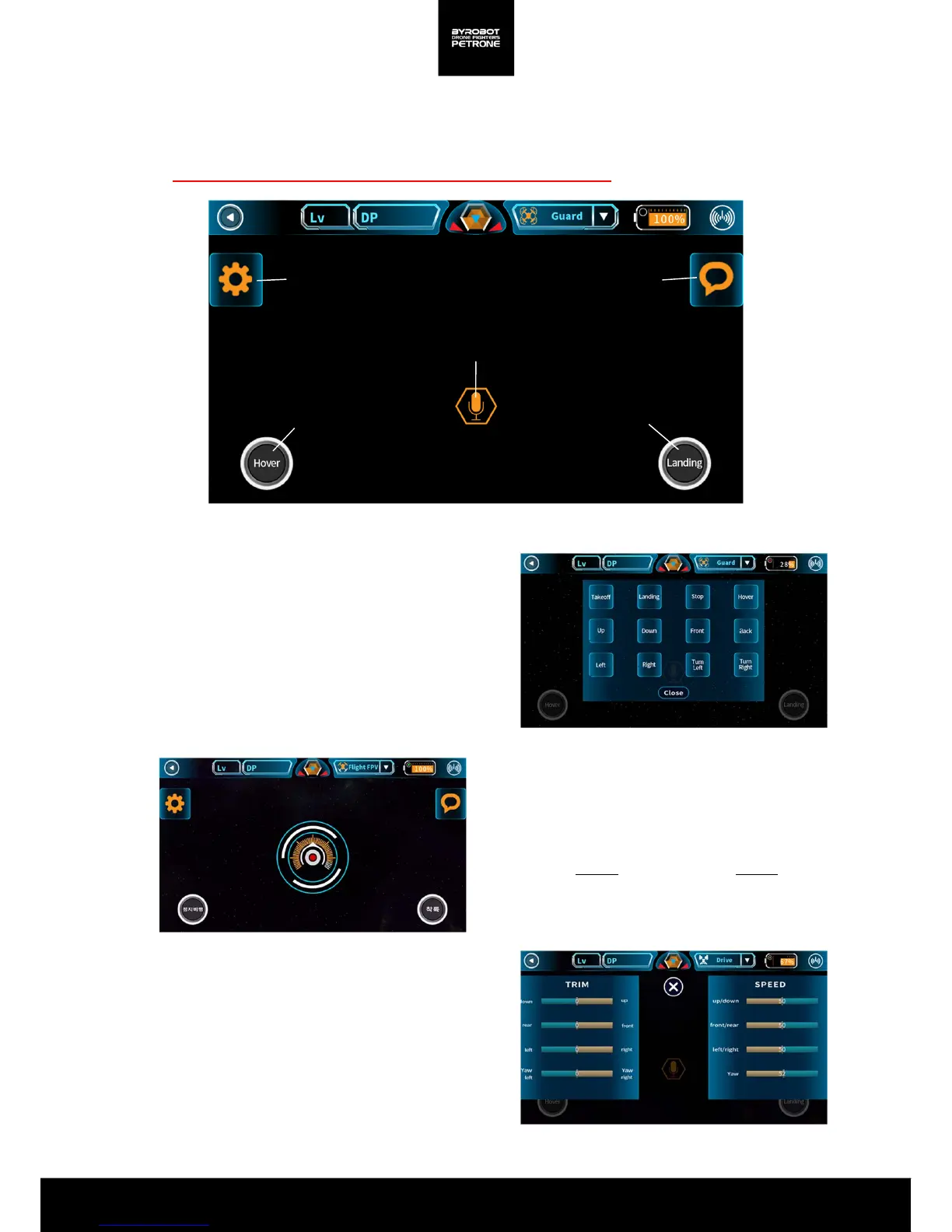
You can control Petrone with your voice.
Must be connected to the Internet for the accurate voice recognition.
Command Check
Press the speech bubble button on the right side of
the screen, then you can check your voice
commands you can use.
Control Value Settings
Press the left button of the steering screen,
You can change the moving speed and reduce
error moves.
<Picture 2-4A. Screen for Voice Control>
Setting
Command
Hover Landing
Touch to say
<Picture 2-4B. Screen for Command Check>
Voice Command
Press the voice recognition button on the center of
the control screen,
and say the usable voice commands clearly.
On the emergency during flight, you can control the
Petrone with hovering button or landing button.
<Picture 2-4C. Recognizing Voice>
<Picture 2-4D.. Screen for Control Value Settings>


 To Next Page