14
3. Update
3. Update
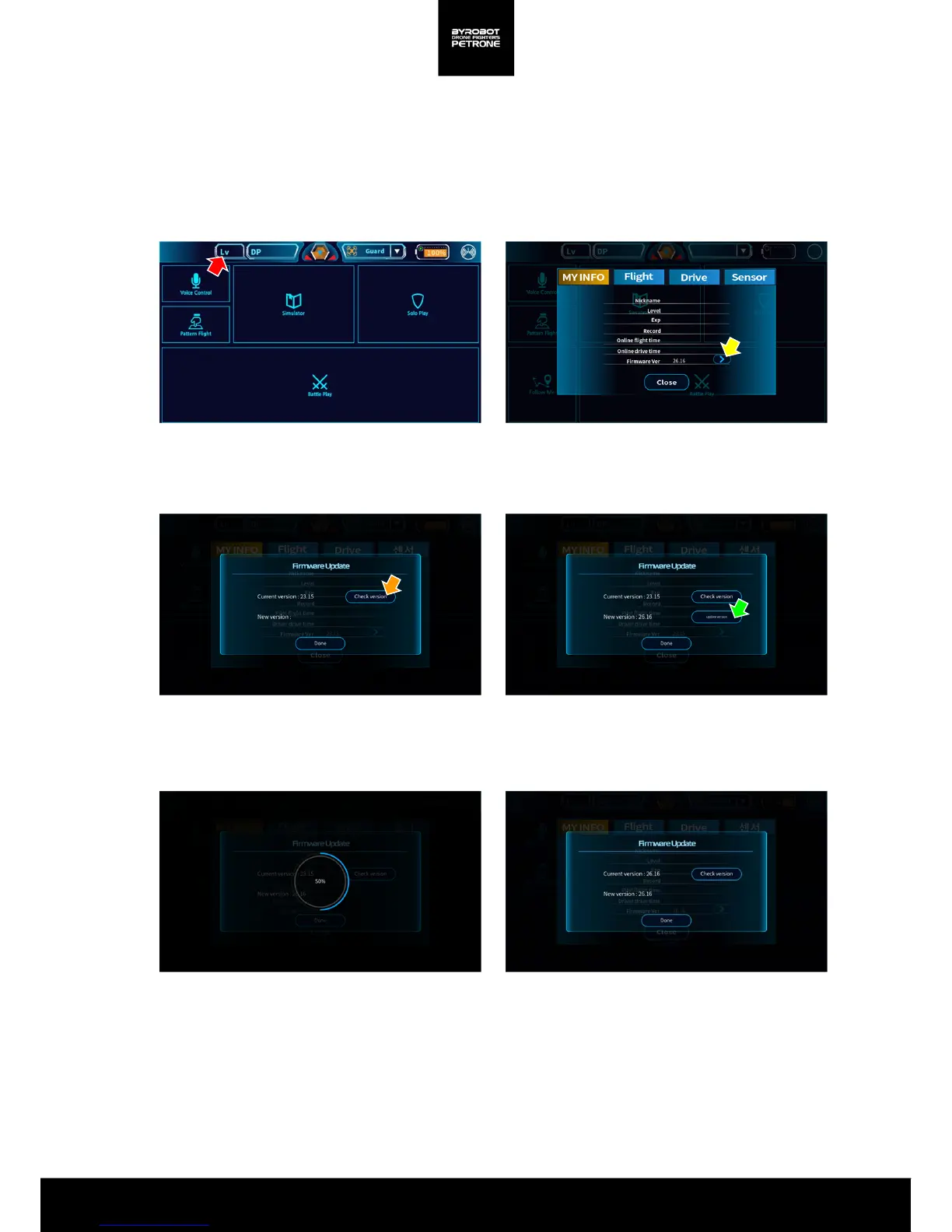
1) Open the app and pair with Petrone. (See 1-4. Smartphone Connection)
3) Press ‘Update’ button.
4) Press ‘Firmware Version Check’ button.
5) Press ‘Update’ button.
6) Firmware will be updated.
7) When Firmware update is finished, close the
window and check My Information again. If it is
the latest version, Update button disappears.
2) Press ‘My Information’ button.
<Picture 3A. My Information> <Picture 3B. Screen for Update>
<Picture 3C. Version Check> < Picture 3D. Start the Update>
<Picture 3E. Updating>
<Picture 3F. Update is finished.>


 To Next Page