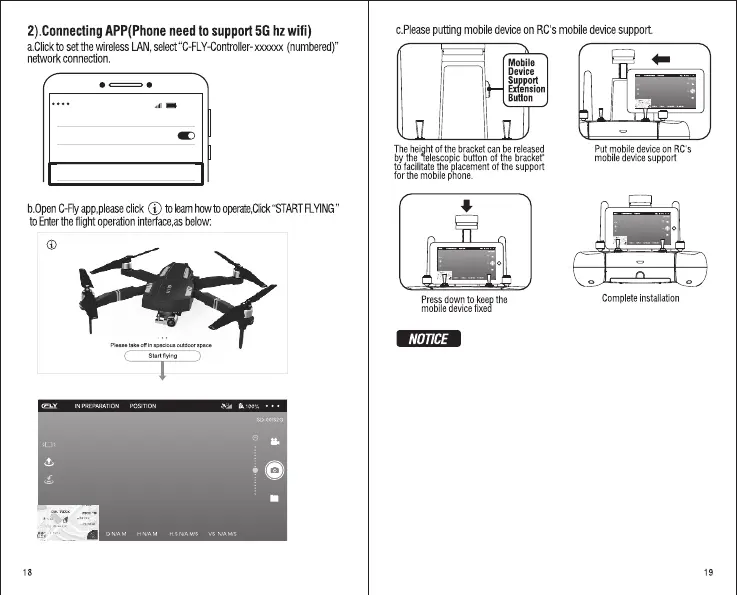
Click and select
“C-FLY-Controller-xxxxxx”
network connection.
09:5 9
WLAN
ON
Select networ k
C-FLY-Controller- xxxxxx
Operation description
Main menu
Click “START FLYING” to enter the flight operation interface
Operation
interface
Using APP in flight can monitor the picture and the current situation
of the aircraft in real time.
When aircraft controlled by RC while connect APP, the priority control
is RC, APP can initiate only take picture or record video functions,
aircraft can control by APP without RC, for specific operation, please
refer to the part of “use APP to control flight ”.


 To Next Page