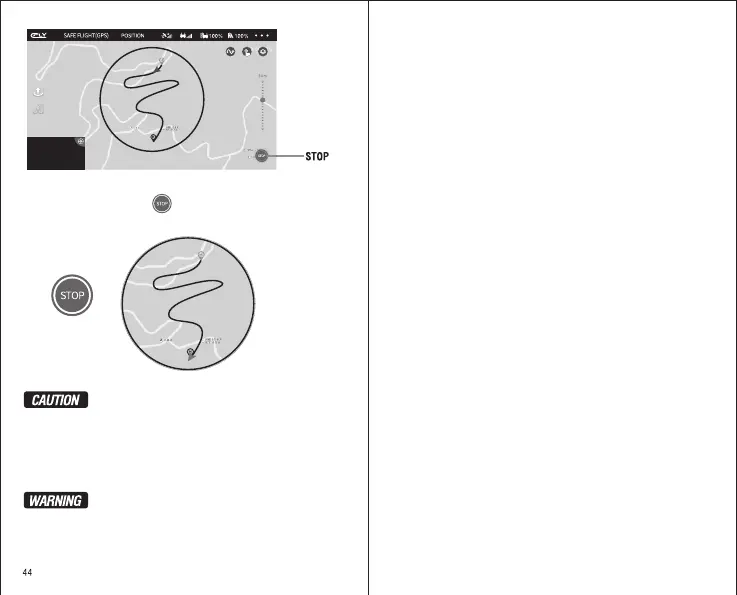
Click to drop out the
“Route Plan Function”
When the drone arrive
to the last point, it will
stop in the current
position.
D 30.0 M H 10.0 M H.S 10.0 M/S VS 2.0 M/S
When Flight, you can click the to drop out the Route Plan Function.
When the drone arrive to the last point, it will stop in the current position.
Please just draw out the airline in the red circle (Radius 500 meters),
but not draw our beyond the circle.
The Drone will fly
according to the
planned route
Drop out the Route Planing, the drone will be stop on the current
position. You can choose the new airline again.
When you click “Return To Home” or “Automatic Landing”, the
drone will be drop out the function of Route Planing. And change
to return or Landing.
In order for your safe, when you flight with Route Planing, please
flight in an empty outdoor place and keep people away.
Please observe the current flight environment carefully and set safe
flying altitude.


 To Previous Page