84
• Sent
The folder where successfully sent SMS messages are
stored.
• Unsent
The folder where unsent SMS messages, due to
transmission error or the user selecting CANCEL, are
stored.
Please note that only the contacts listed with a mobile
phone number (for SMS messages) or an e-mail address
(for e-mail) will be shown in the Contact list. If the
recipient is not listed, select NEW… and enter the contact
information in the Message setup screen, see below.
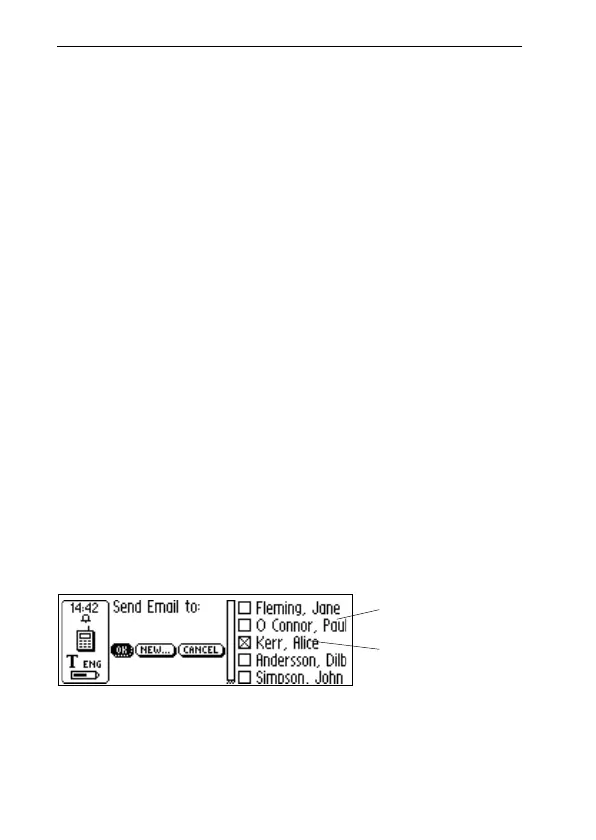
Contact list
The Contact list is opened when you select New fax…,
New SMS… or New SMS-Email….
The contacts listed in your address book, C Address, are
shown and you can select a contact by checking its check-
box. If you want to send a message to a person not listed in
your address book you can select NEW… and read/write
the information directly into the Message setup screen.
To add the new contact information to your address book,
click the ADD TO C ADDRESS button at the bottom of the
Message setup screen, see below. If there are no contacts
Contact list
The message
recipient
Stored contacts in
C Address
!



 To Next Page