13
3 Touchscreen Display
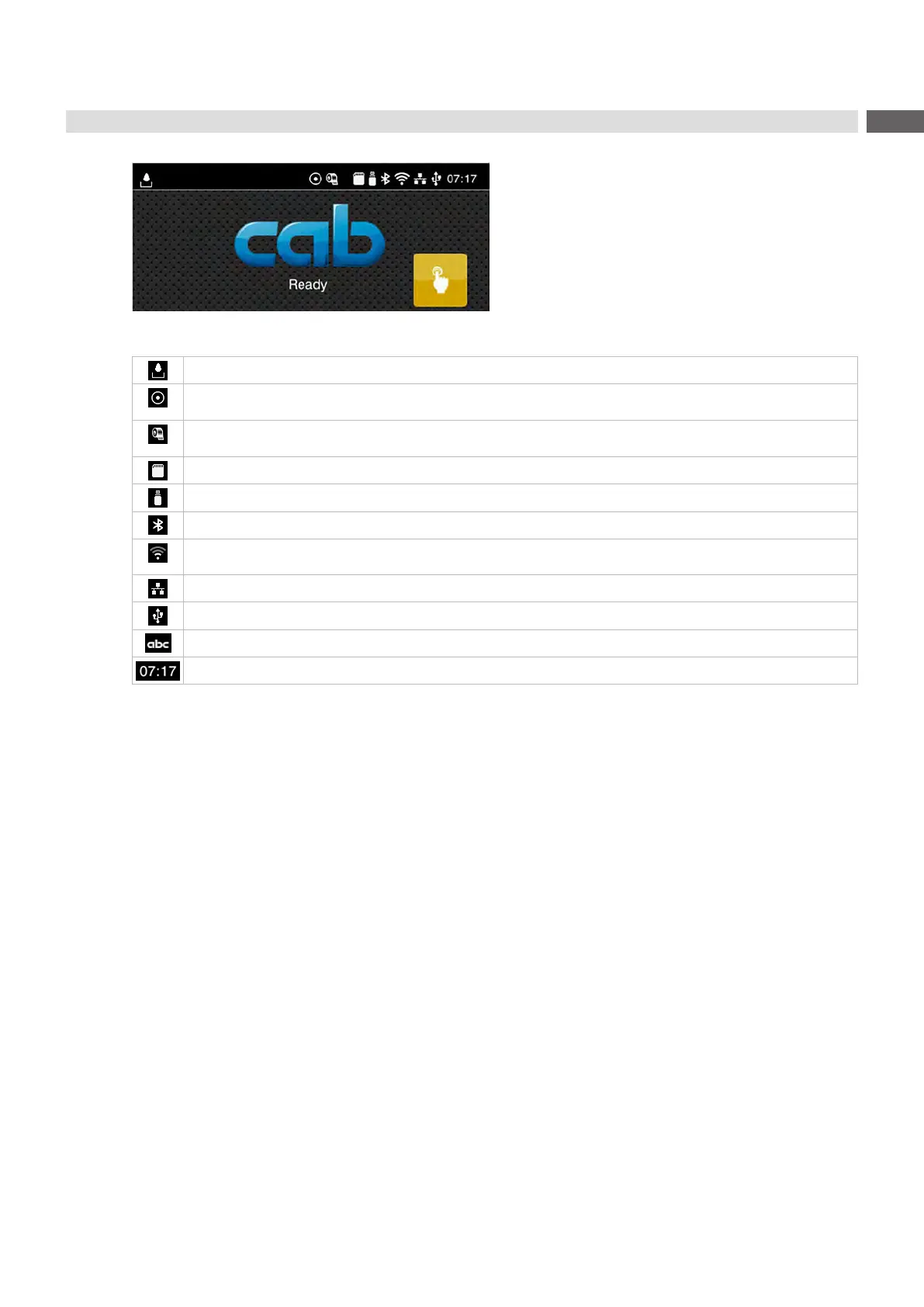
Intheheadlineseveralinformationaredisplayedaswidgetsdependingontheconguration:
Figure 8 Widgets in the start screen
Displays the current data transfer in the form of a falling drop.
The Save data stream function is active Congurationmanual
Allreceiveddataarestoredina.lblle.
Warning ribbon end Congurationmanual
The remaining diameter of the ribbon supply roll undershoots the set value.
SD card installed
USB memory installed
gray: Bluetooth adapter installed, white: Bluetooth connection active
WiFi connection active
The WiFi strength is displayed by the number of white arcs.
Ethernet connection active
USB connection active
abc program active
Clock time
Table 3 Widgets in the start screen



 To Next Page