xGenConnect Installation and Programming Guide 73
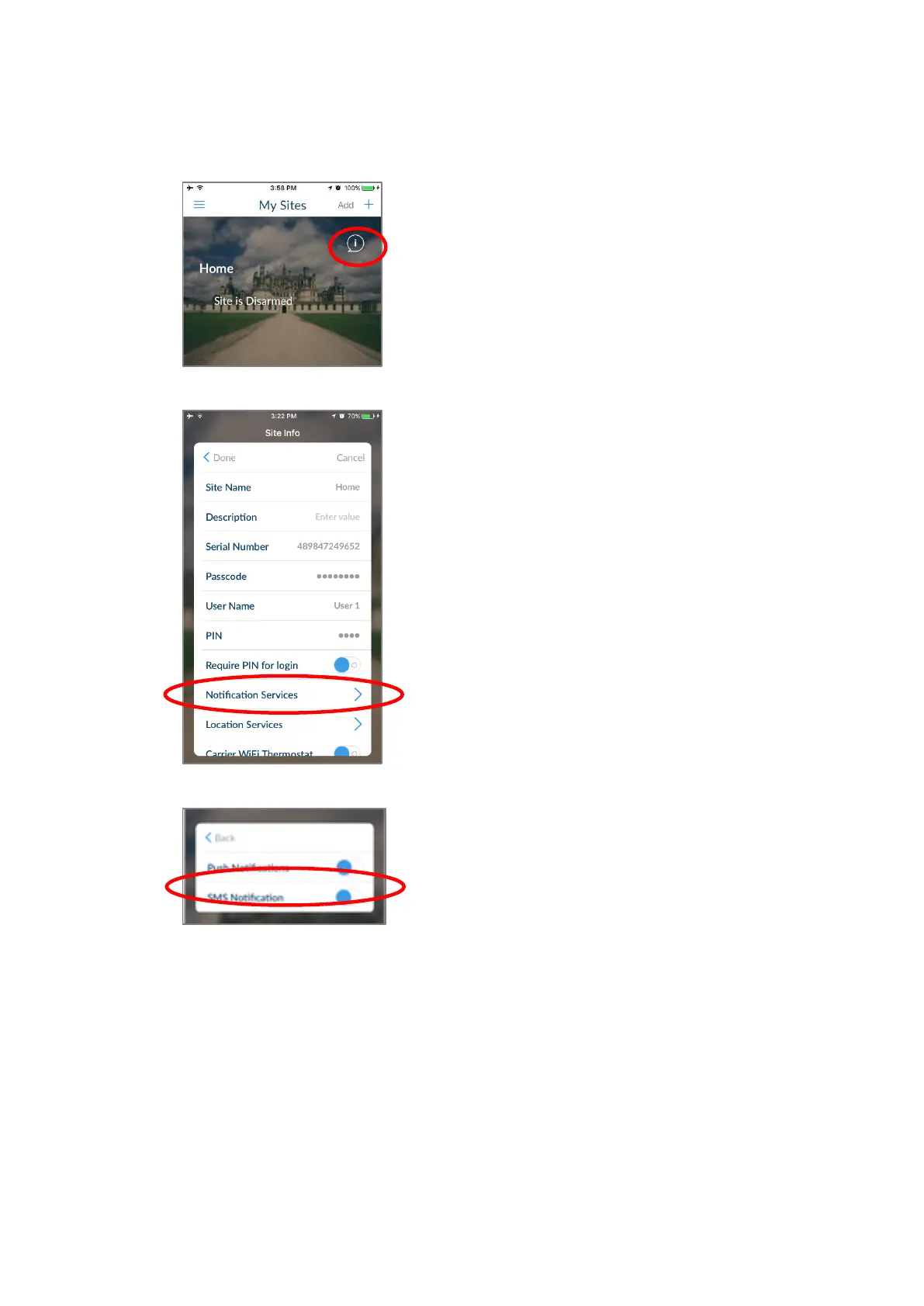
Enable SMS Notification
1. Open the UltraSync+ app.
2. Click the edit button next to the site you wish to receive notifications from.
3. Click Notification Services.
4. Enable SMS Notifications.
5. Type in the destination mobile phone number.
6. Tap Back.
7. Tap Done.



 To Next Page