72 xGenConnect Installation and Programming Guide
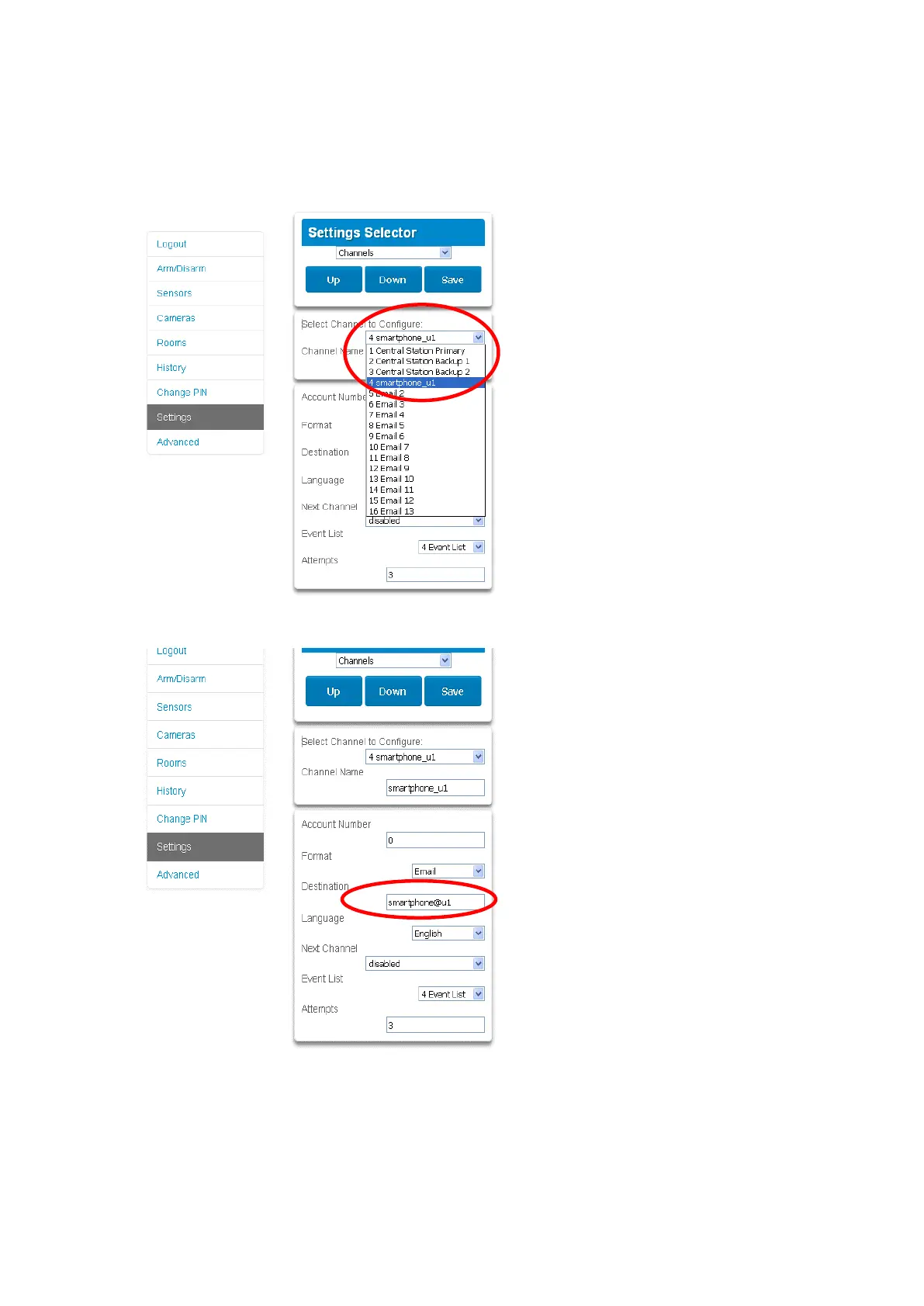
2. Click Settings.
3. Click Channels from the drop-down list.
4. Click the Channel Number in the drop-down list, your device name will
appear.
5. Delete the content of the Destination field.
6. Click Save.
7. Your device will no longer receive notifications from this xGenConnect and
the Channel is available to be reused.



 To Next Page