ENCORE LITE Rev. 3 05/2018
www.cafection.com 800-561-6162
44
SERVICE & INSTALLATION MANUAL for Cafection's Encore Lite
Service Mode
6.6.2 System2 Sub Tab
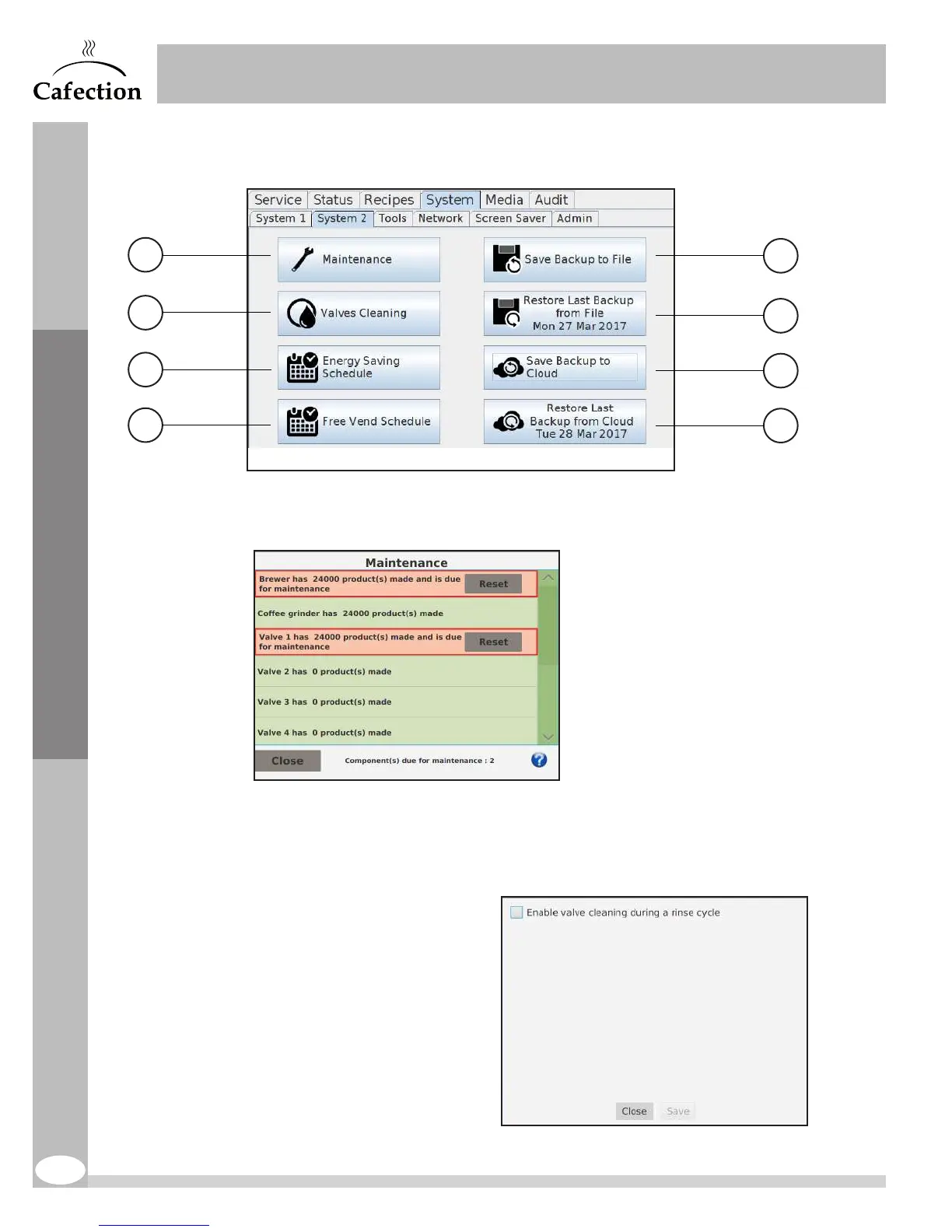
1. This button gives access to the Maintenance interface.
This interface displays the maintenance counters in which each use of a component
is recorded. The components requiring maintenance are highlighted in red. To reset a
component’s counter, press on the "Reset" button. For more help, press the icon (?).
2. This button gives access
to the valves self-cleaning
interface. This checkbox
allows the user to enable
or disable the valves self-
cleaning feature during rinse
cycles (enabled by default).
1
2
3
4
6
5
7
8



 To Next Page