ENCORE LITE Rev. 3 05/2018
www.cafection.com 800-561-6162
50
SERVICE & INSTALLATION MANUAL for Cafection's Encore Lite
Service Mode
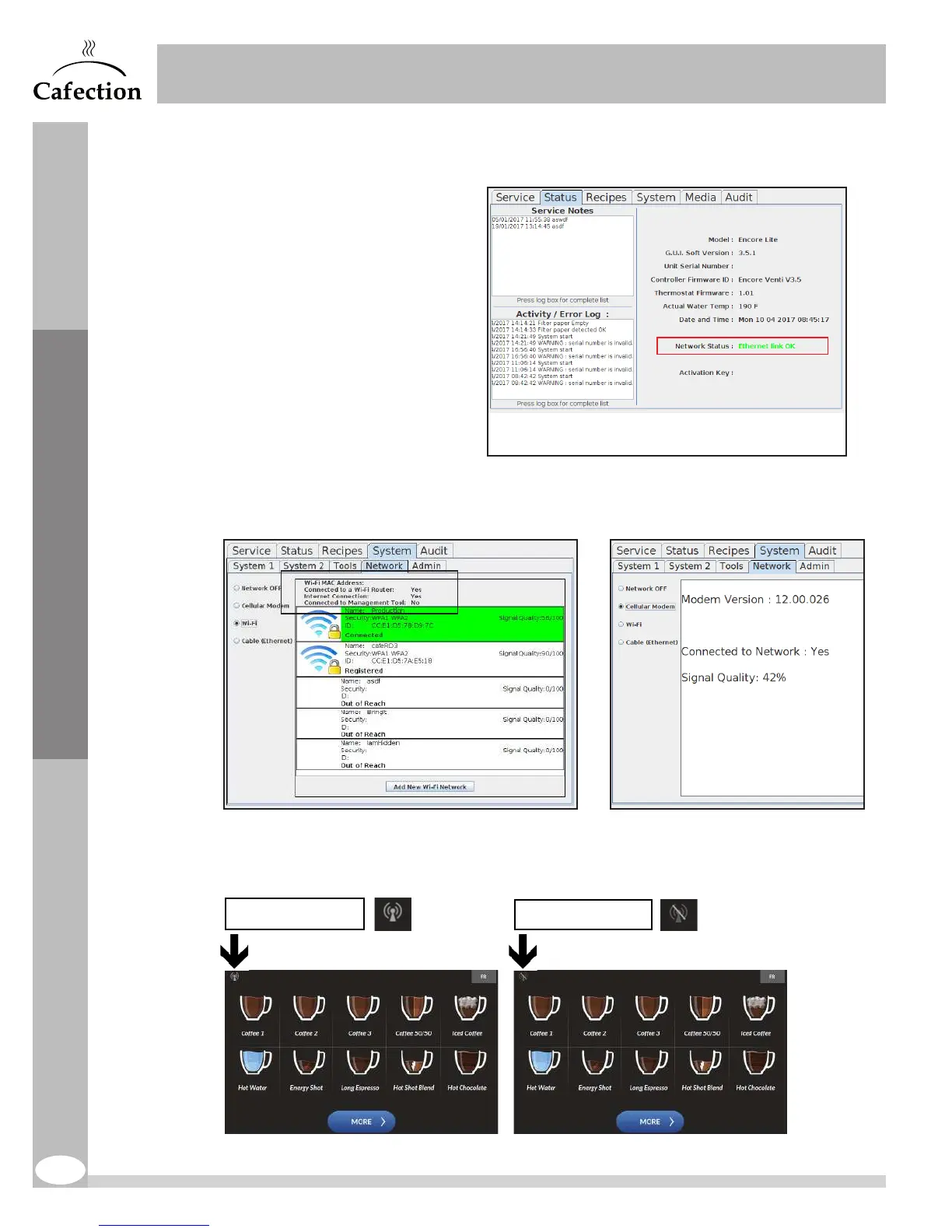
There are three (3) ways to verify if the brewer has successfully been connected.
1. Under the Status tab.
The network status indicates
"Cell. Modem link OK"
or "Wi-Fi link OK"
2. In Service mode, under the System tab, in the Network sub tab.
3. On the selection screen, the icon of the cellular or wireless network signal is active (top
left).
Inactive, offline
Active, online
xxxx-xxxx-xxxx-xxxx
xxxxxx-xxxxxxxxx



 To Next Page