Personal Ambulatory Oxygen System Provider Technical Manual
72
PN 20631679 Rev D
REMOVE AND REPLACE THE BUZZER WIRE HARNESS
1. Unplug the buzzer from the Control Board PC Board.
2. Remove the Control Board.
3. To remove the buzzer from the case, cut the cable tie, grasp the buzzer body with a pair of pliers and rotate the
buzzer to break the adhesive joint.
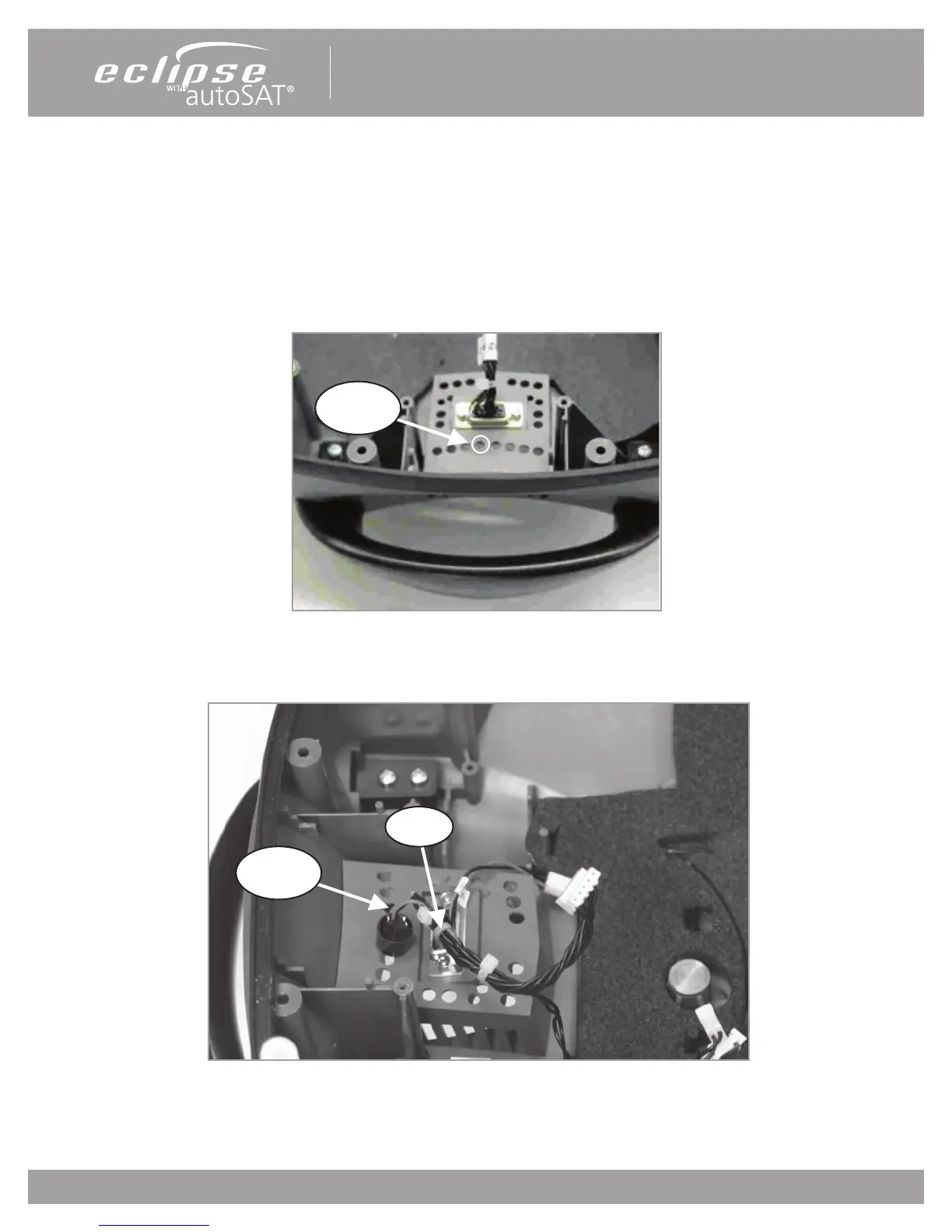
4. To install a new buzzer, apply a ring of cyanoacrylate adhesive (Super Glue) around the inlet hole as shown in
Figure 44.
Figure 44: Bonding the Buzzer to the case.
5. Place buzzer as shown in Figure 44. Ensure that the buzzer opening is centered over the grill hole. Hold in place
until adhesive cures.
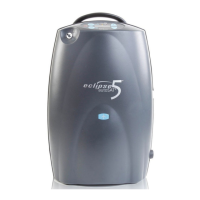
Figure 45: Buzzer Installation.
6. Install the Control Board Assembly. Secure the wire harness with Cable as shown on Figure 45. Insure that there
is a slack on the wire harness before tightening the Cable Tie. Plug in the buzzer.
Allow Slack
Here
Cable Tie
Apply
Adhesive


 To Next Page