PN 2118245 C | User Manual 17 - ENG
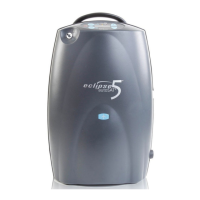
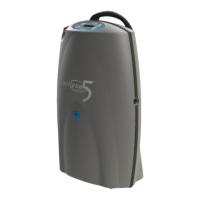
Eclipse 5
* Batteries are recyclable. *
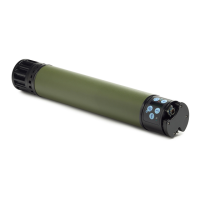
In the event of an AC or DC power interruption,
the Eclipse 5 will beep and automatically switch to
Battery operation, as long as the Battery is present
and charged. When AC power is restored, the
Eclipse 5 will beep and the Battery will auto-
matically start recharging, if not fully charged or
too warm. If the Battery is not present, or fully
discharged, during an AC power interruption, the
Eclipse 5 will shut down and alarm. The Battery is
fully discharged when the Power Cartridge Status
Gauge on the control panel is no longer illumi-
nated. The device will display a yellow light and
sound a beep for 120 seconds. The yellow light will
remain on and the beep will repeat after 20 seconds
until the device completely shuts down.
Note: Press and hold the Eclipse 5 ON/OFF button
for a minimum of 5 seconds, to silence the Loss
of Power alarm. Connecting the Eclipse 5 to an
external AC power supply for 2 minutes will also
eliminate this alarm.
Typical New Power Cartridge Operating Times
Continuous
Flow
Battery
Duration
Pulse
Setting
Battery
Duration
(12 BPM)
0.5 LPM 4.4 hours - -
1.0 LPM 3.7 hours 16mL–1.0 5.4 hours
2.0 LPM 2.0 hours 32mL–2.0 5.1 hours
3.0 LPM 1.3 hours 48mL–3.0 4.9 hours
64mL–4.0 4.0 hours
80mL–5.0 3.7 hours
96mL–6.0 3.5 hours
128mL–7 2.5 hours
160mL–8 2.0 hours
192mL–9 1.7 hours
Note: Operating the Oxygen Concentrator outside
of its normal operating temperature range can
affect performance and decrease battery run time
and/or increase battery charge time. (Refer to the
Specifications section in this manual.) You will
achieve longer operating time on the Battery if you
operate your Eclipse 5 in the Pulse Mode (Physician
approved mode).
Typical Battery Recharge Time
The typical time to recharge your Battery to
achieve 80% capacity from a fully discharged
Battery is between 2 and 5 hours, depending upon
the device ow setting. When the battery is fully
charged, the battery gauge will cease cascading.
The battery can be charged in the unit when the
Eclipse 5 is turned off and plugged in.
If the Battery becomes too warm during discharg-
ing, recharging will not begin until the Battery suf-
ciently cools. Removing the Battery and allowing
it to cool may expedite this cooling process.
When operating the Eclipse 5 on DC power, the
battery will recharge while the unit is running at
2.0LPM or less if sufcient power is available.
Typical Power Cartridge Operating Times at 80%
Charge
Continuous
Flow
Battery
Duration
(12 BPM)
Pulse
Setting
Battery
Duration
(12 BPM)
0.5 LPM 4.0 hours 16mL–1.0 3.0 hours
1.0 LPM 3.5 hours 24mL–1.5 3.0 hours
1.5 LPM 2.5 hours 32mL–2.0 3.0 hours
2.0 LPM 2.0 hours 40mL–2.5 3.0 hours
2.5 LPM 1.5 hours 48mL–3.0 3.0 hours
3.0 LPM 1.3 hours 56mL–3.5 3.0 hours
64mL–4.0 3.0 hours
72mL–4.5 3.0 hours
80mL–5.0 2.5 hours
88mL–5.5 2.5 hours
96mL–6.0 2.5 hours
128mL–7.0 2.0 hours
160mL–8.0 1.5 hours
192mL–9.0 1.5 hours


 To Next Page