S320 OCS Getting Started Guide
13 of 42
If a driver for the serial cable is not available, it can be downloaded online at
http://www.ftdichip.com/Drivers/VCP.htm.
To reset the IP address using the serial connection, refer to section 3.4.
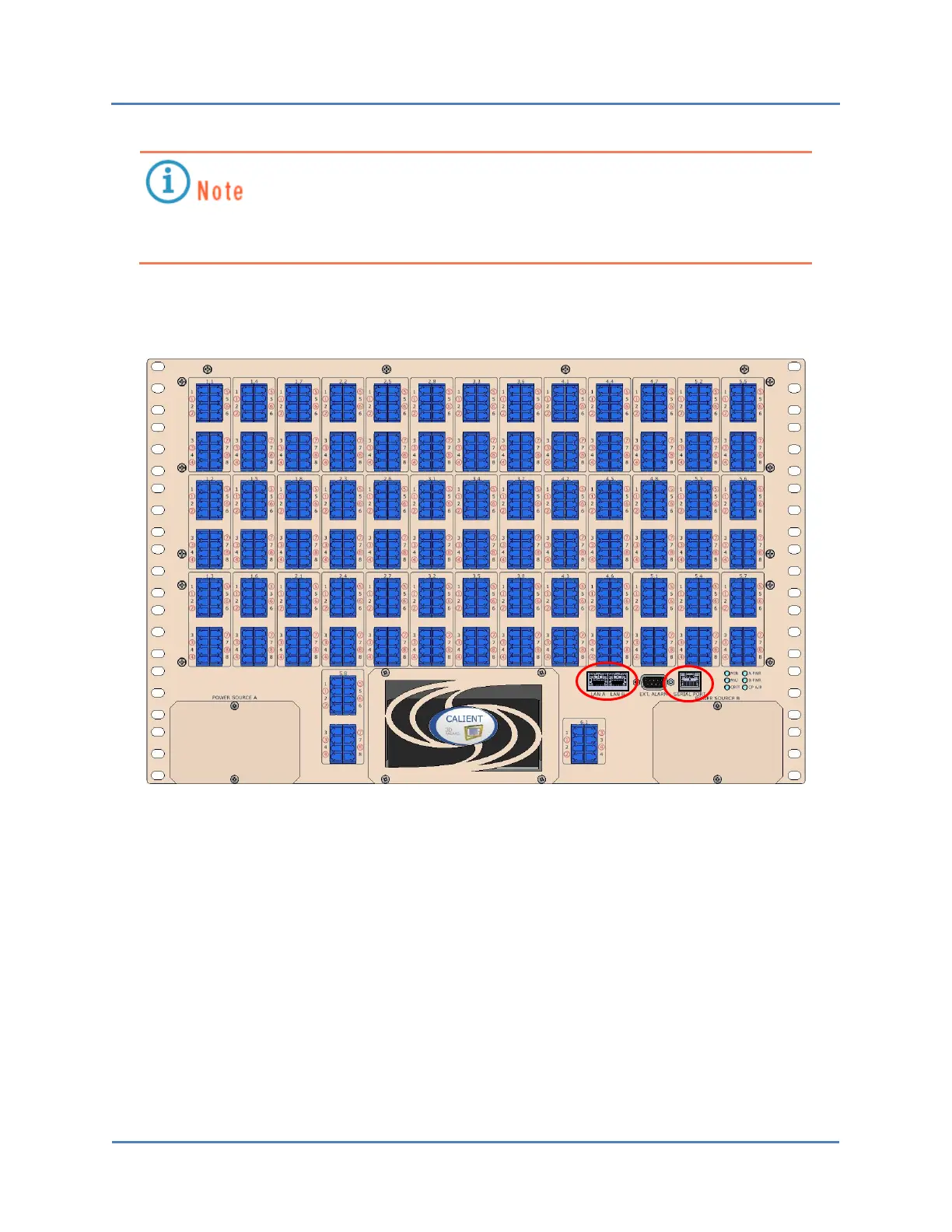
Figure 5 – S320 OCS Serial and LAN Ports
3.2.2 Connecting Ethernet
The S320 OCS has two Gigabit Ethernet (GbE) RJ45 connectors—labeled LAN A and LAN B—on
the front of the switch, as shown in Figure 5 and Figure 8. The Ethernet connection enables you
to control the switch using TL1 via a Telnet session, or using the browser-based graphical user
interface (GUI).



 To Next Page
 Loading...


