29
+
Keypad functions
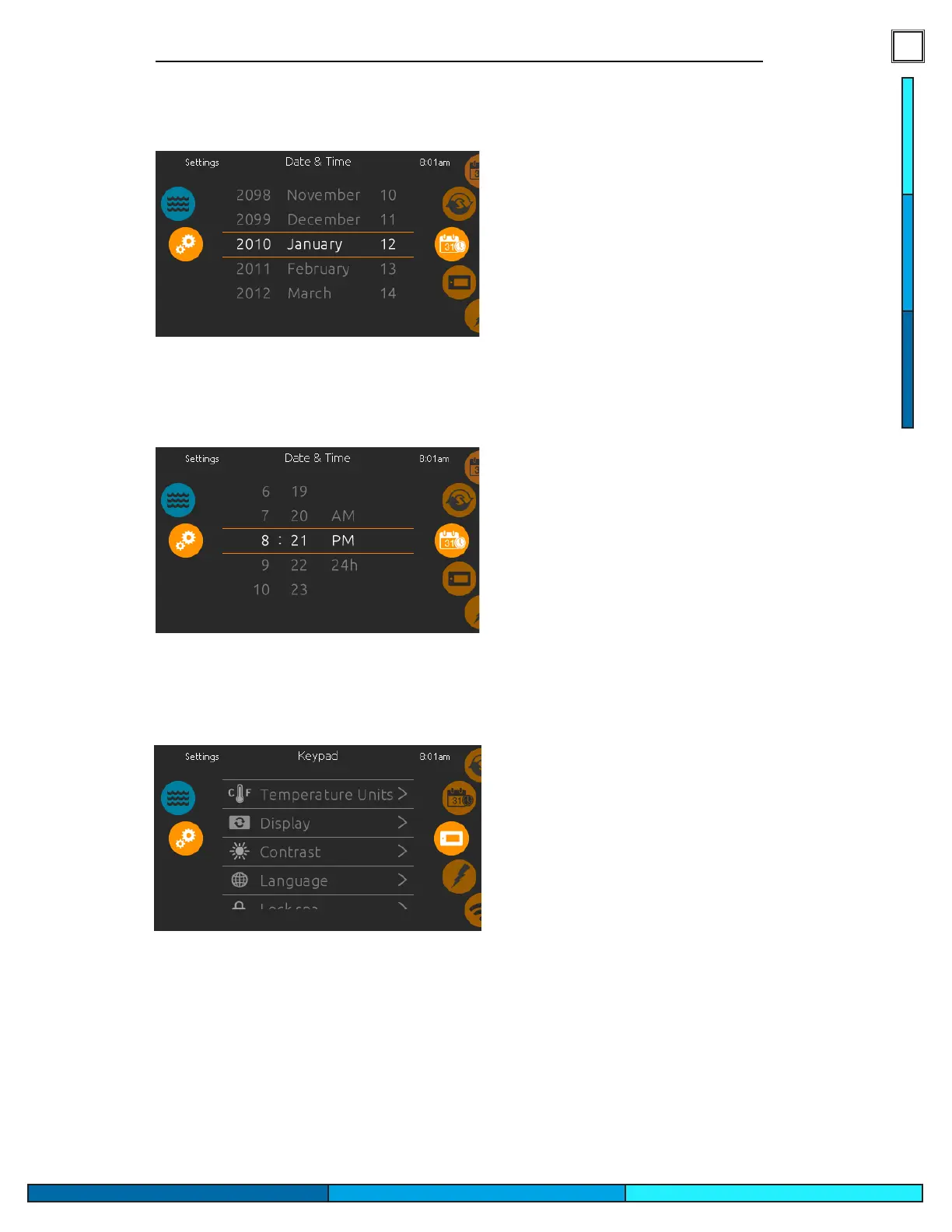
Set date
Here you can adjust the year, month and day�
Simply swipe up and down the column you want to
change and select the desired value� When you are done,
touch the calendar icon at the right of the screen�
Set time
Here you can change the hour, minute and time format�
Simply swipe up and down the column you want to
change and select the desired value� When done,
touch the calendar icon at the right of the screen�
Keypad settings
In the keypads page you can access the following:
•
Temperature units
•
Display
• Contrast
•
Language
•
Lock spa (optional)
•
Keypad color (optional)
To select an item, slide the right wheel until the desired icon
is highlighted in the middle or press on the menu name�


 To Next Page