11
+
Keypad functions
Sleep mode
Touch the screen to exit sleep mode� 3 minutes after the
last pump is turned off, the screen will shut off if there is
no touch activity�
Then Follow the instructions on the screen to access the
main screen�
Main screen
The main screen gives you access to your accessories and
water temperature� At the bottom of the screen
you will see any error or maintenance messages that are
present�
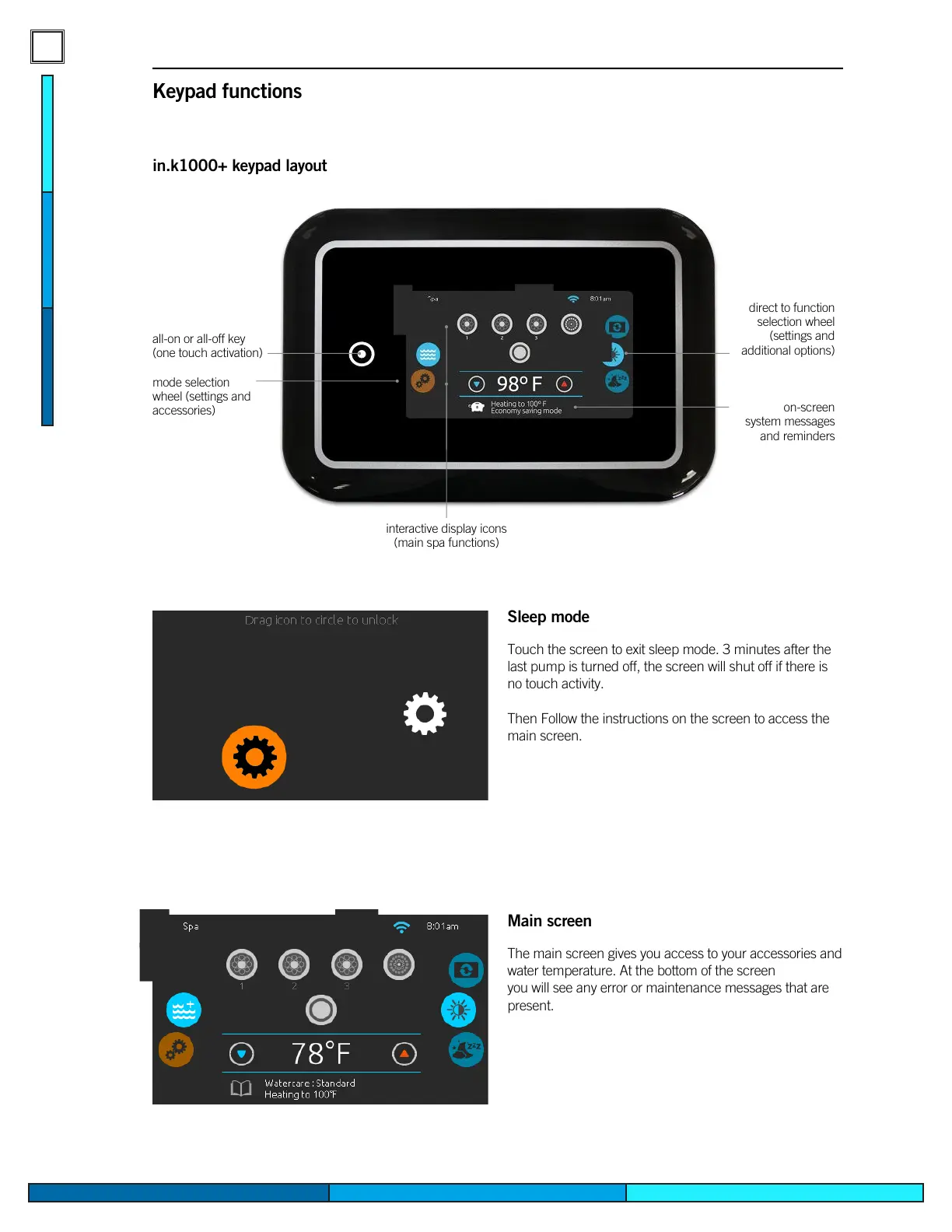
in.k1000+ keypad layout
all-on or all-off key
(one touch activation)
direct to function
selection wheel
(settings and
additional options)
on-screen
system messages
and reminders
interactive display icons
(main spa functions)
mode selection
wheel (settings and
accessories)


 To Next Page