48
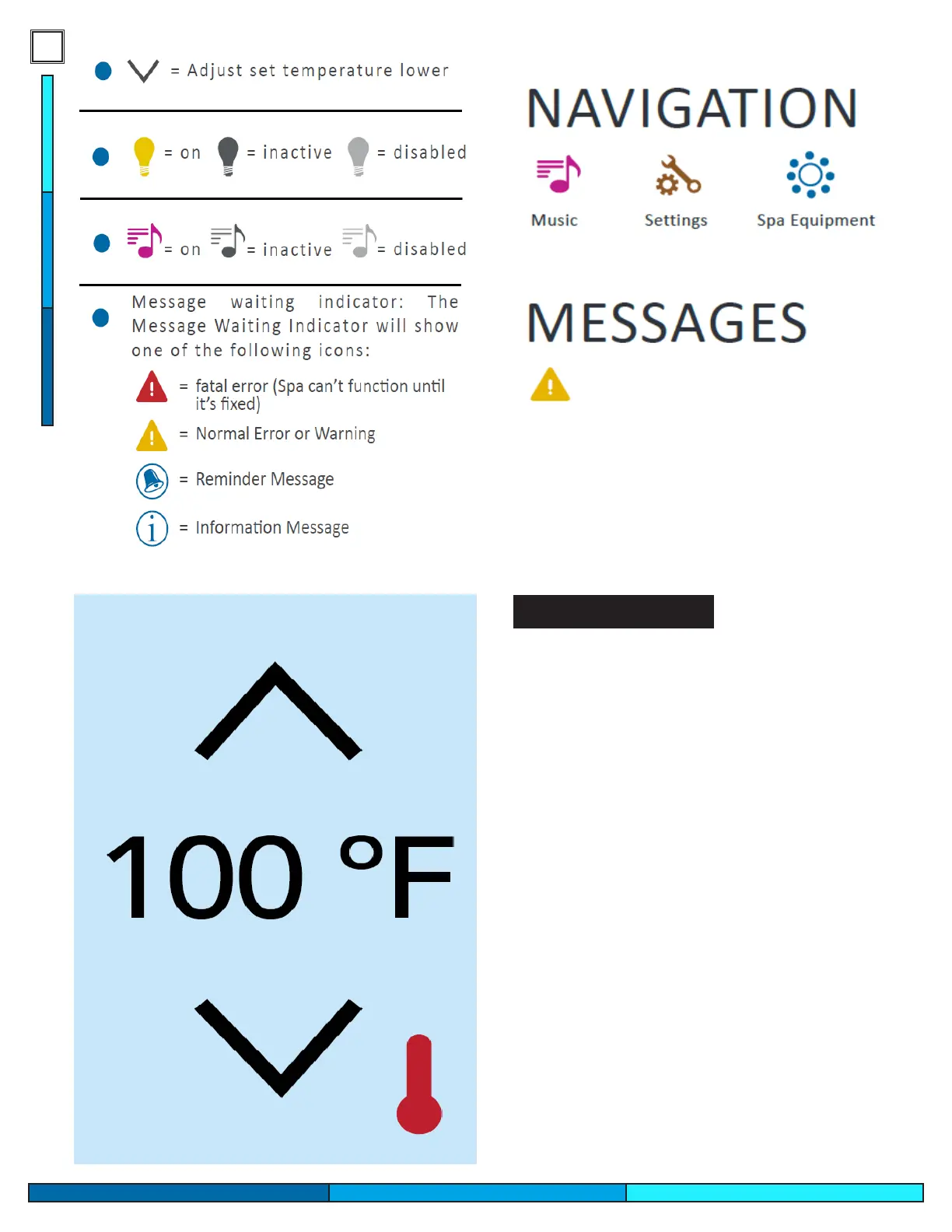
This icon indicates that a message is
waiting for you to review, it can be an
error code or a general message code.
After 30 seconds the display will enter sleep mode
and power o, you can tap the display to wake up.
You can press the up and down arrows once to
see what the spas set temperature is, this is shown
by the temperature values changing in color to
indicate the set temperature. Pressing the up or
down arrows again will move the set temperature
to whatever temperature you desire. You may also
press and hold the arrows to change temperature.
Note: if the spas set temperature was 99°F, and you
set the new temperature to a lower value for exam-
ple 94°F, the spa will not chill and cool down. This
change in value commands your spa heater to only
activate to maintain 94°F. The heater will remain
o until the water temperature falls below 94°F, in
order to maintain the new set temperature.
Adjusting Temperature


 To Next Page