52
Pump Speed Indicator
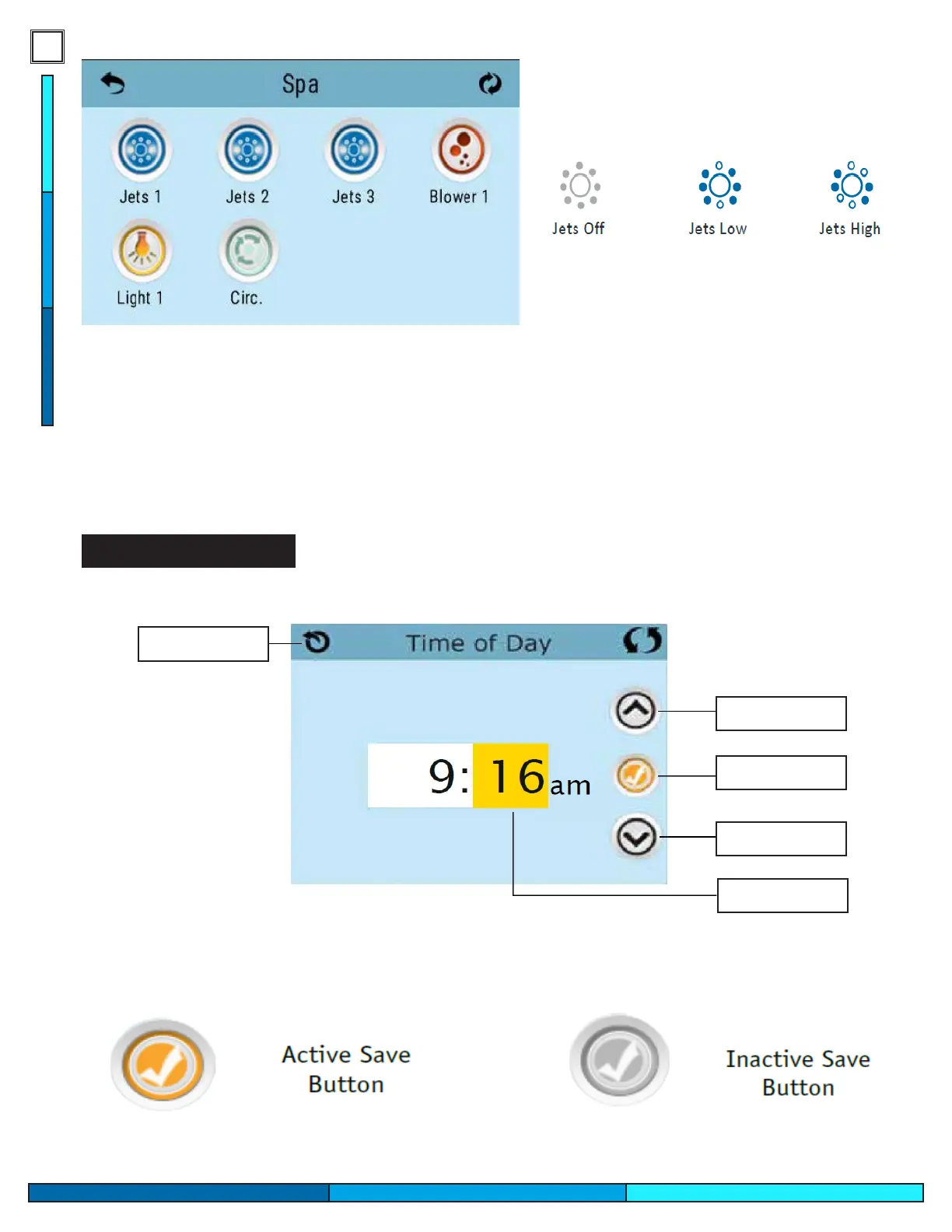
The spa screen shows all available equipment to control based on your spa options. The icons shown in this
screen may vary based on the number of pumps or additional options the spa is equipped/ordered with.
Some pumps have more than one speed, indicated by Figure 1-01, some spas have only one dual speed
pump, and others can be equipped with one dual speed pump with additional single speed pumps.
If your spa was equipped with a circulation pump (24hr ltration system), the spa control screen will show if
the circulation pump is active, but this pump will not be able to be controlled through the panel.
Fig. 1-01
Navigation and Selection
Return/Exit
Increase
Conrm
Decrease
Current Selection
As you navigate through screens you can conrm what options are active or inactive by looking at the small
check-mark icons within the selected page.


 To Next Page