53
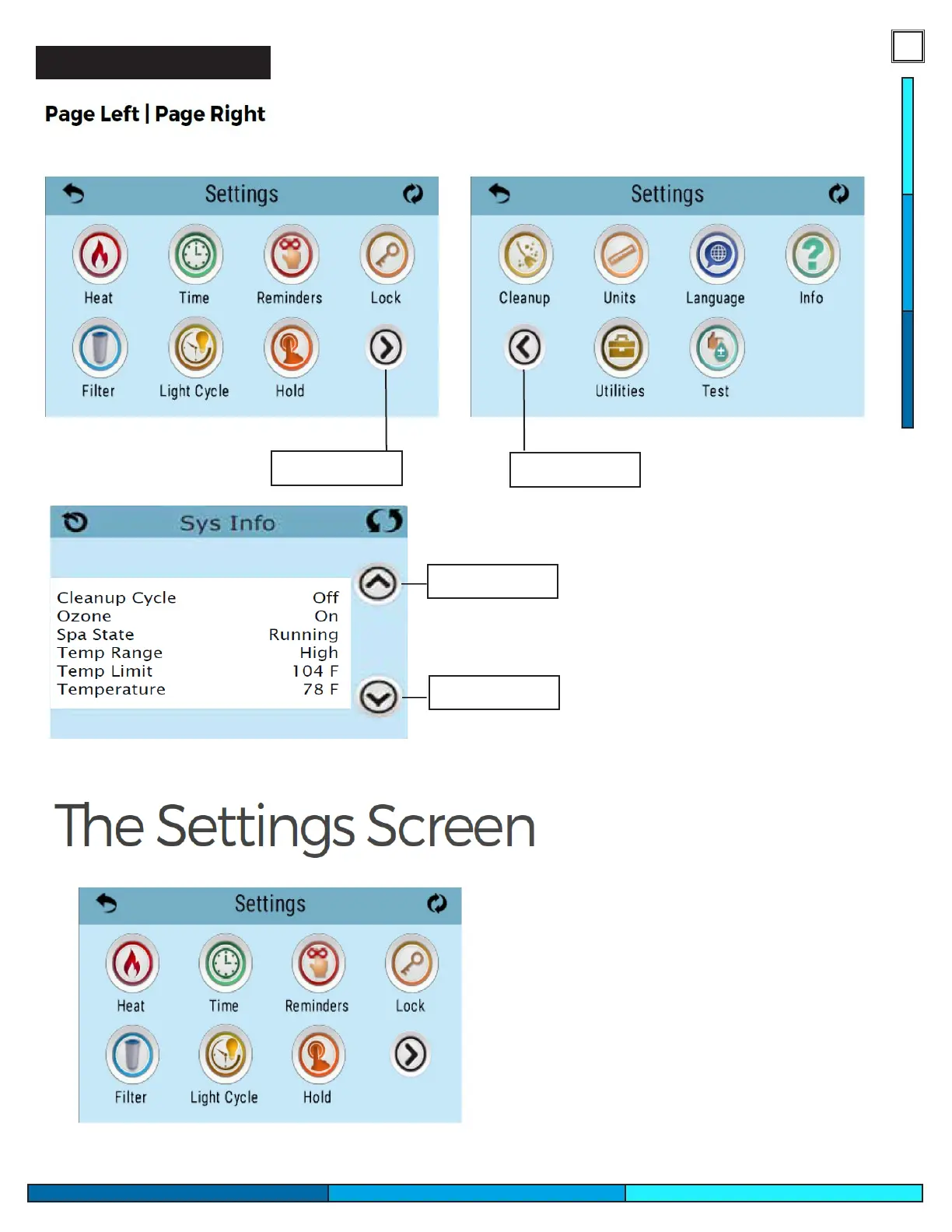
Navigation Between Pages
Next Page
Previous Page
: Certain menus contain more than one page to access all options. Use
the navigation arrows as illustrated bellow to move page to page
Similarly you will press these arrows
to navigate up and down.
Depending on the screen these
arrow icons can be used to change
values or to navigate through the
screen.
Line/Page Up
Line/Page Down
The settings screen is where all programming
and certain spa operations are controlled. Each
Icon leads to a sub menu that can toggle
specic parameters that fall under the
mentioned option.



 To Next Page