46
Spa Touch 2 Control PanelSpa Touch 2 Control Panel
Spa Touch Control System
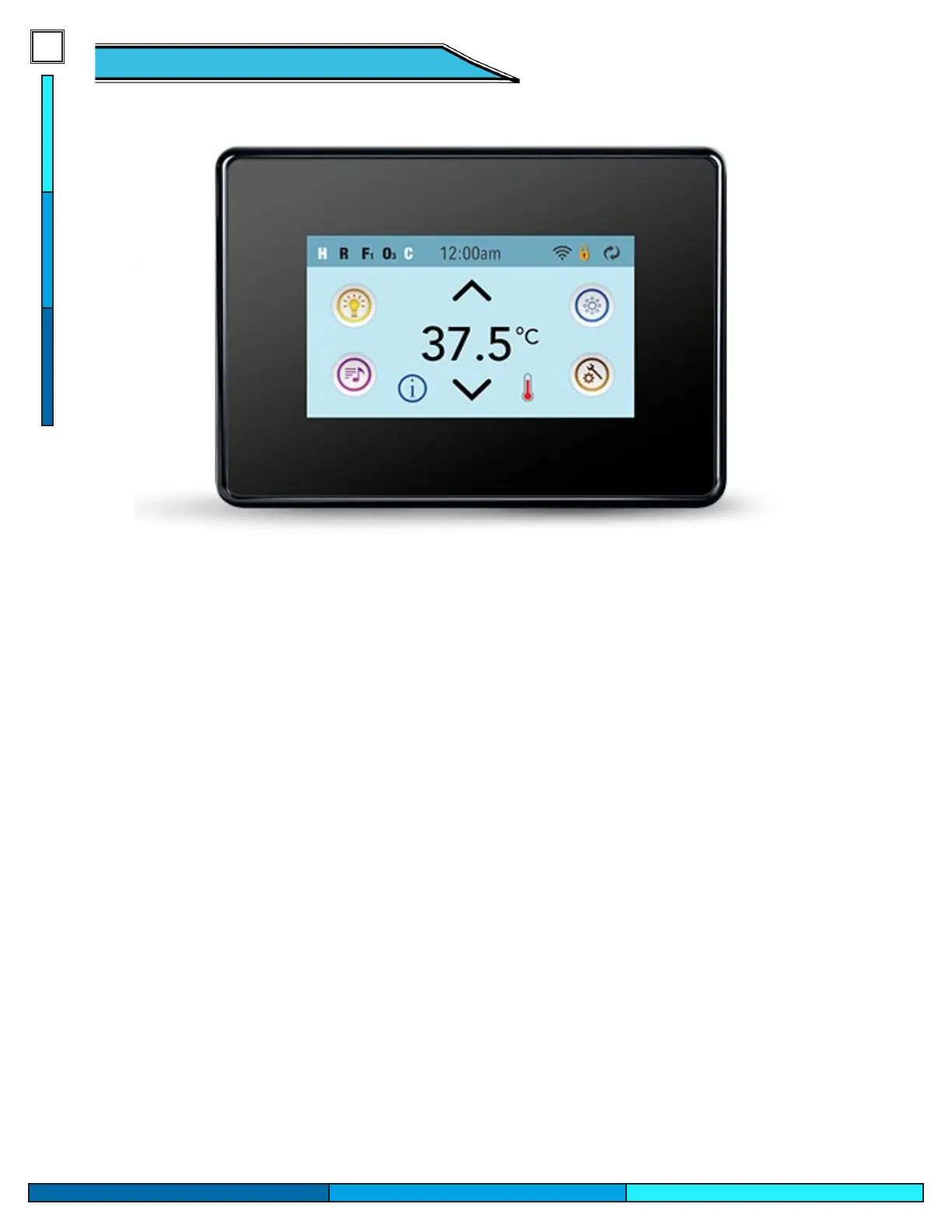
Certain Cal Spa models are oered with an upgraded control panel, the Spa Touch 2 control system. The
elegant 4 ’’ touch display oers easy navigation of all of your spas equipment, with an elegant color LCD
screen. The controllers main screen is designed display all main equipment options, including temperature
control, LED light activation, and pump activation. There is easy access to your spas internal settings for ltra-
tion, time/date, heat modes, languages, and other specied features.
The top of the display is designed to oer insight on what operations or modes are activated inside of your
spa. Ensuring that you know everything and anything your spa is doing at that very moment.
Display Care
To maintain and care for your spa display, we recommend using a microber towel to clean the display from
nger prints. The touch screen is designed to respond to touch with wet hands, but excessive water droplets
on the display should be wiped away with your hand before using the controller.


 To Next Page