56
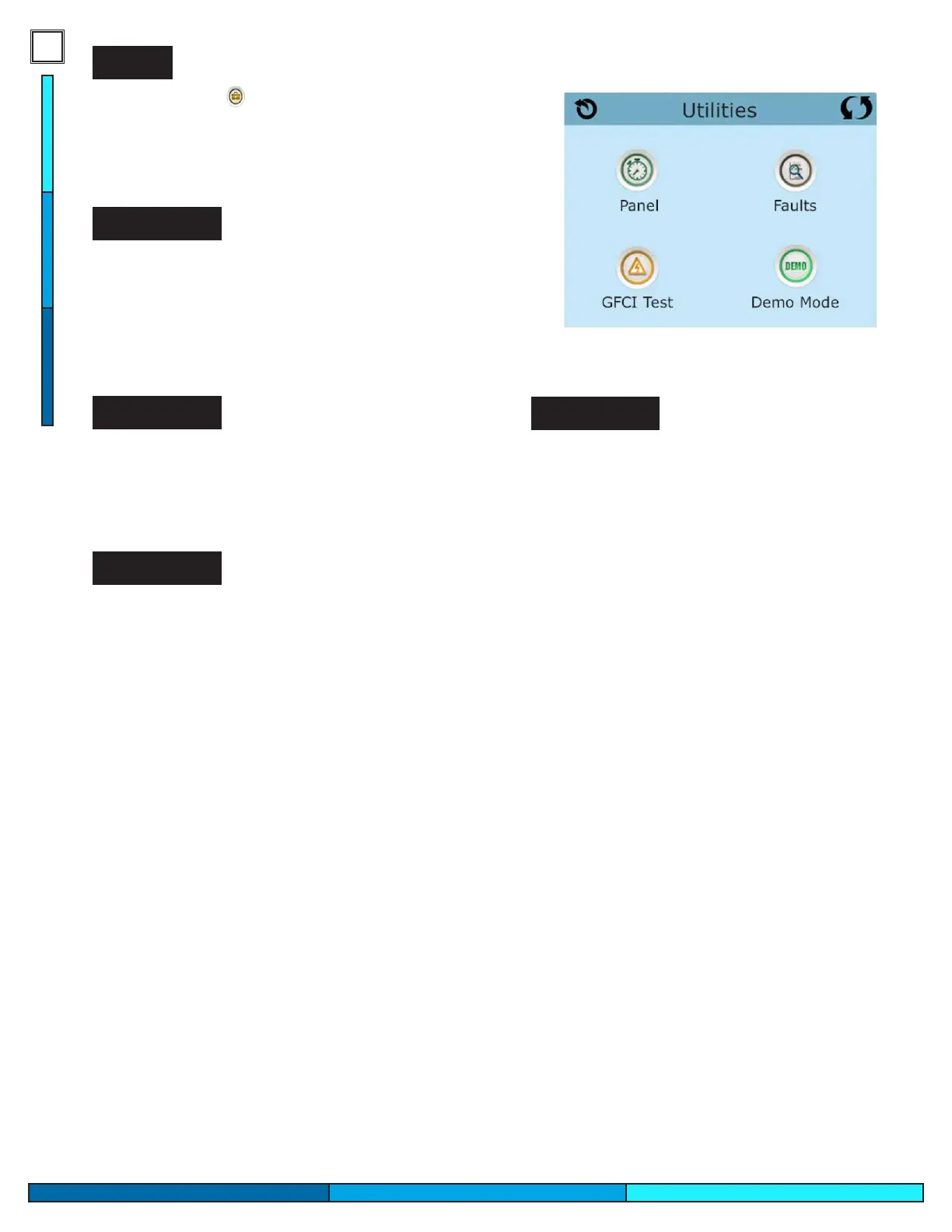
Utilities
The Utilities icon on the settings screen will take
you to the Utilities screen. This screen contains
several options that can modify the operation of the
touch panel, as well as testing tools and the spa fault
logs.
Panel
Selecting the Panel icon allows you to choose the
duration of time that the control panel remains
activated before entering back into sleep mode.
The display can remain active between an interval
of 1 min to 60 min.
Demo Mode is not always active, so it may not ap-
pear, this mode is designed to operate several spa
features/devices in sequence. This mode is intend-
ed to showcase the various features of the spa.
Demo Mode
The spas control system has an internal memory
to keep track of any fault codes or messages that
are generated. The fault log stores the last 24 error
codes generated by the system. This includes
normal operation codes and actual fault codes. For
example “Priming Mode” will appear in the fault
log but it is not a fault, it is a code that is used to
keep track of when the spa restarts. Having codes
like this appear in the fault log allows for better
troubleshooting, by allowing technicians to see
the spas entire code history to observe normal spa
operations.
Fault Log
This feature only exists with models sold in North
America.
You are able to test the GFCI circuit connected to
your spa through this feature to ensure that your
GFCI is properly grounded and able to handle a
surge or ground failure.
• Manual GFCI Test is enabled in this system
• GFCI test will not appear on your screen if its
not enabled, with 120V systems this feature
may not be enabled since there is a tested
physical GFCI connected to 120V spas.
GFCI Test


 To Next Page