32
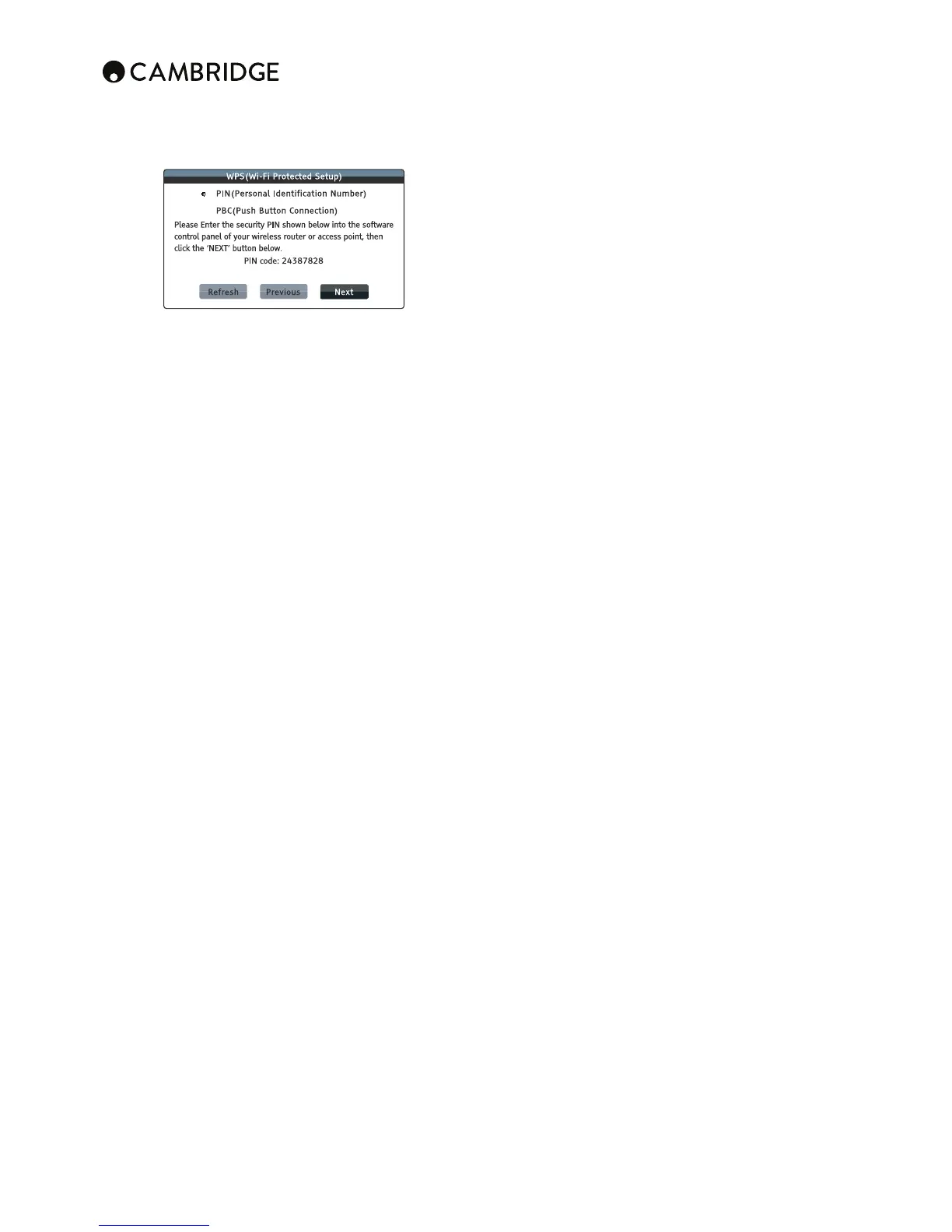
PIN¶*VUÄN\YLZ[OL>7:\ZPUNH7LYZVUHS0KLU[PÄJH[PVU5\TILY;OL
player will generate a PIN and you need to input it into the software
control panel of your wireless router or access point. Please follow the
on-screen instruction.
PBC *VUÄN\YLZ [OL >7: \ZPUN 7\ZO )\[[VU *VU[YVS @V\ ULLK [V
push a PBC button on your wireless router or access point to initiate the
wireless connection. Please follow the on-screen instruction.
Note:
¶::0+ PZ ZOVY[MVY :LY]PJL:L[ 0KLU[PÄLY 0[PZ HUPKLU[PÄLY MVYLHJO ^PYLSLZZ
router or access point, and is also referred as a network name.
– WPS is short for Wi-Fi Protected Setup (WPS). It is the latest standard for
LHZ` HUK ZLJ\YL ^PYLSLZZ OVTL UL[^VYR JVUÄN\YH[PVU 0[ PZ HSZV UHTLK
>P-P :PTWSL *VUÄN ;V \ZL >7: H >7: JVTWH[PISL YV\[LY VY HJJLZZ
point is required.
6. IP setting
To determine how the player obtains its IP address.
Auto (DHCP) - The player automatically obtains its IP address information
\ZPUN +/*7 +`UHTPJ /VZ[ *VUÄN\YH[PVU 7YV[VJVS ;OPZ PZ [OL KLMH\S[
ZL[[PUN 0U TVZ[ JHZLZ H\[VTH[PJ 07 JVUÄN\YH[PVU PZ ILZ[ HUK YLX\PYLZ UV
user intervention.
Manual – Manually enter the numeric IP address information. For more
PUMVYTH[PVUVU OV^ [V THU\HSS` JVUÄN\YL [OL 0U[LYUL[JVUULJ[PVUHUK^OH[
values to use, please consult your broadband router/modem instruction
manuals or call your Internet service provider.
IP Address – The Internet Protocol address of the player. When "IP
*VUÄN\YH[PVU PZ ZL[ [V (\[V +/*7 [OL ]HS\L KPZWSH`LK OLYL PZ
obtained using DHCP and cannot be changed.
Subnet Mask – Each IP address has an associated subnet mask. It is used
I`[OLWSH`LY[VKLJPKL^OL[OLY[VYV\[LUL[^VYR[YHɉJ[OYV\NO[OLYV\[LY
or directly to another device on the same network. When "IP Setting" is set
to "Auto (DHCP)", the value displayed here is obtained using DHCP and
cannot be changed.
Gateway – The IP address of the router. It is also called "default gateway"
or "default router". When "IP Setting" is set to "Auto (DHCP)", the value
displayed here is obtained using DHCP and cannot be changed.
DNS 1¶;OL07HKKYLZZVM[OLÄYZ[WYPTHY`+5:+VTHPU5HTL:`Z[LT
server. DNS is the mechanism to translate human-readable addresses to
numeric IP addresses. When "IP Setting" is set to "Auto (DHCP)", the value
displayed here is obtained using DHCP and cannot be changed.
DNS 2 – The IP address of the second (secondary) DNS server. When "IP
Setting" is set to "Auto (DHCP)", the value displayed here is obtained using
DHCP and cannot be changed.
7. Proxy setting
*VUÄN\YLZ[OLWYV_`ZLY]LYZL[[PUNZ(WYV_`ZLY]LY^VYRZHZHUPU[LYTLKPHY`
for network communication between clients and other servers, which can
WYV]PKLILULÄ[ZSPRLZLJ\YP[`HUVU`TP[`ZWLLK\WVYJPYJ\T]LU[PUNYLNPVUHS
restrictions.
On – To access the Internet via a proxy server.
Proxy Host: To enter the proxy host name using the remote control.
Proxy Port: To enter the proxy host port number using the remote control.
2σ(default) – Do not use a proxy server.
8. Connection test
Tests the Internet connection. It is recommended that you test the connection
when you initially connect the player to the Internet, or whenever changes to
"IP Setting" and other network parameters are made.
Troubleshooting
There is no power
Ensure the AC power cord is connected securely.
Ensure the plug is fully inserted into the wall socket and is switched on.
Check fuse in the mains plug or adaptor.
The player will not read the disc
Check the disc is not loaded upside down.
Check that the disc is not too scratched or dirty.
The disc type is not supported by this unit.
Check its region and type.
Functions on some discs may not work on this unit. This is not a malfunction
of the player.
There is no sound
,UZ\YL[OH[[OLHTWSPÄLYPZZL[JVYYLJ[S`
Check that the interconnects are inserted correctly.
Check if the output has been set incorrectly to Bitstream or LPCM.
There is no picture
Check that the video cable is connected properly.
Check that the TV input is selected correctly.
Check that the video format is supported.
Check that the 'Pure Audio' mode is not enabled.
The disc is skipping
Check that the disc is not too scratched or dirty.
,UZ\YL[OH[[OL*?<PZVUHÄYTZ\YMHJLHUKUV[Z\IQLJ[[V]PIYH[PVUZ
A low hum or buzz sound can be heard
Power cords or lighting placed near this product.
Analogue inputs not connected securely.
No sound from the rear speakers
Source being played is not recorded in surround-sound.
Unit has been put to stereo or other down-mix mode.
No sound from the Center speaker
A stereo mode has been selected.
Remote control is not working
;OLIH[[LYPLZHYLÅH[
;OLYLTV[LPZ[VVMHYMYVT[OL\UP[VYV\[VM[OLLɈLJ[P]LYHUNL
Files on a connected USB device do not play
If the USB drive is incompatible, or the player encounters errors while reading
[OL<:)KYP]LVYÅHZOTLTVY`JHYK[OLZJYLLUKPZWSH`Z"Device Error". In
this case please verify that the USB drive is compatible, and try to unplug the
device and re-insert again.
In some cases, an incompatible USB device may cause the CXU to stop
YLZWVUKPUN0M[OPZVJJ\YZZPTWS`[\YUVɈ[OLWV^LYYLTV]L[OL<:)KL]PJL
and turn the player back on.
;OLÄSL[`WLPZPUJVTWH[PISL*OLJR[OLZ\WWVY[LKÄSL[`WLZ
The drive requires too much power from the USB socket.
Problems using HDMI
,UZ\YL[OH[`V\YZJYLLUZ\WWVY[Z/+*7/PNO+LÄUP[PVU*VW`7YV[LJ[PVU
Ensure your screen is capable of displaying the resolution being output by
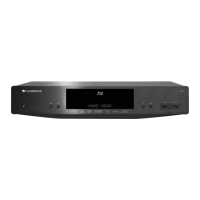
the Blu-ray player.
: Cables which run over 5m may cause sync or grounding issues.
For more frequently asked questions (FAQs), technical advice and information
on getting the most out of your CXU, please visit the Support section on
Cambridge Audio's website:
www.cambridgeaudio.com/support.php


 To Next Page