Need help?
Do you have a question about the CAME BPT MTMA/08 and is the answer not in the manual?
Configures terminals as call inputs 1 and 2 by short-circuiting and powering the device.
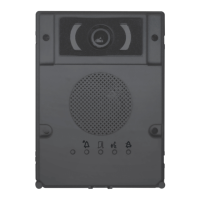
Illustrates various button numbering configurations for entry panels and their corresponding outputs.
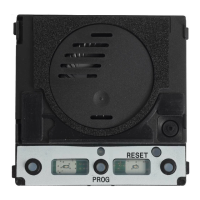
Procedure to enter programming mode by pressing the PROG button until the PROG LED lights up.
Steps to program call buttons on entry panels by pressing them until LEDs stop flashing.
Links entry panel calls to internal receivers by pressing call buttons and lock release buttons.
Procedure to exit programming mode by briefly pressing the PROG button.
Controls backlight brightness/colour and video camera visual range during programming.
Adjusts entry panel light brightness using assigned call buttons and the self-connection button.
Guides on reprogramming systems, accessing call programming, and button reprogramming.
Resets the entry panel to default settings by holding call buttons during power-up.
 General
| Category | Control Unit |
|---|---|
| Manufacturer | CAME BPT |
| Model | MTMA/08 |
| Power Consumption | 10 W |
| Protection Degree | IP54 |

 To Next Page