EasyManua.ls Logo

CAME BPT MTMV/08 - User Manual

CAME BPT MTMV/08
32 pages
Go to English
Print Icon
To Next Page IconTo Next Page
Loading...
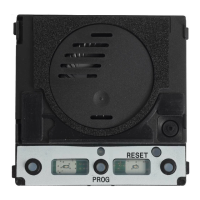
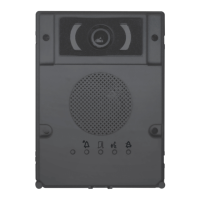
Modulo comunicazione per sistemi Xip
MTMA/08 - MTMV/08
MANUALE DI PROGRAMMAZIONE
IT
Italiano
EN
English
FR
Fraais
RU
Pусский
FB00884M04
Question and Answer IconNeed help?

Do you have a question about the CAME BPT MTMV/08 and is the answer not in the manual?

CAME BPT MTMV/08 Specifications

General IconGeneral
BrandCAME
ModelBPT MTMV/08
CategoryControl Unit
LanguageEnglish

Summary

General Precautions

Operations for Remote Control of Call Buttons

Manual Configuration of Terminals as Call Inputs

Configure terminals for call inputs 1 and 2 by short-circuiting and powering the device.

Button Numbering Schemes

Illustrates various button numbering configurations for entry panels.

Programming Entry Panels with VA;08

Entering Programming Mode

Enter programming mode by pressing the PROG button until the LED lights up.

Programming the Call Buttons

Program call buttons by pressing them until the blue LED and button LEDs stop flashing.

Programming Calls

Call Linking Procedure

Link call buttons to internal receivers by pressing buttons on the entry panel and receiver.

Exiting the Programming Mode

Exit programming mode by briefly pressing the PROG button.

Adjusting Backlight Brightness and Color

Programming the Entry Panel Video Camera

Adjusting Entry Panel Light Brightness

Reprogramming the System

Restore Factory Default Settings

Related product manuals