$
Scanner
®
2000 microEFM Appendix A
,IWKHH[SDQVLRQERDUGLVRUGHUHGZLWKD6FDQQHULWLVLQVWDOOHGDWWKHIDFWRU\,IWKHERDUGLVSXUFKDVHG
VHSDUDWHO\WKHXVHUZLOOQHHGWRLQVWDOOLWRQWKH6FDQQHUPDLQERDUGXVLQJWKHIROORZLQJLQVWUXFWLRQV
Installation (for boards purchased separately from a Scanner 2000)
,PSRUWDQW %HIRUHLQVWDOOLQJWKHH[SDQVLRQERDUGUHPRYHDOOSRZHUIURPWKH6FDQQHU
(battery and external power). Remove wiring from the main board if necessary to guide
the expansion board into position.
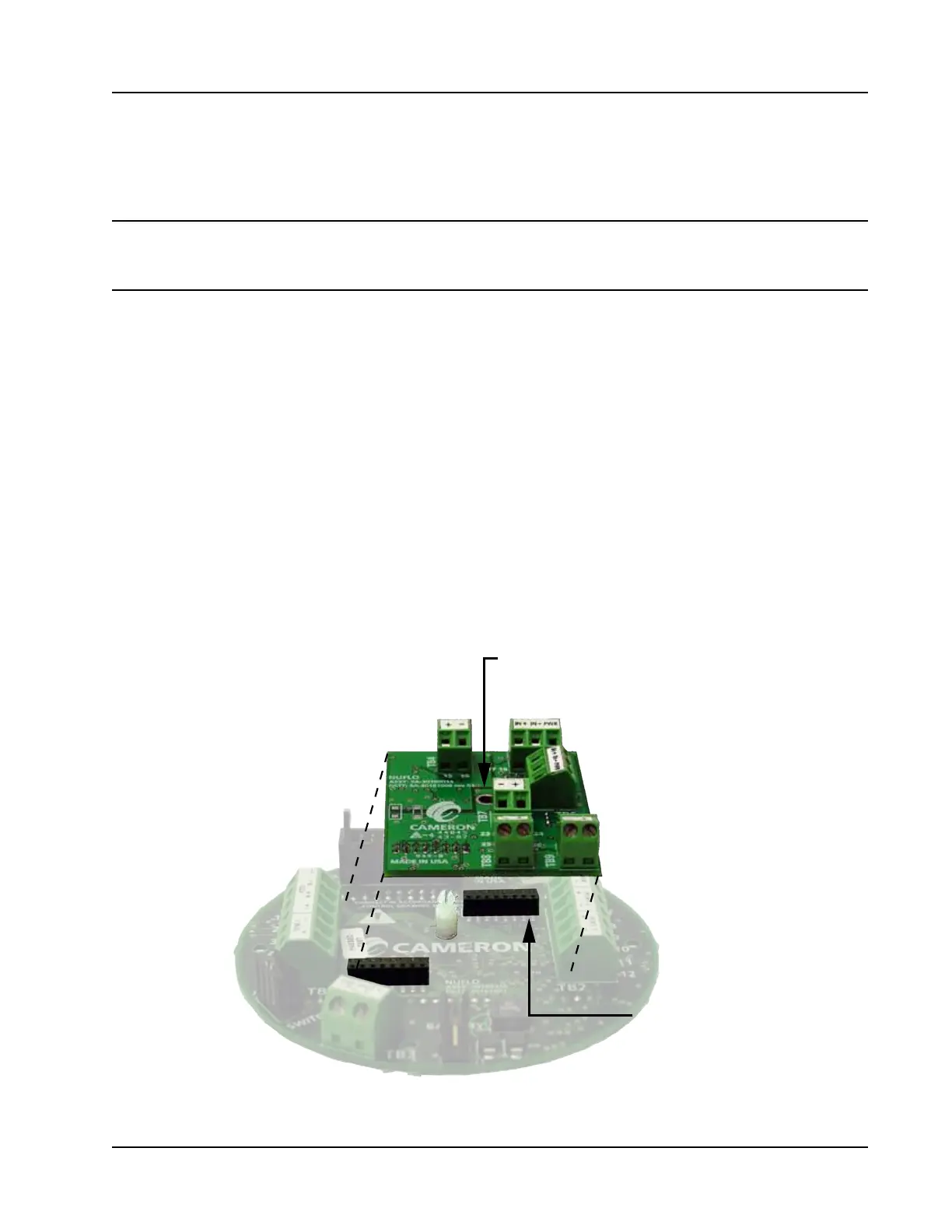
The expansion board attaches to two headers positioned between the two large green terminal blocks on the
PDLQERDUG7RLQVWDOOSHUIRUPWKHIROORZLQJVWHSV
Remove the standoff from packaging and push it into the hole near the middle of the main board until it
VQDSVLQWRSODFH
Guide the expansion board over the standoff and align the pins on the under side of the expansion board
ZLWKWKHKHDGHUVRQWKHPDLQERDUG)$,/85(72$/,*13,16$1'+($'(56&$15(68/7,1
'$0$*(727+(%2$5':KHQWKHERDUGLVSRVLWLRQHGFRUUHFWO\WKHWH[WRQERWKERDUGVVKRXOGIDFH
WKHVDPHGLUHFWLRQ
Gently press the expansion board and the main board together until the expansion board snaps into place
RYHUWKHVWDQGRII
5HVWRUH¿HOGZLULQJFRQQHFWLRQVWRWKHPDLQERDUGLIDSSOLFDEOHDQGLQVWDOO¿HOGZLULQJRQWKHH[SDQVLRQ
ERDUG
5HVWRUHSRZHUWRWKH6FDQQHUDQGUHERRWWKH6FDQQHUWRDOORZLWWRGHWHFWWKHH[SDQVLRQERDUG
Align hole in
expansion board
with stando.
Align pins on back
of expansion board
with black headers.
Figure A.14—Scanner 2000 input/output expansion board



 To Next Page