Flame Failure
(Pressing the manual
OK button on the
VTech Control Panel to
restart the ignition
sequence)
• The water heater has failed
to ignite the burner after 3
consecutive attempts
• Verify that all air has been purged from gas line.
• Inspect hot surface igniter and related wiring for damage and connection errors.
• Verify igniter is glowing and draws at least 3.0A.
• Inspect flame sensor and associated wiring. Replace if necessary.
• Verify that water heater is properly grounded
• Verify incoming gas supply pressure and that it coincides with Table 4.
• Verify that the vent/ air inlet piping are correctly installed with no obstructions.
• Check wiring from VTech Controller, Gas Valve Transformer. If a signal cannot be
detected, the VTech Controller needs to be replaced
• If 24 VAC is present, check the valve. Connect a manometer to the outlet pressure
tap. Negative pressure should be present during pre-purge. When the valve is
energized the pressure should change. If not the gas valve has failed or is passing
insufficient gas. Consider adjusting combustion settings.
• Inspect the burner, and clean if necessary.
• Replace the VTech Controller
Flame Detection is
out of Sync
• Verify supply voltage for proper polarity.
• Check external wiring for voltage feedback
• Check internal wiring for proper connections
• Check the flame sensor and verify that it is clean
• Replace VTech Controller
• Tank Bottom sensor open
• Tank Top sensor open
• Flue sensor open
• Verify that the sensors are connected
• Verify that they are wired correctly.
• Measure the resistance of the sensors, 10kΩ sensors.
• Replace the sensor if necessary
• Refer to Part 3 Gas Connection in this manual.
• Natural Gas Pressure should read between 3” w.c. and 14” w.c.
• L.P. Gas Pressure should be at 11” w.c.
• Refer to Gas Valve Adjustment Procedure in section 10.2 of this manual for the
proper combustion setting.
• Air Inlet and/or vent
configuration
• Refer to Part 2 Air Inlet and Venting
• Refer to Burner Maintenance in section 9.7 of this manual for the burner removal and
inspection procedure. Clean or replace the burner, if required.
• Air in the piping system
• Purge all air from the piping system
• Check that display is connected to the PIM using a CAT5 cable on the back of the
display
• Reset VTech Controller
• If fault persists, replace VTech Controller
• Reset VTech Controller
• If fault persists, contact factory
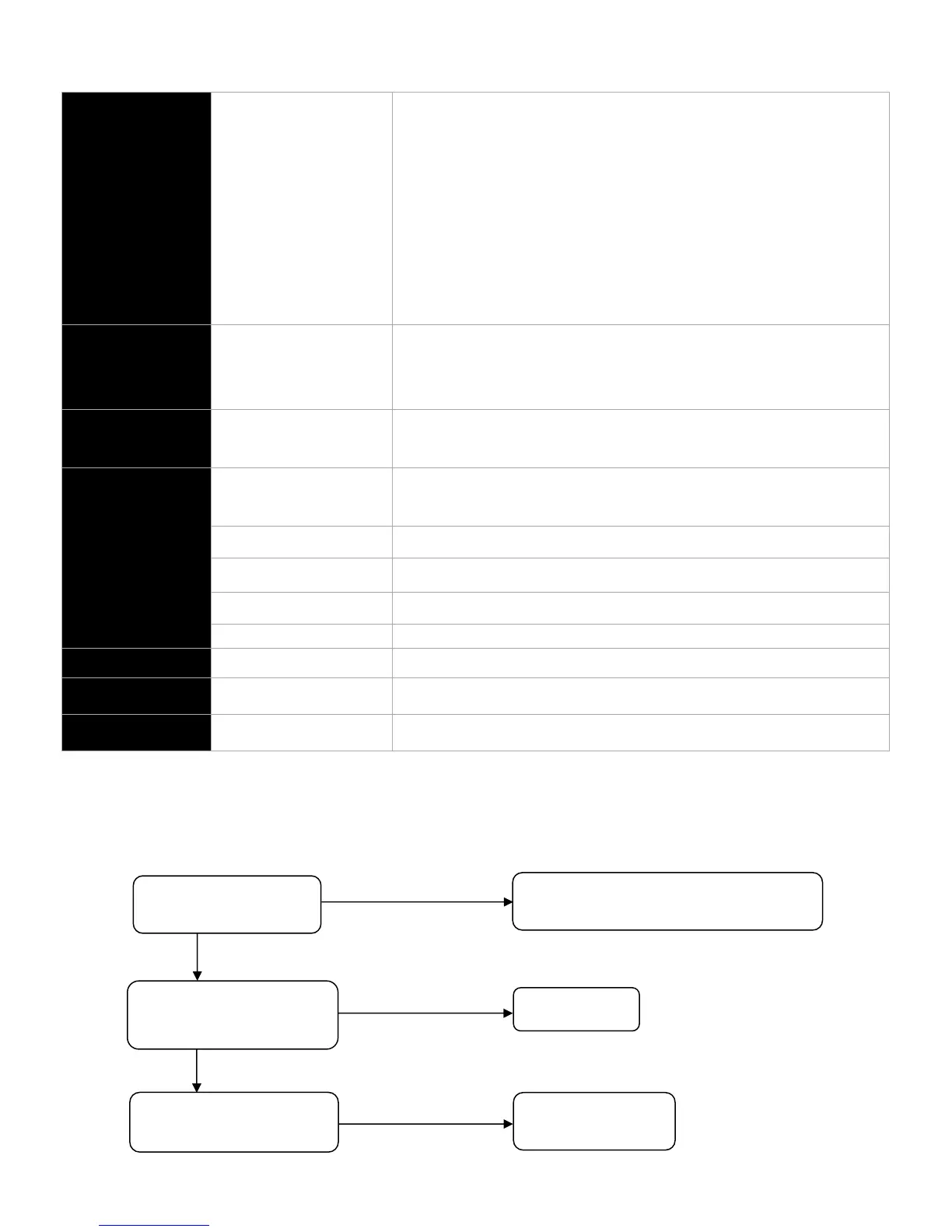
9.8.1 – Flow Diagrams
Fault = “IGNITION FAIL”
This error occurs when a flame signal is not detected by the flame sensor. A minimum signal of 0.8Vdc must be detected by the
flame sensor to prove the flame.
Fault = “FLAME FAIL”
Move flame sensor wire away from harness
bundle
Separated from harness bundle
Check hot surface igniter for
minimum 3.0A reading
Check flame sensor for
carbon deposit



 To Next Page