CONTROLS/INSTRUMENTS/EQUIPMENT
vmo2009-004-005_a
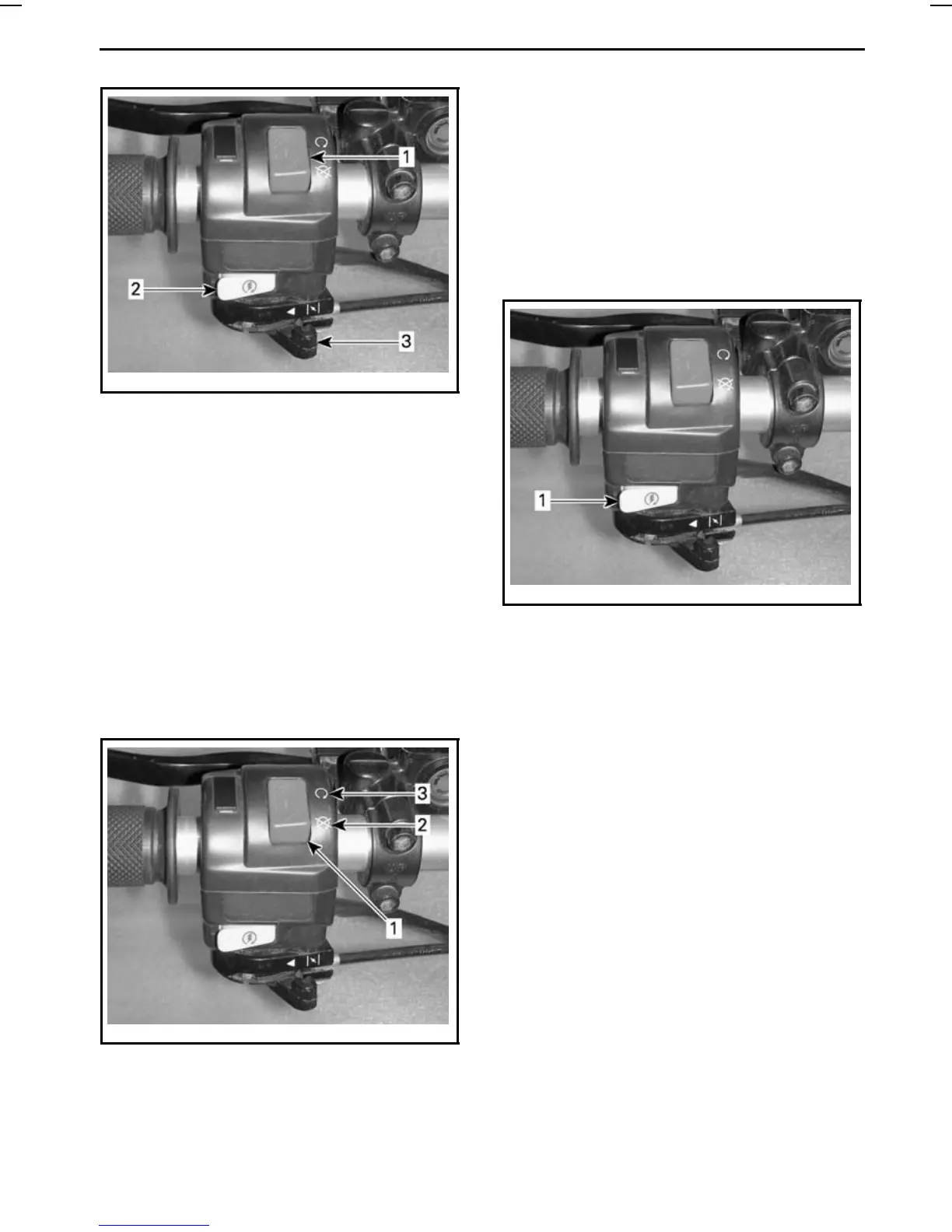
1. Engine stop switch
2. Engine start button
3. Choke lever
Engine Stop Switch
This switch can be used to stop the en-
gine and as an emergency control.
The engine will turn over but will not
start if the engine stop switch is placed
in the OFF position.
NOTE: While engine can be stopped
by turning ignition key to OFF position,
we recommend the engine be stopped
by the engine stop switch.
vmo2009-004-005_b
1. Engine stop switch
2. OFF position
3. ON position
Engine Start Button
To start engine, place the engine stop
switch to ON position.
Press and hold LH brake lever.
Press and hold the engine start button.
Release immediately after engine is
started.
vmo2009-004-005_c
1. Engine start button
To stop engine, fully release throttle
leverthenusetheenginestopswitch.
Choke Lever
This device features a variable lever to
ease engine cold start.
Position OFF is for normal use with a
warm engine.
_____________________
61












 To Next Page