4. MECHANICAL SYSTEM
4-88
COPYRIGHT
©
2001 CANON INC. CANON CLC1000/1000S/3100 REV.2 MAY 2001 PRINTED IN JAPAN (IMPRIME AU JAPON)
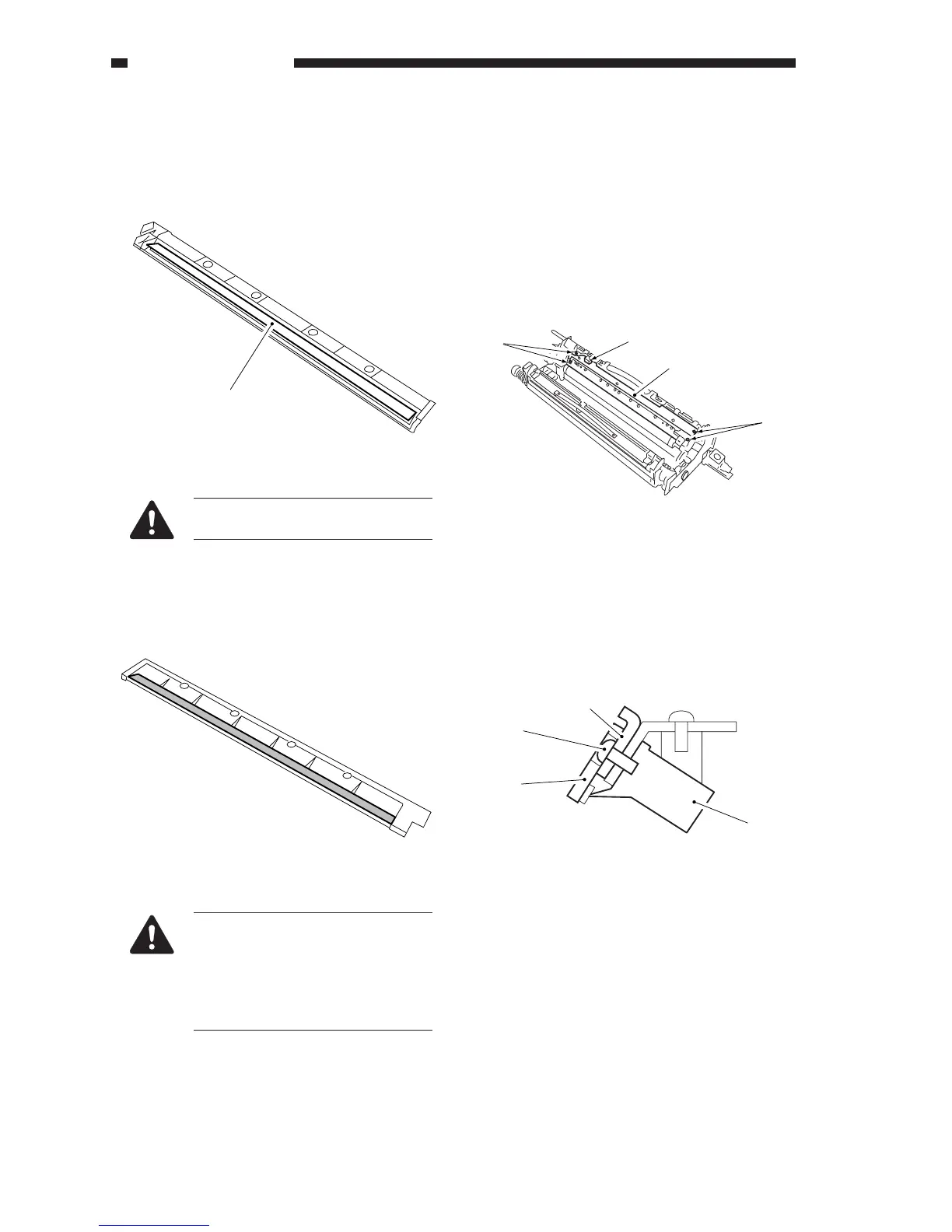
4) Turn over the developing assembly upper
cover, and remove the toner collecting on the
plastic film [3] with a blower brush or lint-free
paper.
Figure 4-902C
Take care not to deform the plastic
film.
5) Thereafter, clean the surface (shaded) of the
developing assembly upper cover with
alcohol.
Figure 4-903C
Using alcohol will eliminate static
charges. Be sure to perform this
step to protect the potential sensor
from adverse effects.
Be sure not to touch the surface of
the cover after cleaning.
6) Holding the developing assembly upper cover
on its edges, install the developing assembly.
2. Replacing the Color Toner Density
Sensor
1) Slide out the process unit from the machine.
2) Remove the developing assembly.
3) Remove the four screws, and remove the
developing assembly upper cover.
4) Remove the four fixing screws [1], and
disconnect the connector [2]; then, remove
the color toner density sensor [3].
Figure 4-904C
5) Remove the four screws [5], and remove the
two blade metal plates [4] from the color toner
density sensor [3]; then, install the new color
toner density sensor unit with four screws [1].
Figure 4-905C
[3]
[1]
[1]
[3]
[2]
[3]
[4]
[5]
[4]




 To Next Page