COPYRIGHT
©
2001 CANON INC. CLC1000/1000S/3100 REV.2 MAY 2001 PRINTED IN JAPAN (IMPRIME AU JAPON)
5-39
5. INSTALLATION
Step
1
2
3
4
5
6
RemarksWork
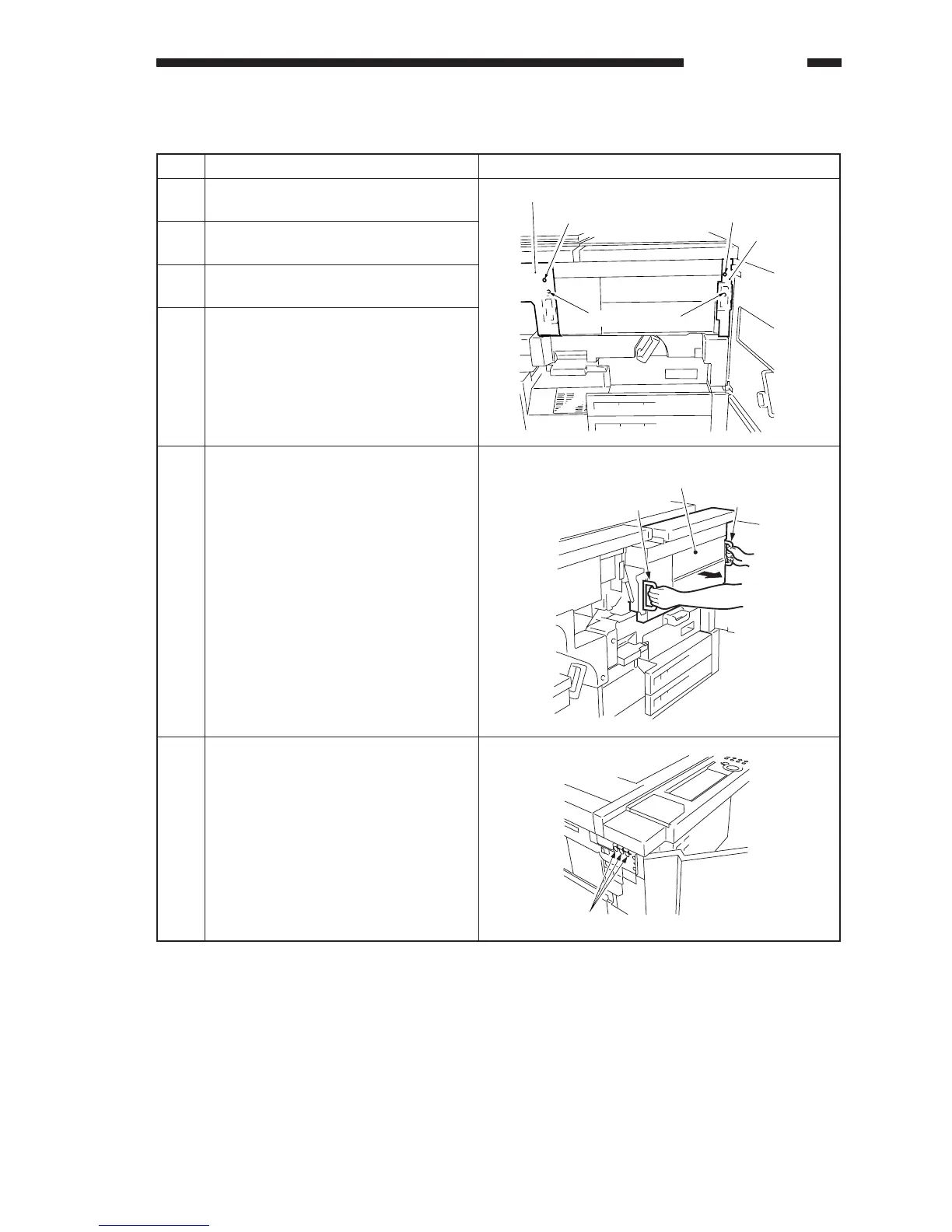
Open the copier's front cover (left,
right).
Remove the screw, and remove the
hopper assembly right cover.
Remove the screw, and remove the
hopper assembly left cover.
Remove the two fixing screws from the
hopper assembly.
Holding the right and left grips, pull out
the hopper assembly to the front.
Remove the copier's left side plate, and
remove the three screws used to fix the
control panel in place.
V. INSTALLING THE CONTROL CARD V
Left cover
Screw
Right cover
Screw
Fixing screws
Hopper assembly
Grip
Grip
Screws











 To Next Page