MONITORING
10
EN
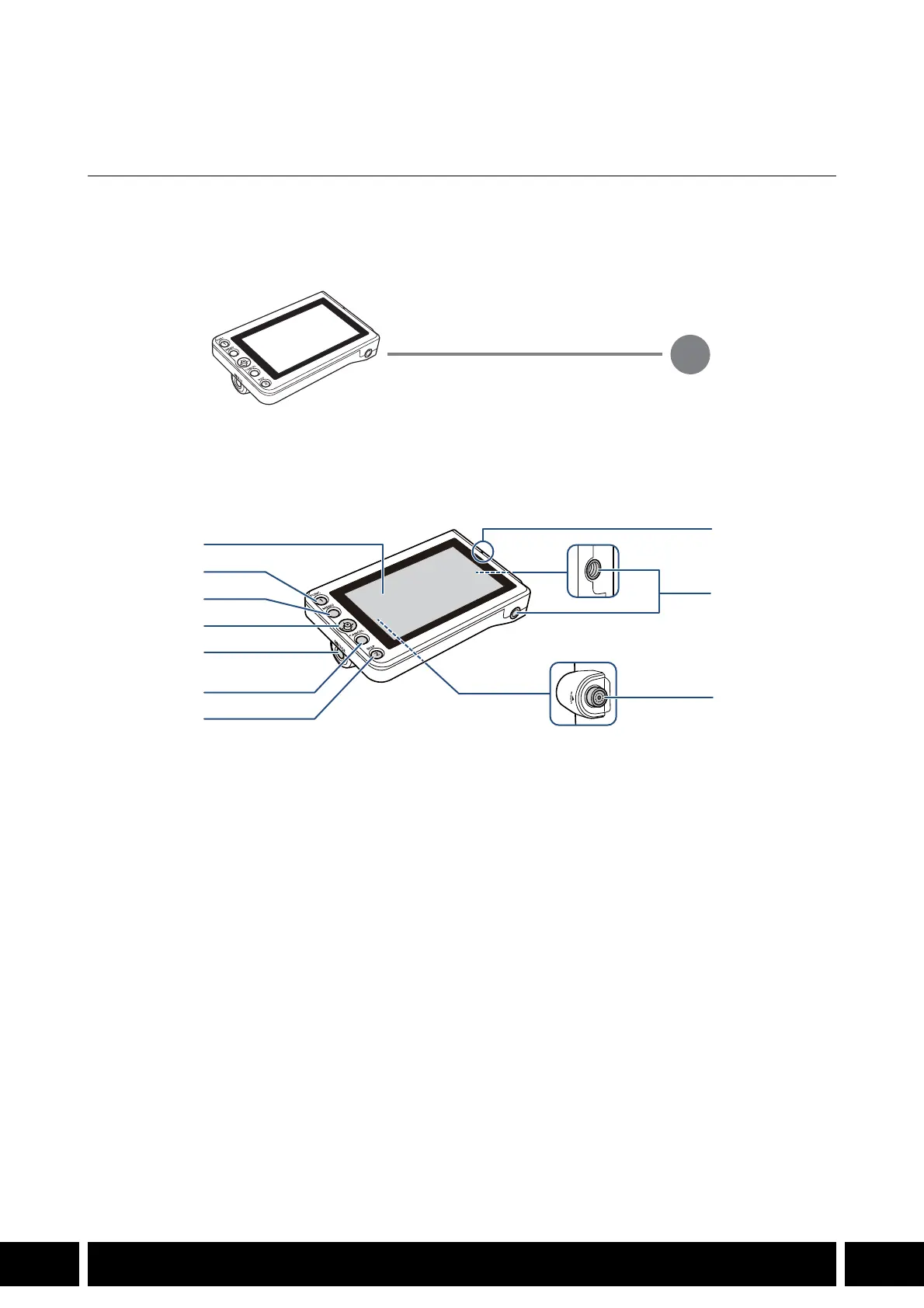
Monitoring
LM-V1 / LM-V2 LCD Monitor
Connect the LCD monitor to the camera to add a large monitoring screen with touch screen operations
(touch to focus), menu operation buttons and joystick and two assignable buttons.
For details on how to attach and use the LCD monitor, see the instruction manual of the camera being
used.
An optional attachment unit is also required to attach the monitor to the camera.
Names of Parts
1 LCD panel with touch screen
2 FUNC (main functions) button / Assignable
button LCD LM-V1/V2 1
3MENU button
4Joystick
5 MIRROR (invert the displayed image) button
6CANCEL button
7 DISP (display) button / Assignable button LCD
LM-V1/V2 2
8 LCD monitor’s position alignment mark Í
9 Screw holes for 1/4"-20 screws (11.2 mm
(0.44 in.) deep, x2)
10 VIDEO terminal
VIDEO terminal
UN-5 / UN-10 Unit Cable (optional)
1
2
3
4
5
6
7
8
9
10



 To Next Page