MONITORING
14
EN
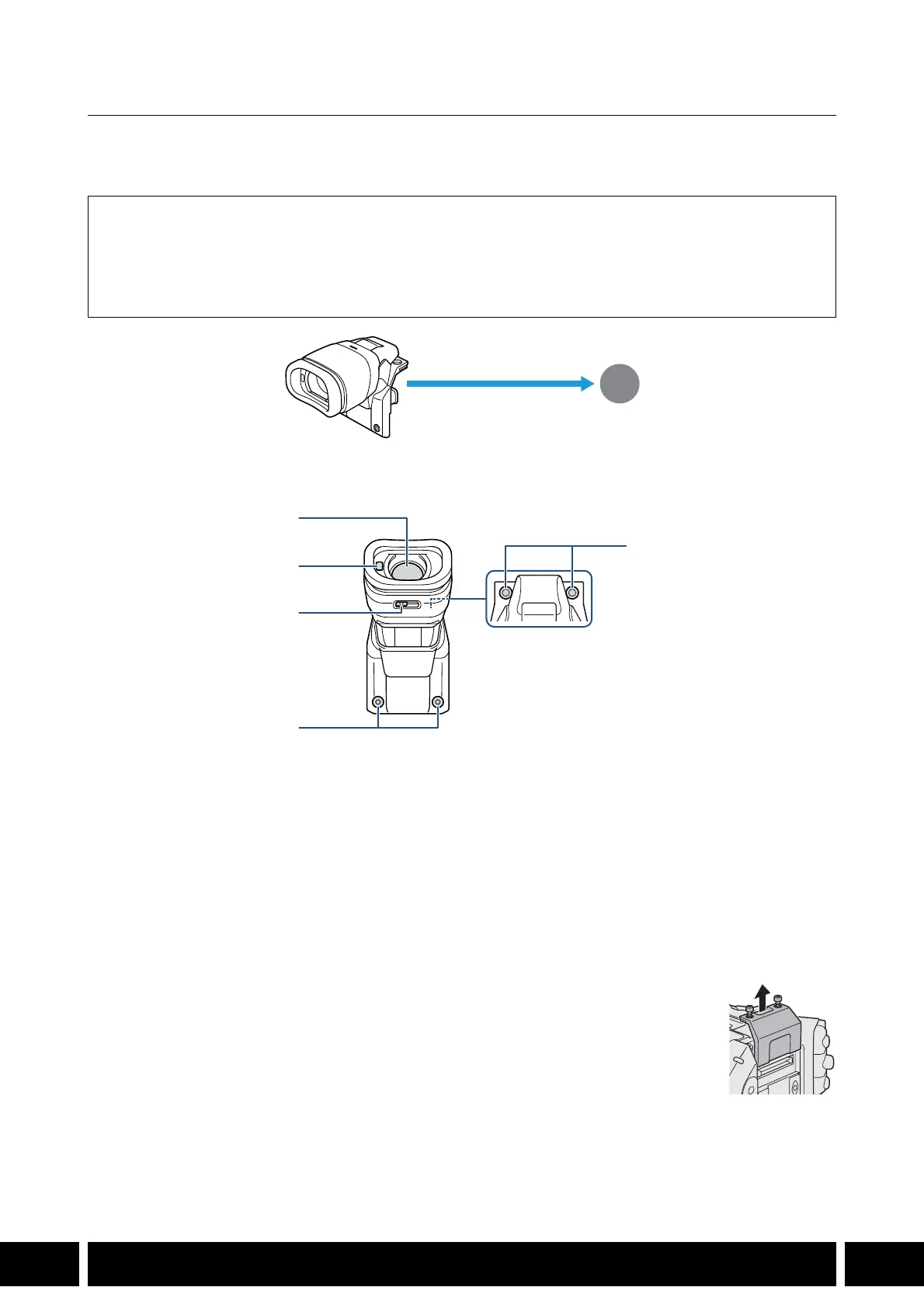
EVF-V50 OLED Electronic Viewfinder
Connect the viewfinder to the camera to add a bright OLED monitoring screen that can be turned on/off
automatically thanks to an eye sensor.
Names of Parts
Attaching the Viewfinder to the Camera
1. Turn off the camera.
• The accessory will not work if it is attached while the camera is turned on.
2. Remove the camera’s expansion unit cover.
• Remove the 2 bolts in the illustration using the hex wrench for M4 bolts.
Supplied Accessories
Connector cover
M4 hex socket head bolts (x2)
Eye cup
Viewfinder cap
1 Viewfinder
2 Eye sensor
3 Diopter adjustment lever
4 Accessory fixation bolts (M4, x2)
5 Screw holes for fixation bolts (x2)
Expansion unit connector
(attach directly)
1
2
3
4
5
햳



 To Next Page