MONITORING
18
EN
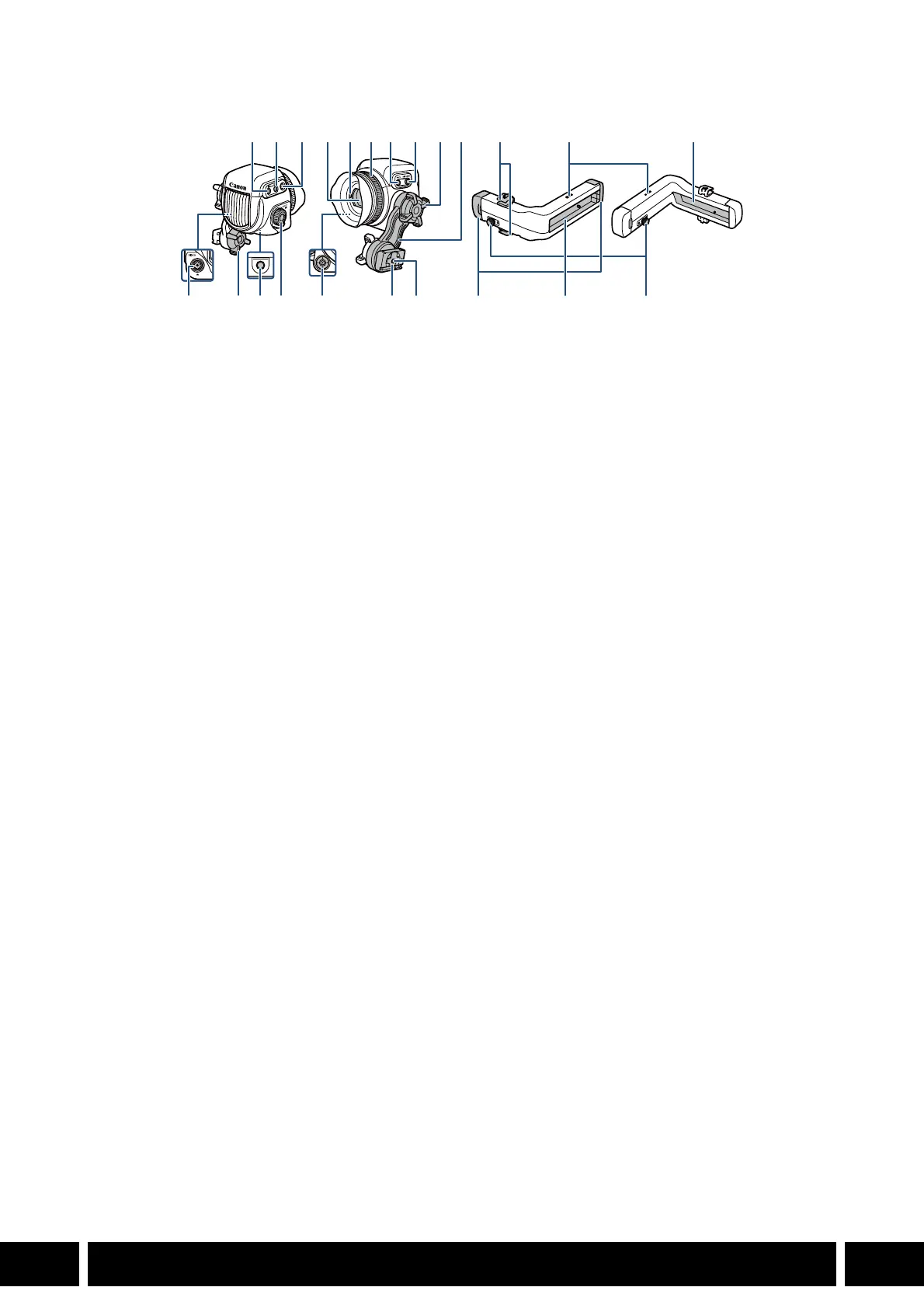
Names of Parts
Depending on the camera used, some of the functions described below may not be available or may
function differently. Buttons with an asterisk (*) in the illustration are illuminated when used with a camera
that features the button illumination function.
1 FUNC (main functions) button/
Assignable button EVF-V70: 1
2 EVF (open the menu) button/
Assignable button EVF-V70: 2
3 BACK (go back to previous screen) button
• Use this button to return to the previous
menu level.
4 Viewfinder
5 Eye sensor
6 Dioptric adjustment ring
7 MAGN. (magnification) button/
Assignable button EVF-V70: 3
8 FALSE COLOR button/
Assignable button EVF-V70: 4
9 Swing arm locking screw
10 Swing arm
11 VIDEO terminal
12 Screw hole for 1/4"-20 mounting screws
(25 mm, 0.98 in. deep)
13 SELECT dial/SET button
14 Joystick/SET button
15 Swing arm slider
16 Screw hole for 1/4"-20 mounting screws
(10 mm, 0.39 in. deep)
17 Clamp rail: cable clamps
18 Screw holes for the clamp rail’s cable clamps
19 Rail
20 Clamp rail: rail end caps
21 Clamp rail: slider locking pin
2
*
3
*
7
*
8
*
4
11 9 12 13 14 15 16
56 910 17 18 19
19 2120
1
*



 To Next Page