MONITORING
20
EN
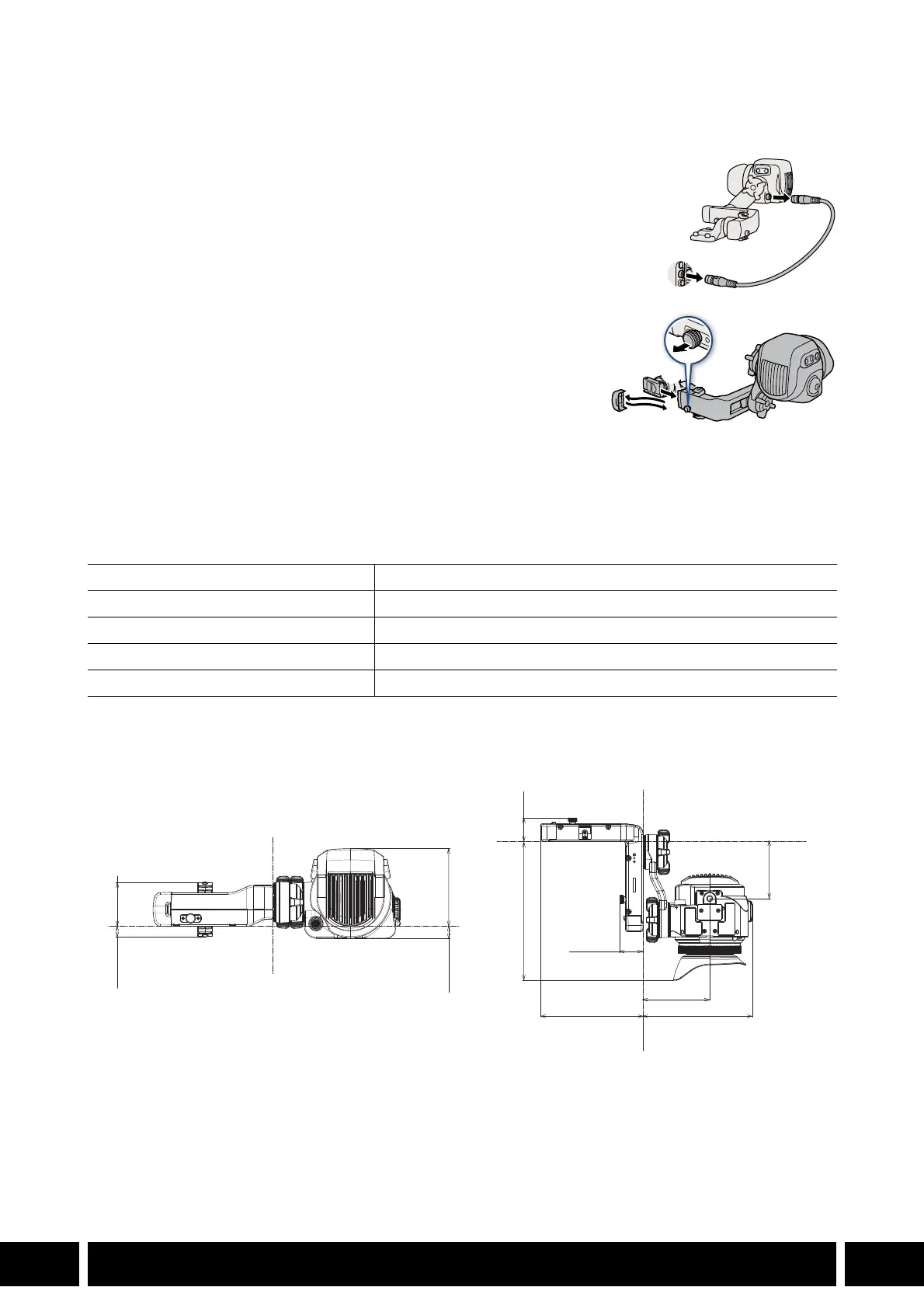
Removing the Viewfinder
1. Turn off the camera.
2. Disconnect the unit cable from the camera and viewfinder (햲).
3. Remove the end cap from the clamp rail’s arm attached to the
clamp rail base (햳).
4. While pulling out the locking pin at the other side of the clamp
rail (햴), remove the viewfinder and clamp rail from the clamp
rail base (햵).
5. Attach the end cap that was removed in step 3 to the clamp rail (햶).
6. Repeat steps 3 to 5 for the clamp rail’s arm attached to the viewfinder.
Specifications
* All dimensions and weights are approximate.
Detailed Measurements
Screen 1920x1080 resolution (6,220,000 dots)
Coverage 100%
Operating temperature 0 °C – 40 °C (32 °F – 104 °F)
Dimensions* (W x H x D) 243 x 88 x 185 mm (9.6 x 3.5 x 7.3 in.)
Weight* (without connector cover) 830 g (1.8 lb.)
10.2 (0.40) 43.2 (1.7)
12.2 (0.48) 76.0 (3.0)
158.5 (6.2) 26.8 (1.1)
65.4 (2.6)
26.8 (1.1)
117.3 (4.6) 125.3 (4.9)
76.2 (3.0)
mm (inches)



 To Next Page