ADDED FUNCTIONALITY AND LENS COMPATIBILITY
23
EN
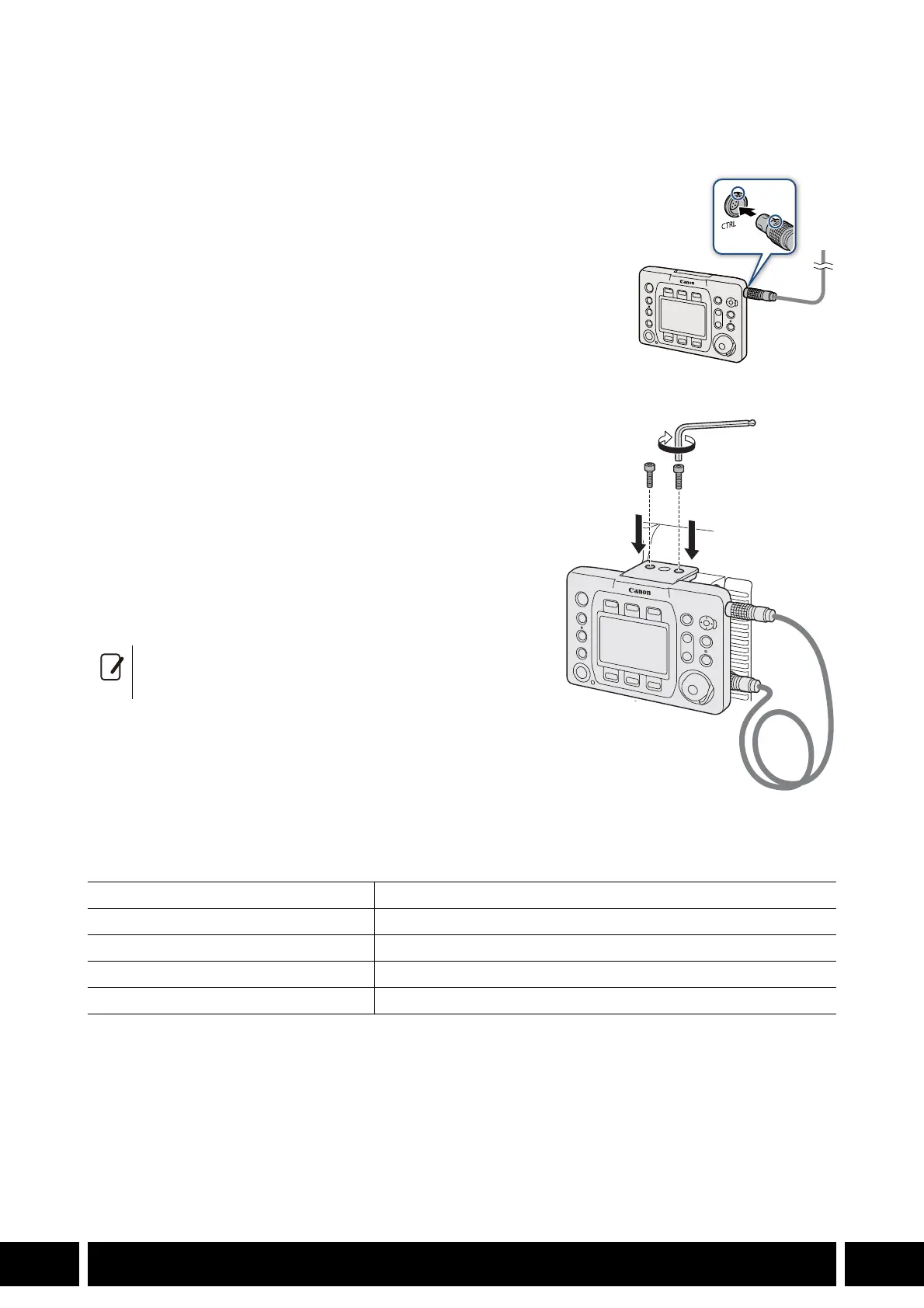
Connecting the Remote Operation Unit to the Camera
Using an Optional Unit Cable
1. Turn off the camera.
2. Connect the optional UC-V75 (75 cm, 2.5 ft.) or UC-V1000 (10 m,
32.8 ft.) Remote Operation Unit Cable to the CTRL terminals on
the controller and the camera.
• Align the red marks on the cable’s plugs and the terminals.
3. Turn on the camera.
• The OU-700 will turn on as well.
Attaching to the Camera
1. Turn off the camera.
2. Attach the remote operation unit to the camera and
connect the remote operation unit cable (previous
procedure).
• Secure it firmly using the 2 supplied hex socket head bolts
and the hex wrench for 0.64 cm, 1/4" screws.
3. Turn on the camera.
• The OU-700 will turn on as well.
Specifications
* All dimensions and weights are approximate.
• To disconnect the cable, pull the plug’s metal
connector forward and then remove the cable.
CTRL Terminal LEMO circular 7-pin jack
Control Display TFT color LCD, approx. 1,030,000 dots
Operating Temperature 0 °C – 40 °C (32 °F – 104 °F)
Dimensions* (W x H x D) 156 x 117 x 36 mm (6.1 x 4.6 x 1.4 in.)
Weight* Body only, not including cable: 375 g (13.2 oz.)



 To Next Page