ADDED FUNCTIONALITY AND LENS COMPATIBILITY
37
EN
Removing the Adapter
1. Set the [Mount Adapter] setting to [Off].
2. Turn off the camera.
3. Disconnect the lens’s 12-pin interface cable from the camera.
4. Remove the supplied lens support bracket from the lens.
5. Remove the lens from the adapter.
• While taking care to support the lens, turn the adapter’s bayonet ring handle counter-clockwise to
unlock the lens and then remove it from the camera.
6. Remove the adapter from the camera.
• Place the body cap back on the lens mount and the dust caps back on the adapter.
Specifications
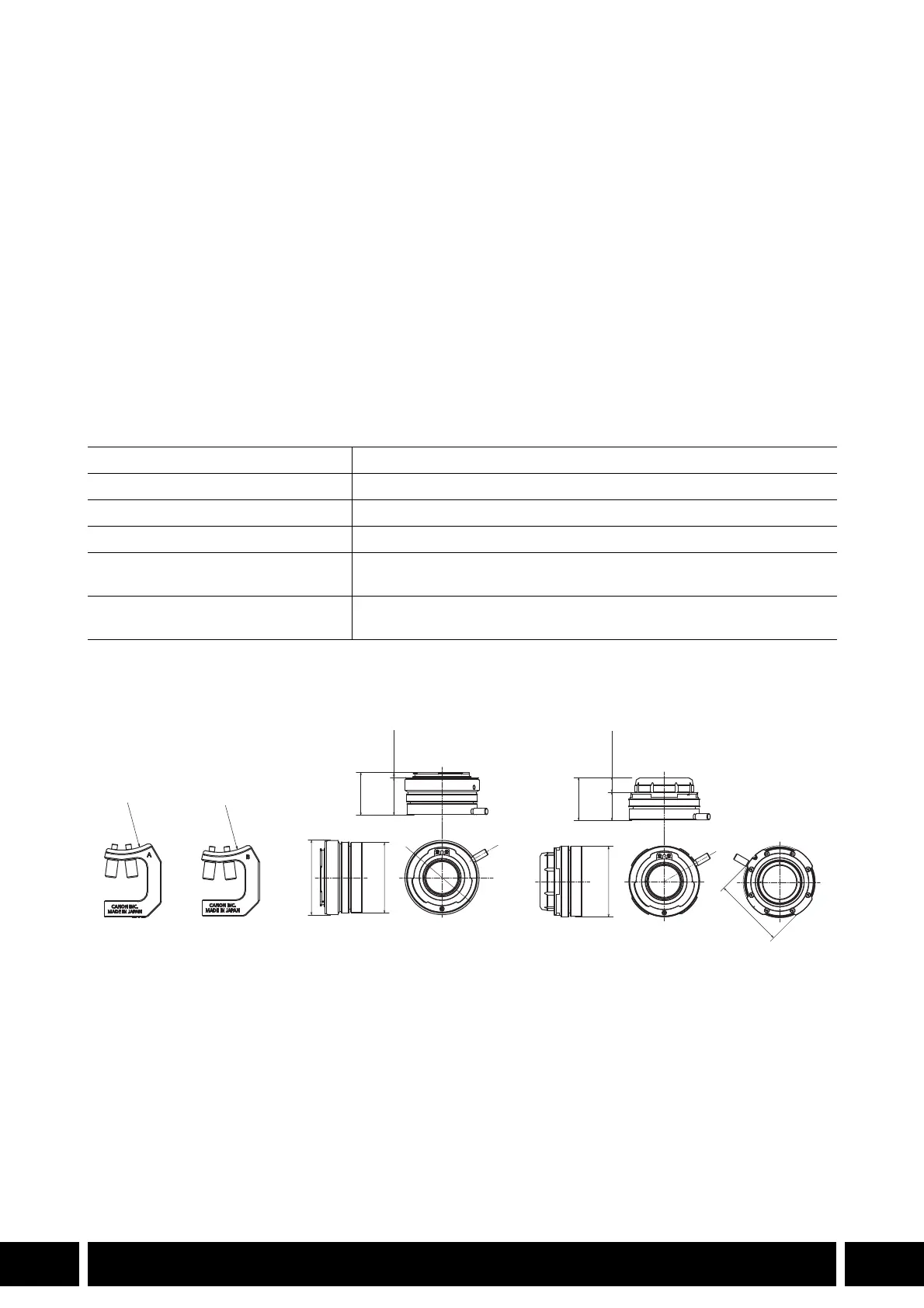
* All dimensions and weights are approximate.
Detailed Measurements
Lens configuration 4 elements in 3 groups
Image circle ∅ 14.1 mm (∅ 0.6 in.)
Multiplication factor 1.3x
Operating temperature 0 °C – 40 °C (32 °F – 104 °F)
Dimensions* (diameter x length) MO-4E: ∅ 69 x 39 mm (∅ 2.7 x 1.5 in.)
MO-4P: ∅ 68 x 39 mm (∅ 2.7 x 1.5 in.)
Weight* MO-4E: 230 g (8.1 oz.), MO-4P: 248 g (8.7 oz.)
Support bracket A / B: 23 g (0.8 oz.)
MO-4E
MO-4P
mm (inches)
R3
1
(
1
.
2
)
69 (2.7)
39 (1.5)
68 (2.7)
R
3
3
(
1
.
3
)
65 (2.6)
33.5
(1.3)
5.5 (0.2)
39 (1.5)
25.5
(1.0)
13.5 (0.5)
65 (2.6)



 To Next Page