Chapter 4
4-35
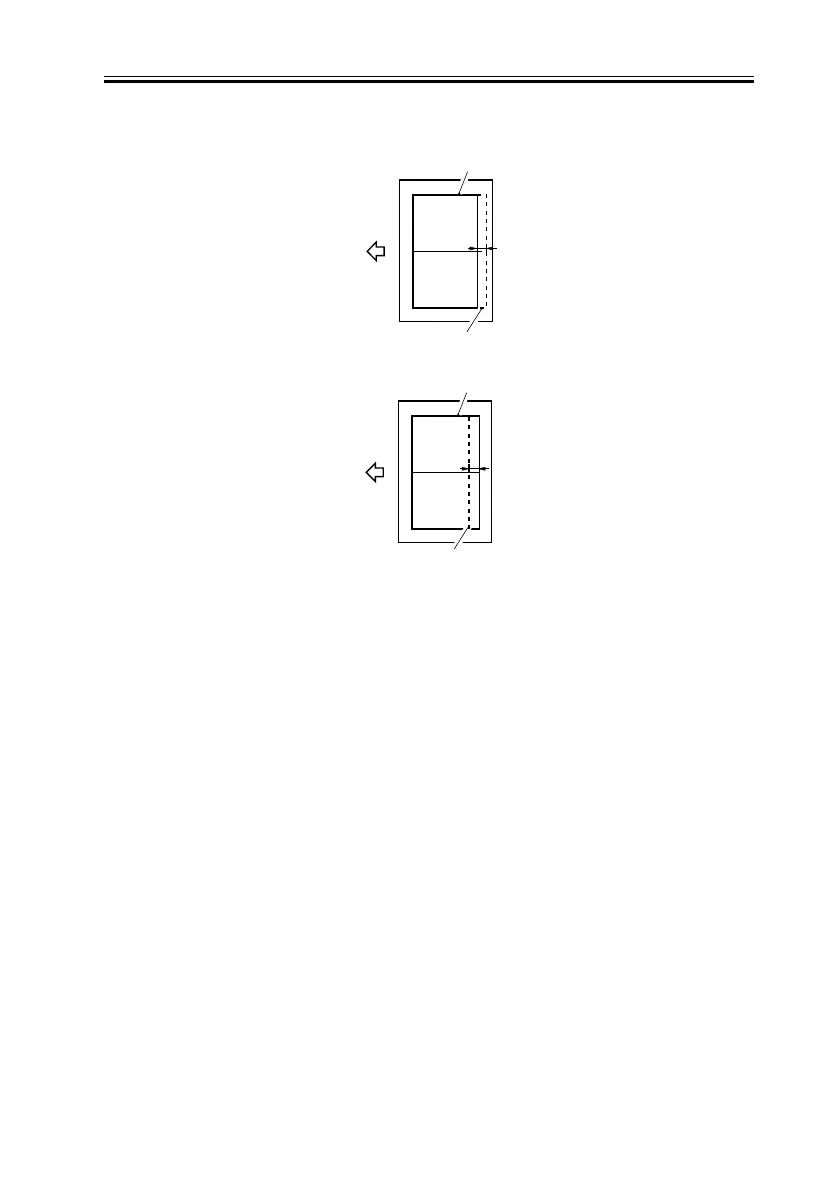
F-4-42
5) Start service mode as follows: press the User Mode key, press the 2 and 8 keys at the
same time, and press the User Mode key once again.
6) Make the following selections: FEEDER>ADJUST>LA-SPEED; then, change the
setting to make adjustments.
-To make the image on copy B longer, decrease the setting (so that the stream reading speed
will be decreased).
To make the image on copy B shorter, increase the setting (so that the stream reading speed
will be increased).
[ range -30 to 30 : -3 to + 3 % ]
7) Make a copy of the text charge once again, and check to see that the image is as indicated.
Feed
direction
Copy A
Copy B
a
Feed
direction
Copy A
Copy B
a
<If Cop A Is Shorter>
<If Copy A Is Longer>


 To Next Page