Chapter 3
3-8
3.3.4.4 Removing the
Locking Motor
0003-7180
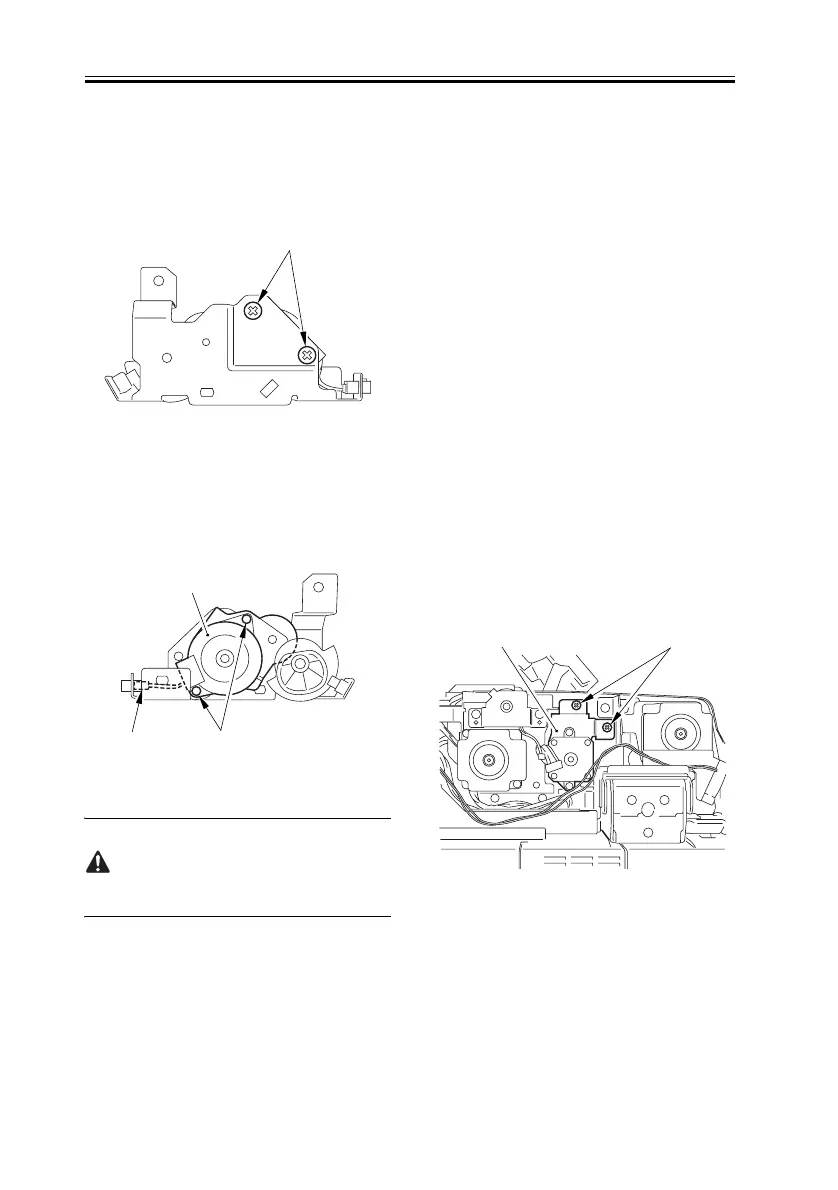
1) Remove the 2 screws [1].
F-3-18
2) Remove the 2 screws [1], and
disconnect the connector [2]; then, detach
the delivery reversal motor [3].
F-3-19
When mounting it, be sure that the
motor harness is not trapped.
3.3.5 Drive Unit
3.3.5.1 Removing the
Rear Cover
0004-0691
Refer to Procedure 3.2.2
3.3.5.2 Removing the
Harness Guide (right
rear)
0004-0818
Refer to Procedure 3.3.3.2
3.3.5.3 Removing the
Delivery Reversal
Motor Unit
0004-0693
1) Remove the 2 screws [1], and detach the
delivery reversal motor unit [2].
F-3-20
[1]
[1]
2]
[3]
[1][2]


 To Next Page