76 I Commonly Used Shooting Functions
A
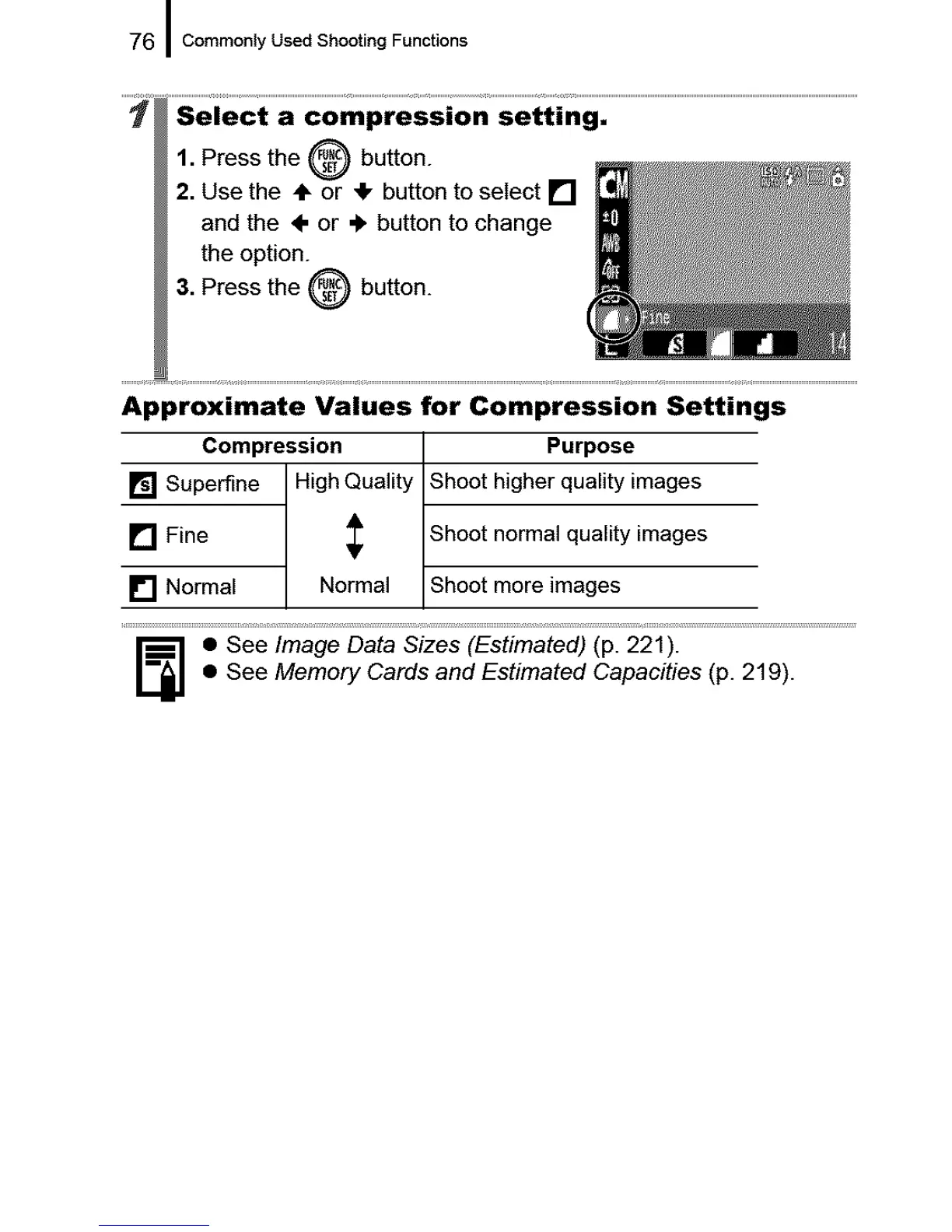
1. Press the _,_9) button.
2. Use the ÷ or _!, button to select []
and the ÷ or €, button to change
the option.
3. Press the _ button.
Approximate Values for Compression Settings
Compression
[] Superfine High Quality
[] Fine
[] Normal Normal
Purpose
Shoot higher quality images
Shoot normal quality images
Shoot more images
_] • See Image Data Sizes (Estimated) (p. 221).
• See Memory Cards and Estimated Capacities (p. 219).










 To Next Page