53
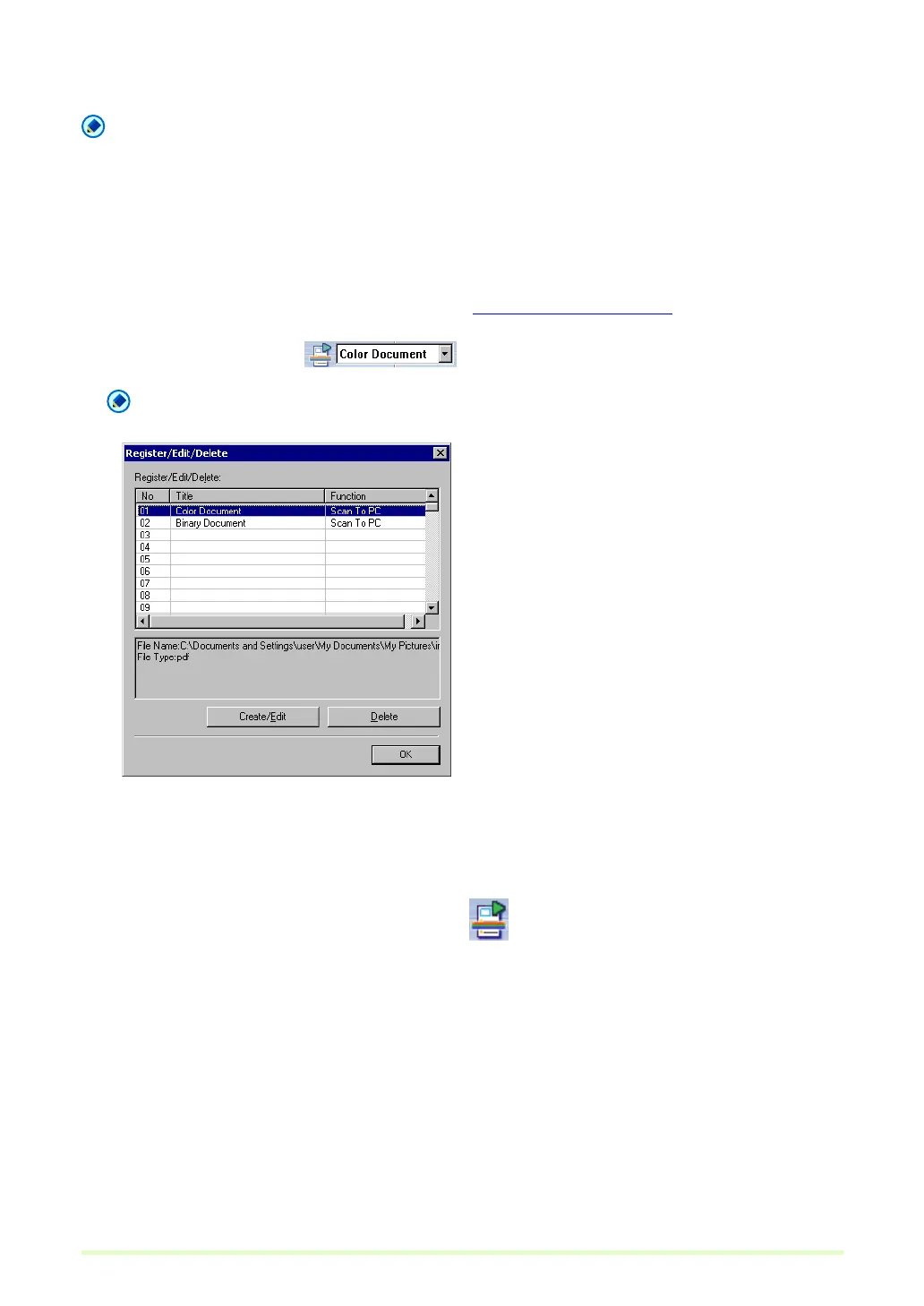
7 Click the OK button to close the Register/Edit/Delete dialog box.
Note
• Up to 99 jobs can be registered.
• To modify the contents of a registered job, select it and click the Create/Edit button.
• To delete a registered job, click it and then click the Delete button.
Scan Job Execution
1 Register a job by clicking Job in the Edit menu. Job Registration (→P. 50)
2 Select a job title from the list box on the tool bar.
Note
• Job titles highlighted in the Register/Edit/Delete dialog box appear in the list box.
• You can verify the registered contents of the job by selecting Job in the Edit menu.
3 Place a document in the scanner. Refer to the scanner's operating manual for details about
placing documents for scanning.
4 Select Scan JOB in the Scan menu, or click the button to scan according to the conditions
registered for the job.







 To Next Page