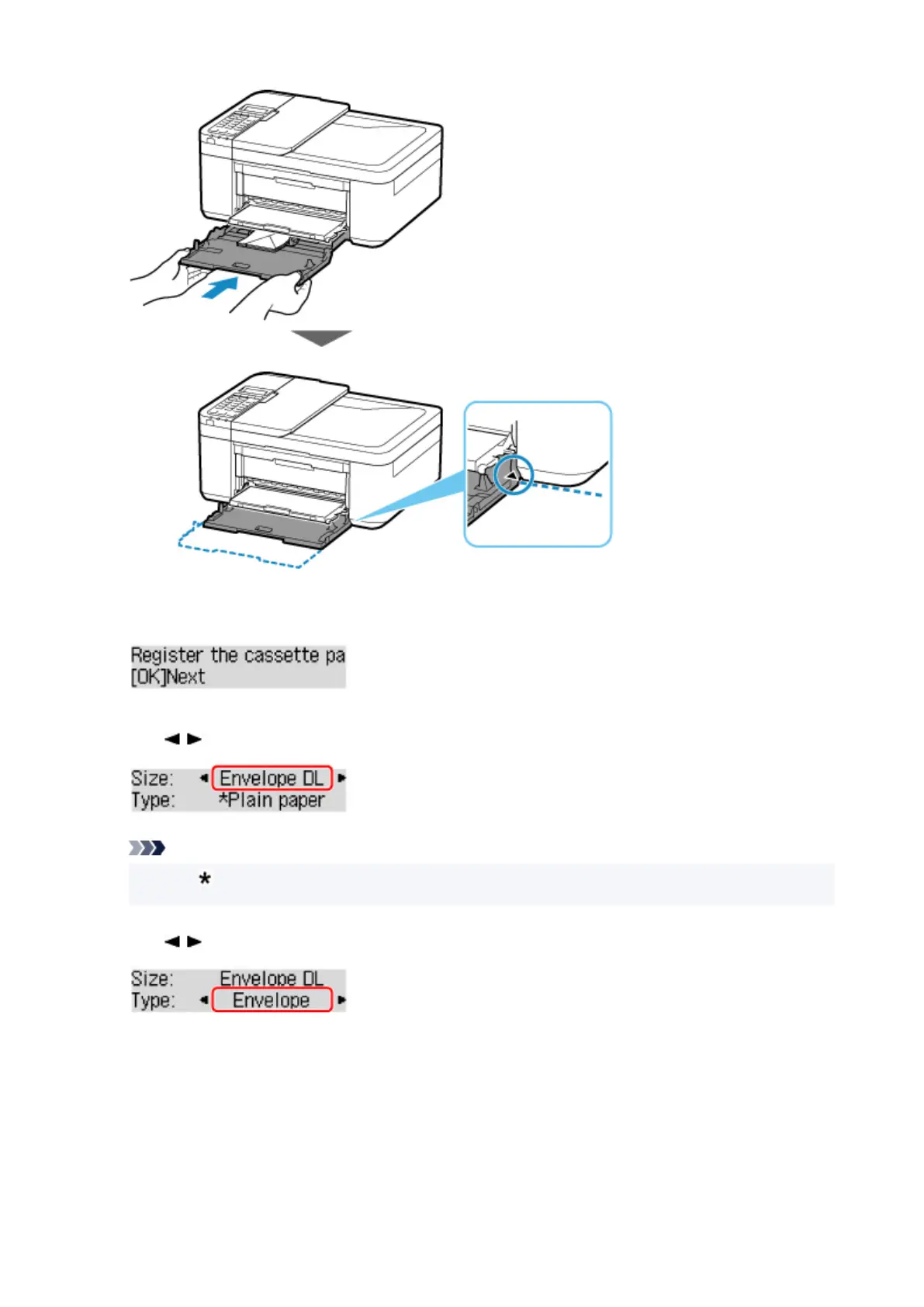
8.
Press the OK button.
9.
Use button to select size of loaded envelopes in cassette and press OK button.
Note
•
The (asterisk) on the LCD indicates the current setting.
10. Use button to select Envelope and press OK button.
Follow the instructions of any messages displayed to register the paper information.
11. Pull the paper output support (F) out from the paper output tray.
12. Open the output tray extension (G).
96







 To Next Page